
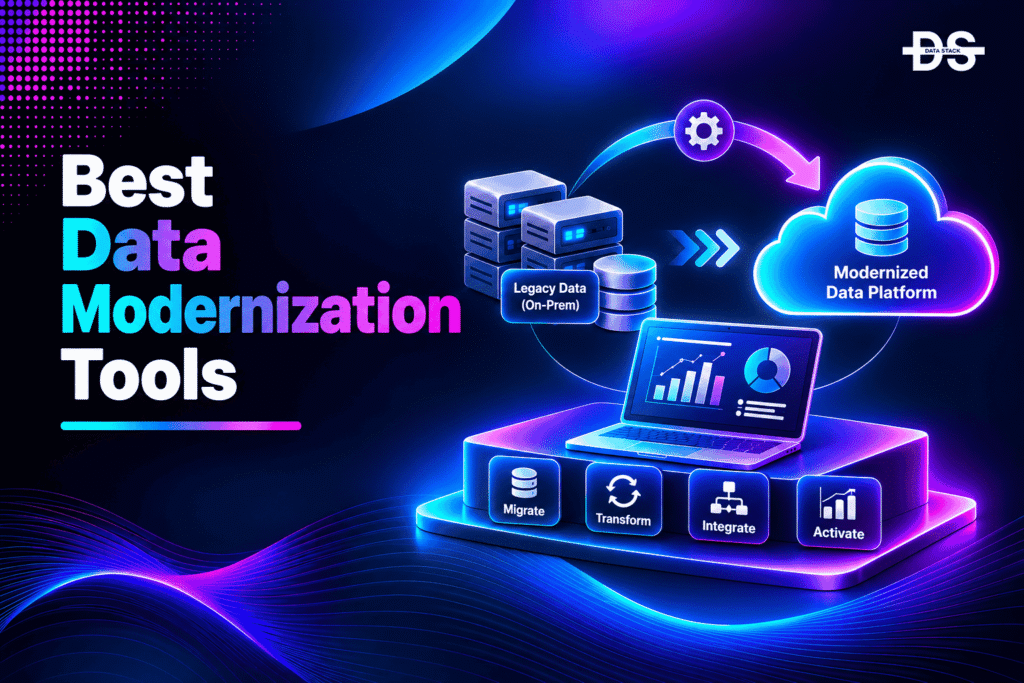
Data modernization has become a strategic priority for enterprises dealing with fragmented data infrastructure, aging warehouses, disconnected pipelines, and growing demands for real-time analytics and AI. Traditional data environments often rely on on-premises databases, legacy ETL systems, rigid warehouse architectures, and manually maintained integration processes. These systems can make it difficult to scale data operations, maintain consistent data quality, and provide timely information to business teams.
Modern data modernization tools help organizations address these challenges by improving how data is collected, moved, stored, transformed, governed, and accessed. Depending on the platform, they can support cloud data warehouse migration, lakehouse adoption, automated data integration, data pipeline development, data quality management, and real-time processing.
However, data modernization is not a single technology upgrade. An organization migrating an Oracle data warehouse to a cloud platform has different requirements from one replacing legacy ETL pipelines or building a unified data architecture across multiple environments. Some tools provide complete data platforms, while others specialize in ingestion, transformation, migration, or governance.
In this guide, we explore 10 data modernization tools that support different parts of the modernization process. We compare their capabilities, use cases, and supported environments to help enterprises identify the right solutions for their data architecture and modernization objectives.
What Is Data Modernization?
Data modernization is the process of upgrading legacy data infrastructure, technologies, and workflows to improve how an organization stores, integrates, processes, manages, and uses its data. It typically involves moving from traditional databases, on-premises data warehouses, and outdated ETL systems to modern cloud-based or hybrid data architectures.
The objective is not simply to move data to a new platform. Data modernization also addresses the limitations of existing data environments, including data silos, slow processing, inconsistent formats, limited scalability, and fragmented governance.
A data modernization initiative may involve several activities:
- Data warehouse modernization: Moving legacy data warehouses to cloud-native or modern analytical platforms.
- Data integration modernization: Replacing outdated ETL processes with scalable integration and ELT pipelines.
- Data architecture modernization: Adopting lakehouse, cloud data warehouse, or hybrid architectures.
- Data transformation: Updating legacy transformation logic and building reusable data models.
- Data quality and governance: Improving data accuracy, metadata management, lineage, security, and access controls.
- Real-time data processing: Moving beyond scheduled batch jobs to support streaming and near-real-time data workflows.
Organizations may use a single platform for several of these activities or combine specialized tools to modernize different parts of their data ecosystem.
How We Evaluated Data Modernization Tools
Selecting a data modernization tool requires evaluating more than its ability to transfer data between systems. The right platform should address the organization’s existing infrastructure, modernization priorities, data volumes, integration requirements, and long-term architecture.
We considered the following criteria when evaluating these tools:
- Data migration capabilities: Support for moving data from legacy databases, warehouses, and on-premises environments to modern platforms.
- Data integration: Ability to connect databases, enterprise applications, cloud storage, and other data sources.
- Data transformation: Support for cleaning, restructuring, enriching, and transforming data.
- Architecture modernization: Capabilities for adopting cloud data warehouses, lakehouses, and distributed data processing environments.
- Data governance: Availability of data cataloging, lineage, quality management, access controls, and metadata capabilities.
- Scalability: Ability to handle growing data volumes, complex workloads, and enterprise requirements.
- Deployment flexibility: Support for cloud, hybrid, multi-cloud, or self-managed environments where applicable.
The following comparison highlights how the 10 tools support different data modernization requirements.
Data Modernization Tools Comparison
The table compares the core modernization capabilities of each platform, the types of organizations and projects it suits, and the environments it supports. Some tools provide complete data platforms, while others focus on specific modernization activities such as ingestion, transformation, or integration.
| Tool | Key Modernization Capabilities | Best For | Best-Suited Environment | Free Trial |
|---|---|---|---|---|
| Microsoft Fabric | Data Integration, Data Transformation, Data Warehouse Modernization, Data Governance | Consolidating analytics and data engineering workloads into one platform | Microsoft Azure and Microsoft-centric environments | Yes – 60 days |
| Databricks Lakeflow | Data Ingestion, Data Transformation, Pipeline Modernization, Batch and Streaming Processing | Modernizing complex data engineering pipelines | Cloud-based lakehouse environments | Yes – 14 days |
| Snowflake | Data Warehouse Modernization, Data Integration, Data Engineering, Data Governance | Moving legacy analytical workloads to a managed cloud data platform | Multi-cloud environments | Yes – 30 days |
| Google BigQuery | Data Warehouse Migration, SQL Translation, Data Transformation, Cloud Analytics | Migrating legacy warehouses and modernizing analytical workloads | Google Cloud | No |
| AWS Glue | ETL Modernization, Data Integration, Data Cataloging, Data Pipeline Management | Replacing legacy ETL workflows with managed data integration | AWS environments | No |
| Informatica Intelligent Data Management Cloud | Data Integration, Data Quality, Data Governance, Master Data Management | Enterprise-wide data management and modernization | Multi-cloud and hybrid environments | Yes – 30 days |
| Qlik Talend Cloud | Data Integration, Data Quality, Data Replication, Data Transformation | Modernizing enterprise data integration and replication workflows | Hybrid and multi-cloud environments | No |
| Fivetran | Automated Data Ingestion, ELT Modernization, Data Replication, Schema Management | Moving data from business applications and databases into modern platforms | Cloud data warehouses and data lakes | Yes – 14 days |
| dbt Platform | Data Transformation, Data Modeling, Data Testing, Pipeline Modernization | Modernizing SQL transformations and building reliable data models | Cloud data warehouses and lakehouses | Yes – 14 days |
| Airbyte | Data Replication, Data Integration, Custom Connectors, Pipeline Modernization | Building flexible data ingestion pipelines | Cloud, self-managed, and hybrid environments | Yes – 14 days |
10 Best Data Modernization Tools in 2027: Detailed Comparison
1. Microsoft Fabric
Deployment: SaaS
Microsoft Fabric is an end-to-end analytics platform that brings data integration, engineering, warehousing, data science, real-time intelligence, and business intelligence into a unified environment. It is designed to reduce the complexity of managing separate services for different stages of the data lifecycle.
At the center of the platform is OneLake, a unified logical data lake that provides a shared storage foundation for Fabric workloads. Instead of maintaining disconnected storage environments for individual analytics services, organizations can work with data through a common architecture.
For enterprises modernizing Microsoft-centric data environments, Fabric provides a migration path from technologies such as Azure Data Factory, Azure Synapse Analytics, SQL Server, and other existing data platforms. Microsoft also provides migration guidance for moving supported workloads into Fabric.
Key Features
- OneLake: Provides a centralized logical data lake for storing and accessing data across Fabric workloads.
- Data Factory: Supports data ingestion, integration, and transformation through pipelines and dataflows.
- Data Engineering: Provides Spark-based capabilities for processing and transforming large datasets.
- Data Warehouse: Offers a cloud-based analytical warehouse for structured data workloads.
- Real-Time Intelligence: Supports the ingestion and analysis of streaming and event-based data.
- Governance and Catalog: Helps organizations discover, manage, and govern data assets across the platform.
Limitations
Microsoft Fabric is closely integrated with the Microsoft ecosystem, which makes it particularly suitable for organizations already using Azure, Power BI, and Microsoft data services. Organizations with complex multi-cloud architectures may need additional integration and governance solutions.
Migrating to Fabric also requires planning around existing pipelines, warehouse structures, security models, and workload dependencies. Not every legacy workload can be moved without modification.
Why Choose Microsoft Fabric?
Microsoft Fabric is a strong option for organizations looking to consolidate fragmented analytics infrastructure. Its combination of data integration, engineering, warehousing, and reporting capabilities can reduce the need to manage multiple disconnected services.
2. Databricks Lakeflow
Deployment: Cloud-based
Databricks Lakeflow is a data engineering solution that brings ingestion, transformation, and orchestration together within the Databricks platform. It helps organizations modernize traditional ETL pipelines and build data workflows for analytics, machine learning, and AI applications.
Lakeflow is particularly relevant for enterprises moving from legacy data processing systems or fragmented pipeline architectures to a unified lakehouse environment. It supports both batch and streaming workloads and allows data teams to build pipelines using SQL and Python.
The solution includes several components for different stages of data engineering. Lakeflow Connect handles data ingestion, Lakeflow Pipelines supports data transformation, Lakeflow Jobs manages workflow orchestration, and Lakeflow Designer provides a visual environment for building data workflows.
Key Features
- Lakeflow Connect: Provides managed connectors for ingesting data from enterprise applications, databases, files, and other sources.
- Lakeflow Pipelines: Supports declarative data transformation using SQL and Python.
- Lakeflow Jobs: Coordinates data pipelines, notebooks, scripts, and other workflow tasks.
- Batch and Streaming Processing: Supports different data processing patterns within a unified engineering environment.
- Delta Lake Integration: Provides transactional data management and support for reliable data pipelines.
- Unity Catalog: Offers centralized governance, access controls, auditing, and data lineage.
Limitations
Databricks is a powerful platform, but organizations may need experienced data engineers to design and manage complex workloads. Teams transitioning from traditional ETL platforms may also need to adapt existing transformation logic and operational processes.
Lakeflow is most useful when organizations are adopting or already operating within the Databricks ecosystem. It may not be the most straightforward choice for teams that only need basic data replication or a simple managed ingestion service.
Why Choose Databricks Lakeflow?
Databricks Lakeflow is suitable for organizations modernizing complex data engineering environments. Its combination of ingestion, transformation, orchestration, and governance makes it useful for enterprises building scalable lakehouse architectures.
Showcase your software to buyers actively comparing tools. Submit your product for editorial review and get featured on Data Stack Hub.
Submit Your Tool →3. Snowflake
Deployment: Cloud-based
Snowflake is a cloud data platform designed to support data storage, processing, engineering, analytics, and AI workloads. It provides a managed environment that allows organizations to modernize traditional data warehouses without taking on the same infrastructure management responsibilities associated with maintaining on-premises systems.
For organizations moving from legacy platforms such as Teradata, Oracle, SQL Server, or other warehouse technologies, Snowflake offers migration tools and services to support the transition. Its SnowConvert AI tool helps convert SQL code from supported legacy platforms into Snowflake-compatible SQL, reducing some of the manual work involved in warehouse modernization.
Beyond data warehousing, Snowflake supports data engineering through ingestion, transformation, and pipeline development capabilities. Its platform also integrates with open technologies and external data engineering tools.
Key Features
- Cloud Data Warehouse: Provides a managed environment for storing, querying, and analyzing enterprise data.
- SnowConvert AI: Helps convert SQL code from supported legacy platforms into Snowflake SQL.
- Snowpark: Allows developers to build data processing workloads using languages such as Python, Java, and Scala.
- Openflow: Supports data integration through managed, extensible connectors and integration workflows.
- Data Governance: Provides capabilities for data access management, security, and governance through Snowflake Horizon.
- Data Engineering: Supports pipeline development, transformation, and integration with tools such as dbt.
Limitations
Snowflake is primarily a cloud data platform rather than a universal replacement for every legacy ETL, database, or operational system. Organizations may still need specialized tools for data ingestion, orchestration, data quality, and complex transformation workflows.
Its consumption-based pricing model also requires careful monitoring. Query workloads, compute usage, storage, and data transfer can affect overall costs.
Why Choose Snowflake?
Snowflake is a strong choice for organizations looking to modernize traditional data warehouses and move toward a managed cloud architecture. Its migration tooling, data engineering capabilities, and multi-cloud availability make it relevant for large-scale analytical modernization projects.
4. Google BigQuery
Deployment: Cloud-based
Google BigQuery is a serverless data warehouse and analytics platform that allows organizations to store, query, and analyze large datasets without managing traditional warehouse infrastructure. It supports enterprises moving from legacy data warehouses to a cloud-native analytical architecture.
BigQuery is particularly relevant for data warehouse modernization because Google provides a dedicated BigQuery Migration Service. The service includes capabilities for assessing existing warehouse workloads, translating SQL queries, and transferring data into BigQuery.
Organizations can use these migration capabilities to move from traditional warehouse platforms while updating their data processing and analytical workflows. BigQuery also supports integrations with Google Cloud data services for ingestion, transformation, governance, and analytics.
Key Features
- BigQuery Migration Service: Supports warehouse migration through assessment, SQL translation, and data transfer capabilities.
- SQL Translation: Helps convert supported legacy SQL statements into GoogleSQL.
- Serverless Architecture: Allows organizations to run analytical workloads without managing traditional database infrastructure.
- BigQuery Data Transfer Service: Supports scheduled data transfers from supported sources.
- BigQuery Dataform: Supports SQL-based data transformation and workflow management within BigQuery.
- BigQuery ML: Allows teams to build and execute machine learning workflows using SQL.
Limitations
BigQuery is primarily suited to organizations modernizing analytical data workloads within Google Cloud. Enterprises with significant investments in AWS, Azure, or on-premises infrastructure may need additional integration and migration planning.
Although its migration services automate parts of the process, organizations still need to validate converted SQL, data types, business logic, and query performance after migration.
Why Choose Google BigQuery?
BigQuery is a suitable option for enterprises that want to replace traditional data warehouses with a serverless cloud analytics platform. Its dedicated migration capabilities make it particularly relevant for organizations planning structured warehouse modernization projects.
5. AWS Glue
Deployment: Cloud-based
AWS Glue is a serverless data integration service that helps organizations discover, prepare, move, and transform data from different sources. It supports data modernization projects involving legacy ETL processes, fragmented data pipelines, and traditional data preparation workflows.
Organizations can use AWS Glue to build data integration pipelines without managing the underlying infrastructure required to run traditional ETL systems. It supports data processing through Apache Spark-based environments and integrates with other AWS analytics services.
AWS Glue also provides a centralized Data Catalog that helps organizations discover and organize data assets across different sources. This makes it useful for enterprises building modern data lakes and analytics environments on AWS.
Key Features
- AWS Glue Studio: Provides a visual interface for creating, running, and monitoring data integration jobs.
- AWS Glue Data Catalog: Helps discover, organize, and manage metadata for data assets.
- ETL and ELT Workflows: Supports data extraction, transformation, and loading across supported sources and destinations.
- Apache Spark Integration: Provides a managed environment for executing scalable data transformation jobs.
- Schema Discovery: Uses crawlers to identify data structures and populate catalog metadata.
- Streaming ETL: Supports processing and transforming streaming data for analytics workloads.
Limitations
AWS Glue is designed primarily for data integration and processing rather than serving as a complete data warehouse or enterprise-wide data management platform. Organizations may need additional services for advanced governance, data quality, master data management, and analytics.
It is also most useful within AWS-based architectures. Enterprises operating across several cloud providers may need additional integration components to maintain consistent data workflows.
Why Choose AWS Glue?
AWS Glue is a practical option for organizations replacing legacy ETL processes with serverless data integration. Its integration with Amazon S3, Amazon Redshift, and other AWS services makes it useful for modernizing AWS-based data environments.
6. Informatica Intelligent Data Management Cloud
Deployment: Cloud, hybrid, and multi-cloud
Informatica Intelligent Data Management Cloud (IDMC) is an enterprise data management platform designed to help organizations integrate, manage, govern, and improve data across different environments. It addresses modernization requirements that extend beyond moving data from one system to another.
Large enterprises often maintain data across operational databases, cloud applications, data warehouses, and on-premises infrastructure. Managing these environments can create fragmented metadata, inconsistent data quality, and disconnected governance processes.
IDMC brings several data management capabilities together through a unified platform. Its services cover data integration, data quality, enterprise cataloging, lineage, master data management, and governance. The platform also uses Informatica’s CLAIRE AI technology to support automation and intelligence across data management workflows.
Key Features
- Cloud Data Integration: Supports data movement and integration across cloud, on-premises, and hybrid environments.
- Data Quality and Observability: Helps identify, monitor, and improve data quality across enterprise systems.
- Enterprise Data Catalog: Supports data discovery and metadata management.
- Data Lineage: Helps organizations understand data movement and relationships across systems.
- Master Data Management: Supports the creation and management of consistent business records across domains.
- CLAIRE AI: Provides AI-powered capabilities across supported data management workflows.
Limitations
IDMC offers a broad range of enterprise capabilities, which can make implementation and configuration complex. Organizations may need dedicated data management specialists to plan integrations, establish governance policies, and manage platform adoption.
Its modular services and enterprise-oriented deployment also mean that buyers should evaluate the required capabilities, licensing, and implementation effort before committing to the platform.
Why Choose Informatica IDMC?
Informatica IDMC is particularly relevant for enterprises modernizing fragmented data management environments. It is a strong option when data integration, quality, governance, lineage, and master data management need to work together across multiple systems.
Increase your product visibility by reaching software buyers researching the best tools. Every submission is reviewed by our editorial team.
Feature My Tool →7. Qlik Talend Cloud
Deployment: Cloud and hybrid
Qlik Talend Cloud is a data integration and data quality platform designed to help organizations connect, transform, replicate, and prepare data for analytics and business applications.
It is relevant to modernization projects where organizations need to replace traditional integration pipelines or improve the reliability of data movement across distributed environments. Rather than relying entirely on custom-built integration processes, teams can use its managed integration capabilities to move data between different sources and destinations.
Qlik’s broader data integration portfolio also supports data replication, streaming, transformation, and data quality workflows. These capabilities help organizations modernize how data moves from operational systems into analytical environments.
Key Features
- Data Integration: Supports connecting and moving data across enterprise applications, databases, and cloud platforms.
- Data Replication: Helps replicate data between source systems and target environments.
- Data Transformation: Provides capabilities for preparing and transforming data for downstream use.
- Data Quality: Supports profiling, cleansing, and improving the reliability of data.
- Data Warehouse Modernization: Helps automate and accelerate data pipeline modernization.
- Open Lakehouse Support: Supports modern data architectures built around open table formats such as Apache Iceberg.
Limitations
Qlik Talend Cloud is primarily focused on data integration and quality rather than providing a complete cloud data warehouse or lakehouse platform. Organizations will generally need a separate destination platform for storage, analytics, and large-scale data processing.
The available capabilities can also vary by product edition and deployment model, so enterprises should evaluate the specific services included in their selected plan.
Why Choose Qlik Talend Cloud?
Qlik Talend Cloud is a suitable option for enterprises that need to modernize data integration and replication workflows. Its combination of integration, transformation, and quality capabilities makes it useful for organizations connecting legacy systems with modern data platforms.
8. Fivetran
Deployment: Cloud-based
Fivetran is a managed data movement platform that automates the process of extracting and loading data from applications, databases, files, and other sources into data warehouses and data lakes.
Many legacy data environments depend on custom scripts and manually maintained connectors to move information between systems. These pipelines can become difficult to manage as APIs change, schemas evolve, and the number of connected applications increases.
Fivetran helps modernize these workflows through prebuilt connectors and managed data synchronization. Its connectors handle incremental data synchronization and supported schema changes, reducing the operational effort required to maintain ingestion pipelines.
The platform also supports data activation, allowing organizations to move data from analytical environments back into business applications.
Key Features
- Prebuilt Connectors: Supports data ingestion from applications, databases, event streams, files, and other sources.
- Automated Data Synchronization: Moves data into supported destinations through managed pipelines.
- Incremental Data Loading: Synchronizes new and changed records instead of repeatedly transferring entire datasets.
- Schema Change Handling: Helps manage supported changes in source data structures.
- Connector SDK: Allows developers to build custom connectors for sources that are not covered by existing integrations.
- Data Activation: Supports moving data from warehouses and lakes into operational business applications.
Limitations
Fivetran primarily focuses on data movement and replication. It is not a replacement for a complete data warehouse, advanced transformation platform, or enterprise governance solution.
Organizations with highly customized source systems may also need to develop custom connectors or use additional integration technologies. Managed data movement can become expensive at scale depending on usage and the number of connected sources.
Why Choose Fivetran?
Fivetran is useful for organizations that want to replace custom ingestion scripts and reduce the operational workload associated with maintaining data connectors. It works particularly well as part of a modern data stack that combines managed ingestion with a separate warehouse and transformation platform.
9. dbt Platform
Deployment: Cloud-based platform and self-managed development options
The dbt Platform helps data teams modernize transformation workflows by applying software engineering practices to analytics development. It allows engineers to define data transformations as modular SQL models and manage dependencies between them.
Traditional data environments often rely on large, complex ETL jobs containing tightly coupled transformation logic. These processes can be difficult to maintain, test, document, and update when business requirements change.
dbt provides a structured approach to transforming data inside the data warehouse or supported data platform. Teams can organize transformations into reusable models, define tests, document data assets, and manage changes through version control and CI/CD workflows.
The dbt Platform extends these capabilities with hosted development, scheduling, documentation, monitoring, and collaboration features.
Key Features
- SQL-Based Transformations: Allows teams to create data models using SQL and supported Python workflows.
- Modular Data Models: Breaks complex transformation logic into smaller, reusable components.
- Data Testing: Supports tests that help identify incorrect or unexpected data.
- Documentation and Lineage: Generates documentation and helps teams understand dependencies between models.
- CI/CD Integration: Supports version control, branching, pull requests, and automated deployment workflows.
- Orchestration and Monitoring: Provides capabilities for scheduling and monitoring data transformation jobs.
Limitations
dbt focuses on data transformation rather than providing a complete ingestion or data storage platform. Organizations typically need a separate data warehouse, lakehouse, or ingestion tool to support the broader data lifecycle.
It is also most suitable for teams comfortable working with SQL and software development workflows. Organizations looking for a fully visual, no-code ETL platform may need a different solution.
Why Choose dbt Platform?
dbt is a strong option for organizations replacing complex, difficult-to-maintain SQL transformations with modular and testable data models. It helps data teams improve consistency, documentation, and collaboration across analytical workflows.
10. Airbyte
Deployment: Cloud-based and self-managed
Airbyte is an open-source data integration and replication platform that helps organizations move data from different sources into warehouses, data lakes, and databases.
It is particularly useful for modernization projects where existing data pipelines depend on custom scripts or limited integration tools. Instead of building every connection from scratch, teams can use Airbyte’s connector ecosystem to synchronize data across different systems.
The platform provides options for managed cloud deployment as well as self-managed environments. This flexibility can be useful for organizations that want control over their data integration infrastructure or need to operate within specific deployment requirements.
Airbyte also provides tools for developing custom connectors, allowing engineering teams to extend integrations for internal applications and specialized data sources.
Key Features
- Connector Ecosystem: Provides connectors for hundreds of data sources and destinations.
- Data Replication: Supports synchronizing data between operational systems and analytical platforms.
- Open-Source Foundation: Offers an open-source platform for organizations that want greater control over their integration workflows.
- Custom Connector Development: Allows developers to build and maintain connectors for specialized systems.
- Cloud and Self-Managed Deployment: Provides deployment flexibility for different infrastructure requirements.
- API and Automation Support: Allows teams to manage and integrate data connections through programmatic workflows.
Limitations
Airbyte is primarily an ingestion and replication platform rather than a complete data modernization solution. Organizations will generally need separate tools for advanced data transformation, warehouse management, data governance, and analytics.
Self-managed deployments also require infrastructure management, connector monitoring, and operational maintenance. Teams should evaluate connector reliability and compatibility with their specific source systems before adopting the platform.
Why Choose Airbyte?
Airbyte is a practical option for organizations that want flexible data ingestion without building every integration from scratch. Its open-source foundation and deployment options make it suitable for engineering teams that need control over their data pipelines.
When Should You Use a Data Modernization Tool?
Data modernization tools become valuable when existing data infrastructure limits an organization’s ability to manage, process, and use information effectively. The right time to adopt one depends on the current architecture, operational challenges, and long-term data strategy.
1. When You Are Managing Legacy Data Infrastructure
Organizations that still depend on aging databases, traditional data warehouses, and outdated ETL systems may struggle with maintenance, scalability, and integration. Modernization tools help replace or upgrade these systems while providing a more flexible foundation for data operations.
2. When Data Is Fragmented Across Multiple Systems
Data stored across disconnected databases, applications, cloud platforms, and business systems can create silos. Integration and replication tools help bring information together, making it easier to build consistent analytical environments.
3. When Existing ETL Pipelines Are Difficult to Maintain
Legacy ETL processes often depend on custom scripts, manual updates, and tightly coupled workflows. Tools such as AWS Glue, Databricks Lakeflow, and Qlik Talend Cloud can help modernize these pipelines through managed integration and transformation capabilities.
4. When You Are Migrating to a Cloud Data Warehouse
Moving from an on-premises warehouse to a cloud platform requires more than transferring data. Organizations may need to convert SQL logic, update data models, validate results, and redesign workloads. Platforms such as Snowflake and Google BigQuery provide capabilities that support these modernization projects.
5. When Data Quality and Governance Are Becoming Difficult to Manage
Inconsistent data definitions, missing metadata, duplicate records, and limited lineage can reduce trust in business reporting. Enterprise data management platforms help organizations improve data quality, establish governance policies, and understand how data moves across systems.
6. When You Need Real-Time Data Processing
Traditional batch processing may not be sufficient for applications that depend on frequently updated information. Modern data platforms support streaming and incremental processing, helping organizations build more responsive data workflows.
7. When You Are Preparing Data for AI and Advanced Analytics
AI and machine learning applications depend on accessible, reliable, and well-governed data. Modernization tools help organizations integrate data sources, improve quality, and build scalable processing environments for analytical and AI workloads.
How to Choose the Right Data Modernization Tool
Choosing a data modernization tool starts with understanding which parts of the existing data architecture need to change. Not every organization needs a complete platform replacement. Some may only need to modernize ingestion pipelines, while others may need to migrate an entire warehouse or establish enterprise-wide data governance.
Consider the following factors before selecting a platform.
1. Identify Your Primary Modernization Objective
Start by identifying the main problem you want to solve. Are you migrating a legacy data warehouse, replacing ETL workflows, improving data quality, consolidating data sources, or adopting a lakehouse architecture?
For example, Google BigQuery and Snowflake are relevant for warehouse modernization, while Fivetran and Airbyte focus on data ingestion and replication. Informatica IDMC is more appropriate when enterprise data integration and governance are major requirements.
2. Evaluate Existing Data Sources and Destinations
Review the databases, applications, warehouses, and storage systems that your organization currently uses. Check whether the selected tool supports the required connectors, source formats, data synchronization methods, and target environments.
This is particularly important for enterprises operating across multiple clouds or maintaining a combination of on-premises and cloud infrastructure.
3. Compare Integration and Transformation Capabilities
Data ingestion and transformation are different activities. Some tools primarily move data, while others provide the processing capabilities needed to clean, restructure, and prepare it for downstream applications.
Evaluate whether the platform supports batch processing, incremental loading, change data capture, SQL transformations, streaming, and workflow orchestration based on your requirements.
4. Assess Governance and Data Quality Requirements
Modern data environments need consistent access controls, metadata management, lineage, and data quality processes. These capabilities become particularly important when multiple teams and applications depend on the same data assets.
Evaluate whether the platform provides the governance features you need natively or requires additional tools.
5. Consider Scalability and Performance
Data volumes and processing requirements can change significantly as an organization grows. Review how the platform handles increasing workloads, concurrent queries, large-scale transformations, and real-time processing.
Also consider whether its pricing model aligns with expected storage, compute, and data movement requirements.
6. Review Deployment and Integration Flexibility
Some platforms are designed for a specific cloud ecosystem, while others support multi-cloud and hybrid architectures. Consider your existing infrastructure, data residency requirements, security policies, and long-term cloud strategy before selecting a tool.
7. Plan for Migration Complexity and Long-Term Maintenance
A successful modernization project should account for data validation, schema conversion, pipeline dependencies, application integrations, and downtime requirements.
Evaluate the documentation, migration utilities, support options, and operational requirements of each platform. A tool that simplifies initial migration but creates substantial maintenance overhead may not be the right long-term choice.
Browse expertly curated software recommendations across hundreds of business categories.
Browse Top Tools →Conclusion
Data modernization is an important step for organizations looking to move beyond fragmented data infrastructure and build scalable environments for analytics, business intelligence, and AI. However, the modernization process involves several different activities, from migrating legacy warehouses and replacing ETL pipelines to improving data integration, transformation, and governance.
The tools covered in this guide address different parts of that process. Microsoft Fabric and Databricks Lakeflow provide broader environments for modern data engineering and analytics. Snowflake and Google BigQuery support cloud data warehouse modernization, while AWS Glue focuses on managed data integration. Informatica IDMC and Qlik Talend Cloud address enterprise integration and data quality requirements. Fivetran and Airbyte simplify data ingestion, while dbt helps modernize transformation workflows.
There is no single platform that is the right choice for every modernization project. Organizations should evaluate their existing architecture, migration requirements, data governance needs, and long-term operating model before selecting a solution. In many enterprise environments, combining a modern data platform with specialized integration and transformation tools provides a more practical approach than relying on one product to handle every stage of the data lifecycle.
Frequently Asked Questions
1. What are data modernization tools?
Data modernization tools are software platforms and services that help organizations upgrade legacy data infrastructure, migrate data, modernize integration pipelines, improve data quality, and adopt modern data architectures. They support activities such as warehouse migration, ETL modernization, data transformation, governance, and real-time processing.
2. What are the best data modernization tools in 2027?
Some of the leading data modernization tools in 2027 include Microsoft Fabric, Databricks Lakeflow, Snowflake, Google BigQuery, AWS Glue, Informatica Intelligent Data Management Cloud, Qlik Talend Cloud, Fivetran, dbt Platform, and Airbyte. The right choice depends on the organization’s modernization objectives and existing data infrastructure.
3. What is the difference between data modernization and data migration?
Data migration involves transferring data from one system or environment to another. Data modernization is broader and includes migration as well as upgrading data architecture, integration processes, transformation logic, governance, and data management practices.
4. How do data modernization tools help enterprises?
Data modernization tools help enterprises replace outdated data infrastructure, reduce manual integration work, improve data quality, and support scalable analytics environments. They can also help organizations establish more consistent governance and prepare data for advanced analytics and AI applications.
5. What is the difference between ETL modernization and data modernization?
ETL modernization focuses specifically on upgrading how data is extracted, transformed, and loaded between systems. Data modernization covers a broader range of activities, including ETL improvements, warehouse migration, data architecture upgrades, governance, storage, and real-time processing.
6. Which tools are best for data warehouse modernization?
Snowflake, Google BigQuery, and Microsoft Fabric are relevant options for data warehouse modernization. They provide cloud-based environments for analytical workloads, while their migration capabilities and integration options help organizations transition from traditional warehouse architectures.
7. Which data modernization tools support data integration?
Tools such as Informatica IDMC, Qlik Talend Cloud, AWS Glue, Fivetran, and Airbyte support different types of data integration. Their capabilities range from enterprise-wide integration and replication to managed connectors and custom data ingestion pipelines.
8. Can data modernization tools support hybrid and multi-cloud environments?
Yes. Several platforms support hybrid or multi-cloud data architectures. Informatica IDMC and Qlik Talend Cloud provide integration capabilities across different environments, while platforms such as Snowflake and Databricks support deployments across multiple major cloud providers. Actual compatibility depends on the services and configurations selected.
9. How long does a data modernization project take?
The duration depends on the size and complexity of the existing data environment, the number of source systems, data volumes, migration requirements, and validation processes. A focused pipeline modernization project may take substantially less time than migrating a large enterprise data warehouse with multiple dependent applications.
10. What should organizations consider before starting data modernization?
Organizations should assess their existing data architecture, identify legacy systems and integration dependencies, define modernization objectives, evaluate data quality and governance requirements, and estimate migration complexity. They should also plan for data validation, security, downtime, scalability, and long-term maintenance before selecting a modernization platform.