
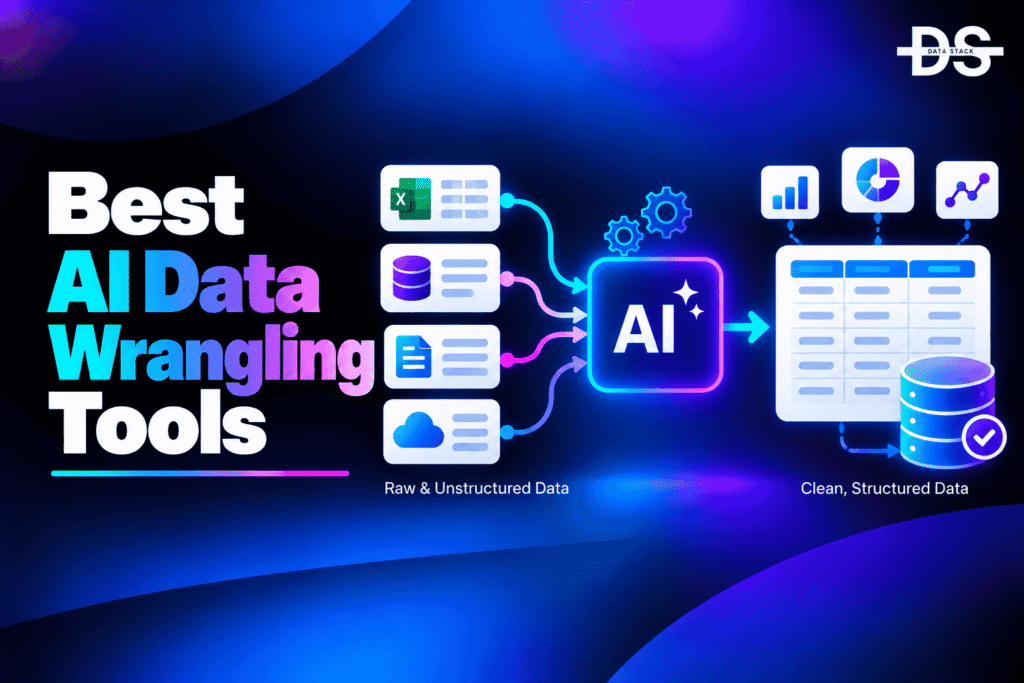
Data rarely arrives in a form that can be used directly for analytics, machine learning, or business reporting. It may contain missing values, duplicate records, inconsistent formats, incorrect data types, irrelevant columns, and values that need to be transformed before analysis. AI data wrangling tools help data teams automate much of this preparation work while reducing the amount of manual data manipulation required.
Traditional data wrangling often involves writing SQL, Python, spreadsheet formulas, or transformation pipelines to clean and reshape datasets. These approaches remain useful, but they can require significant technical effort, particularly when working with unfamiliar or continuously changing datasets. AI can make the process easier by helping users understand data, identify quality problems, recommend transformations, generate code, and automate repetitive preparation tasks.
AI-powered data wrangling is useful for analysts, data scientists, engineers, and business users working with structured and semi-structured data. Depending on the platform, users can use natural-language instructions to clean columns, combine datasets, identify anomalies, reshape tables, generate transformation code, or prepare data for analytics and machine learning.
In this guide, we compare the best AI data wrangling tools based on their AI capabilities, data-cleaning and transformation features, automation, ease of use, and ideal use cases. We also cover their key AI-focused features, compare them side by side, explain how to choose the right tool, and answer common questions about AI-powered data wrangling.
What Are AI Data Wrangling Tools?
AI data wrangling tools are software platforms that use artificial intelligence to help users discover, clean, transform, combine, reshape, and prepare raw data for analysis, reporting, or machine learning. They can use natural-language interfaces, machine learning, automated suggestions, intelligent profiling, and AI-generated transformation logic to reduce manual data-preparation work.
Traditional data wrangling usually requires users to understand the dataset and manually determine which transformations are needed. AI-powered tools can analyze the data first and help identify missing values, inconsistent formats, duplicate information, unusual values, and other problems that should be addressed.
Some AI data wrangling platforms also allow users to describe what they want in natural language. For example, a user might ask an AI assistant to remove duplicate customer records, standardize date formats, combine two datasets, or create a new calculated field. The tool can then generate the required transformation or guide the user through the process.
AI Data Wrangling Tools Comparison
The table below compares the leading AI data wrangling tools based on their AI capabilities, automation features, and ideal use cases.
| Tool | AI Capabilities | What You Can Automate | Best For | G2 Rating |
|---|---|---|---|---|
| Dataiku | Generative AI, AI-assisted preparation, automated profiling | Cleaning, transformation, enrichment, preparation | Enterprise data teams | 4.4/5 |
| Alteryx Designer | AI-assisted workflows, intelligent automation | Data preparation, blending, transformation | No-code/low-code data wrangling | 4.4/5 |
| Julius AI | Generative AI, natural-language analysis | Cleaning, transformation, analysis | AI-assisted data analysis | 4.7/5 |
| Databricks | AI-assisted engineering, Genie, ML capabilities | Data transformation, preparation, SQL/code generation | Lakehouse data teams | 4.5/5 |
| Microsoft Power Query | Copilot-assisted transformations | Cleaning, reshaping, merging | Excel and Power BI users | 4.6/5 |
| KNIME | AI-assisted workflows and automation | Data cleaning, transformation, blending | Visual data workflows | 4.5/5 |
| PandasAI | Generative AI, natural-language dataframe operations | Cleaning, transformation, analysis | Python data workflows | — |
| OpenRefine | Intelligent clustering and transformation | Cleaning, clustering, reshaping | Open-source data wrangling | 4.6/5 |
8 Best AI Data Wrangling Tools
From handling messy datasets to preparing data for analysis and machine learning, the right tool can make a significant difference. Let’s compare 8 leading AI data wrangling tools and explore their standout features and practical use cases.
#1. Dataiku
Dataiku is an enterprise data and AI platform that provides visual and code-based workflows for preparing, transforming, analyzing, and modeling data. Its AI capabilities can assist users with data preparation and help teams work with datasets without requiring every transformation to be manually coded.
The platform supports both technical and non-technical users, making it useful for organizations where analysts, data scientists, engineers, and business teams need to work with the same data environment. Users can build repeatable preparation workflows while also using AI capabilities to accelerate common data tasks.
Dataiku is particularly useful when data wrangling is part of a broader analytics or AI workflow. Instead of preparing data in a separate tool and then moving it elsewhere, teams can clean and transform data and continue into analysis, machine learning, and AI workflows within the same environment.
Key Features
- AI-Assisted Data Preparation: AI capabilities can help users understand datasets and accelerate common preparation and transformation tasks.
- Visual Data Preparation: Users can clean and transform data through visual workflows without writing every transformation manually.
- Generative AI Assistance: Natural-language interaction can help users work with datasets and generate or explain transformation logic.
- Automated Data Profiling: Data can be profiled to identify missing values, distributions, data types, and potential quality issues.
- Data Cleansing: Users can handle missing values, duplicates, incorrect formats, and other common data-quality problems.
- Data Transformation: Columns can be derived, converted, filtered, split, joined, aggregated, and reshaped through repeatable workflows.
- Code Integration: Data scientists and engineers can combine visual preparation with Python, SQL, and other coding workflows.
- AI/ML Preparation: Cleaned and transformed data can move directly into machine learning and AI workflows.
G2 Rating: 4.4/5
Also Read: Best Dataiku Alternatives and Competitors
#2. Alteryx Designer
Alteryx Designer is a data preparation and analytics platform built around visual workflows. It allows users to connect to different data sources, clean information, blend datasets, perform transformations, and prepare data for analysis without having to write all of the underlying code.
Its AI capabilities can assist users with workflow creation and data-related tasks, while its visual approach remains one of its main strengths. Users can build repeatable workflows by connecting transformation components rather than manually writing scripts for each step.
Alteryx is particularly useful for analysts and business users who need extensive data wrangling capabilities without relying entirely on Python or SQL. It can handle complex preparation workflows involving multiple sources and transformation steps.
Key Features
- AI-Assisted Workflow Development: AI capabilities can help users accelerate the creation and understanding of data workflows.
- Visual Data Wrangling: Users can build transformation pipelines through a visual interface instead of manually coding every operation.
- Automated Data Preparation: Repetitive cleaning and transformation processes can be converted into reusable workflows.
- Data Blending: Data from multiple sources can be combined and transformed within the same workflow.
- Data Cleansing: Missing values, incorrect formats, duplicate records, and other quality problems can be addressed during preparation.
- Formula Generation: AI assistance can help users create formulas and transformation logic for data preparation.
- Workflow Automation: Prepared workflows can be reused and automated instead of repeating manual preparation tasks.
- Large-Scale Data Processing: Complex preparation workflows can be applied across substantial datasets and multiple data sources.
G2 Rating: 4.4/5

Showcase your software to buyers actively comparing tools. Submit your product for editorial review and get featured on Data Stack Hub.
#3. Julius AI
Julius AI is an AI-powered data analysis platform that allows users to interact with datasets using natural language. Instead of manually writing transformation code for every task, users can describe what they want to do with their data and allow the AI to perform or generate the required analysis and transformations.
The platform is particularly accessible to users who understand their data and business questions but may not want to write Python or SQL for every preparation task. Users can upload data and use conversational instructions to explore, clean, transform, and analyze it.
Julius AI is best suited to analysts, researchers, business users, and other teams that want a direct natural-language interface for working with datasets. It is especially useful for ad hoc wrangling and analysis rather than complex enterprise data engineering pipelines.
Key Features
- Natural-Language Data Wrangling: Users can describe cleaning and transformation tasks in plain language instead of manually writing code.
- AI Data Cleaning: The AI can help identify and address missing values, inconsistent data, and other preparation problems.
- Automated Transformation: Users can request transformations such as filtering, grouping, merging, and reshaping through conversational instructions.
- AI-Generated Code: Julius can generate code to perform data operations, making complex transformations easier to execute and understand.
- Data Exploration: Users can ask questions about datasets and investigate patterns before deciding which transformations are required.
- Automated Analysis: After cleaning and transforming data, users can continue directly into analysis and visualization.
- File-Based Data Processing: Users can work with common datasets without first building a complex engineering pipeline.
- Conversational Workflow: Follow-up instructions can refine previous transformations and analyses without rebuilding the entire process.
G2 Rating: 4.7/5
#4. Databricks
Databricks is a lakehouse platform that combines data engineering, analytics, machine learning, and AI capabilities. Its data engineering environment provides extensive tools for transforming and preparing large datasets, while its AI capabilities can assist users with SQL, code, analysis, and data workflows.
Databricks is designed for technical teams working with large-scale data rather than simple spreadsheet-style preparation. Data engineers can use SQL, Python, notebooks, pipelines, and other tools to build repeatable transformation workflows across data lakes and warehouses.
Its AI capabilities make data wrangling more accessible by helping users generate code and SQL, understand data, and interact with data using natural-language interfaces. This makes Databricks particularly relevant when data preparation needs to support large-scale analytics or AI workloads.
Key Features
- AI-Assisted SQL and Code: AI capabilities can help generate, explain, and modify SQL and code used for data transformation.
- Natural-Language Data Interaction: Users can interact with data and analytics environments using natural-language questions and instructions.
- Large-Scale Data Transformation: Complex transformations can be performed across large datasets within the lakehouse environment.
- Automated Data Pipelines: Data preparation workflows can be built as repeatable pipelines rather than manual processes.
- Data Cleaning: SQL and code-based workflows can handle missing values, duplicates, incorrect formats, and other quality problems.
- Data Blending: Data from multiple sources can be joined and transformed within a unified environment.
- AI/ML Data Preparation: Transformed datasets can be used directly for machine learning and generative AI workflows.
- Workflow Integration: Data wrangling can be connected with governance, analytics, machine learning, and downstream data applications.
G2 Rating: 4.5/5
Also Read: Best Databricks Alternatives and Competitors
#5. Microsoft Power Query
Microsoft Power Query is a data transformation and preparation technology available across products such as Excel and Power BI. It allows users to connect to different data sources and clean, reshape, combine, and transform information before using it for analysis.
With Microsoft Copilot capabilities increasingly integrated into the Microsoft data ecosystem, AI can assist users with understanding data and creating transformation logic. This can make data preparation easier for users who are already working within Excel, Power BI, and other Microsoft tools.
Power Query is especially useful for business analysts and teams that need repeatable data preparation without adopting a dedicated enterprise data engineering platform. Its visual transformation interface allows many common wrangling operations to be completed without writing code.
Key Features
- AI-Assisted Data Preparation: Copilot capabilities can help users work with data and accelerate transformation tasks within supported Microsoft workflows.
- Visual Transformations: Users can clean and reshape datasets through a visual interface rather than manually writing transformation code.
- Data Type Conversion: Columns can be converted into appropriate formats and data types during preparation.
- Data Merging: Multiple datasets can be joined or appended to create a unified dataset.
- Data Cleansing: Users can remove duplicates, handle missing information, replace values, and clean inconsistent records.
- Column Transformation: Columns can be split, combined, renamed, filtered, and calculated as part of the preparation process.
- Repeatable Queries: Transformation steps are stored and can be reapplied when source data is refreshed.
- Excel and Power BI Integration: Prepared data can flow directly into familiar Microsoft analytics environments.
G2 Rating: 4.6/5
#6. KNIME
KNIME is an open and visual data analytics platform that allows users to build workflows for data preparation, transformation, analysis, and machine learning. Its node-based interface lets teams construct data-wrangling workflows without manually writing every operation.
The platform has expanded its AI capabilities through integrations and AI-related nodes that allow users to incorporate large language models and other AI services into data workflows. This makes KNIME useful for teams that want to combine traditional data preparation with modern AI-assisted processes.
KNIME is particularly suitable for technical analysts, data scientists, and organizations that want flexibility in how data workflows are built. Its visual approach also makes complex transformations easier to inspect and maintain.
Key Features
- AI-Integrated Workflows: AI and large language model capabilities can be incorporated into data preparation workflows.
- Visual Data Wrangling: Users can build cleaning and transformation workflows using connected nodes.
- Automated Data Cleaning: Common operations such as filtering, missing-value handling, joins, and transformations can be incorporated into repeatable workflows.
- Data Blending: Multiple datasets and data sources can be combined within a single workflow.
- AI Text Processing: AI models can assist with unstructured text preparation, classification, extraction, and transformation.
- Reusable Workflows: Data preparation processes can be saved and reused whenever new data arrives.
- Python and R Integration: Technical users can combine visual workflows with custom code when more advanced transformations are required.
- Machine Learning Preparation: Cleaned datasets can continue into feature engineering and model-building workflows.
G2 Rating: 4.5/5
Also Read: Best KNIME Alternatives and Competitors
Increase your product visibility by reaching software buyers researching the best tools. Every submission is reviewed by our editorial team.
Feature My Tool →#7. PandasAI
PandasAI is an open-source Python library that adds generative AI capabilities to dataframe-based data analysis. It allows users to interact with data using natural language and can generate Python operations for tasks such as filtering, transformation, analysis, and visualization.
It is particularly useful for developers, analysts, and data scientists who already work with pandas but want a more conversational way to perform common data operations. Instead of manually writing every dataframe instruction, users can describe the desired result and let the AI generate the corresponding operation.
PandasAI is not intended to replace enterprise data-wrangling platforms for complex production pipelines. Its strength is bringing AI assistance directly into Python-based dataframe workflows, making it a useful open-source option for AI-assisted data preparation and exploration.
Key Features
- Natural-Language Data Operations: Users can describe dataframe transformations in natural language rather than writing every pandas operation manually.
- AI-Generated Python: The AI can generate Python code needed to perform requested data operations.
- Data Cleaning Assistance: Users can ask the AI to help identify and address missing values, inconsistencies, and other preparation issues.
- Data Transformation: Filtering, grouping, aggregation, calculations, and other dataframe operations can be generated from natural-language instructions.
- Data Exploration: Users can ask questions about datasets before deciding which transformations are required.
- Visualization Generation: AI can help generate visualizations from dataframe data after preparation.
- Open-Source: Developers can inspect, integrate, and customize the library within Python workflows.
- Python Workflow Integration: AI-assisted wrangling can remain inside an existing pandas-based development environment.
G2 Rating: —
#8. OpenRefine
OpenRefine is an open-source tool for cleaning and transforming messy data. It is widely used for exploring datasets, identifying inconsistent values, clustering similar values, transforming columns, and preparing information for analysis or integration.
OpenRefine is not an AI-first platform, but its intelligent clustering capabilities make it relevant to AI-assisted data wrangling workflows. It can identify similar values that differ because of spelling, formatting, capitalization, or other variations and allow users to standardize them together.
The tool is particularly useful for analysts, researchers, developers, and data teams that need a flexible way to clean imperfect datasets. It is also a strong open-source option when users want greater control over data transformations without adopting a commercial data-preparation platform.
Key Features
- Intelligent Clustering: Similar values can be grouped together to identify variations that may represent the same underlying information.
- Automated Transformations: Transformations can be applied across large numbers of records instead of manually editing individual values.
- Data Cleaning: Users can remove unwanted values, correct formatting problems, and handle inconsistent information.
- Text Transformation: Text can be split, combined, normalized, filtered, or modified through transformation operations.
- Data Type Conversion: Values can be converted into appropriate types for downstream analysis.
- Reconciliation: Data can be reconciled against external sources to identify and connect related entities.
- Bulk Editing: Changes can be applied to many records simultaneously.
- Open-Source: Teams can use the platform without paying for a commercial data-wrangling license.
G2 Rating: 4.6/5
Also Read: Best OpenRefine Alternatives and Competitors in 2026
How to Choose an AI Data Wrangling Tool
The right AI data wrangling tool depends on your data sources, technical requirements, dataset size, and the amount of automation you need. Focus on these factors:
- AI Capabilities: Check whether the tool can use AI for data cleaning, transformation suggestions, natural-language instructions, code generation, or data understanding.
- Data Sources: Make sure it supports the databases, files, APIs, cloud platforms, warehouses, and applications your team uses.
- Cleaning Features: Look for support for missing values, duplicates, inconsistent formats, incorrect data types, and other common data-quality problems.
- Transformation: Check whether you can easily filter, join, aggregate, reshape, split, merge, and calculate fields.
- Automation: Prioritize tools that allow recurring data preparation workflows to run automatically when new data arrives.
- Natural Language: If non-technical users will use the platform, consider whether they can describe data tasks using natural language.
- Scalability: Make sure the platform can handle your current dataset size and future growth without making workflows unnecessarily complex.
- Integration: Check how easily prepared data can move into your warehouse, BI platform, ML environment, or downstream application.
- Technical Control: Developers and data scientists may need Python, SQL, APIs, or custom transformations in addition to visual and AI-based features.
- Use Case: Choose based on whether you need ad hoc analysis, business-user preparation, enterprise data engineering, AI/ML preparation, or open-source data cleaning.
Browse expertly curated software recommendations across hundreds of business categories.
Browse Top Tools →Conclusion
AI data wrangling tools are changing how teams prepare raw data for analytics, reporting, machine learning, and AI applications. Instead of relying entirely on manually written SQL, Python, or spreadsheet formulas, users can increasingly rely on AI to understand datasets, identify problems, generate transformation logic, and automate repetitive preparation work.
Dataiku is a strong choice for enterprise teams that need AI-assisted data preparation alongside analytics and machine learning. Its combination of visual workflows, code support, data preparation, and AI capabilities makes it suitable for organizations with multiple types of data users.
Alteryx Designer remains a strong option for visual and low-code data wrangling. It is particularly useful for analysts who need to combine data from multiple sources and create repeatable transformation workflows without writing extensive code.
Julius AI is a good option for users who want a natural-language approach to data preparation and analysis. Its conversational interface makes it easier to ask an AI system to clean, transform, and investigate datasets without manually writing every operation.
Databricks is better suited to technical and enterprise data teams working with large-scale datasets. Its combination of data engineering, SQL, code, AI assistance, and machine learning makes it useful when wrangling is part of a larger lakehouse or AI workflow.
Microsoft Power Query is a practical choice for users already working with Excel and Power BI. Its visual approach makes common data-cleaning and transformation tasks accessible without requiring extensive programming knowledge.
KNIME provides another flexible visual approach and is particularly useful when teams want to combine data wrangling, AI, analytics, and machine learning within reusable workflows.
For developers and data scientists who prefer Python, PandasAI provides an open-source way to add natural-language AI assistance to dataframe workflows. It is particularly useful for exploratory and interactive data preparation rather than large enterprise pipelines.
OpenRefine remains one of the most useful open-source choices for messy datasets. Its clustering, transformation, reconciliation, and bulk-editing capabilities make it valuable for situations where data requires significant exploration and cleanup.
When choosing an AI data wrangling platform, however, AI should not be the only consideration. The most useful platform is one that can work with the actual data sources your organization uses and support the transformations your workflows require.
For example, an analyst working with spreadsheets may benefit more from Power Query or Julius AI than from a large enterprise data platform. A data engineer working with massive warehouse datasets may need Databricks, while an enterprise data team may prefer Dataiku or Alteryx for broader collaboration.
The amount of human control also matters. AI can suggest transformations and generate code, but data teams should be able to review and modify those transformations before they are applied to important business data. This is especially important when transformations could change the meaning of records.
AI-assisted wrangling is most valuable when it reduces repetitive work without hiding what happens to the underlying data. Good tools make transformations easy to understand, reproduce, and audit.
Organizations should also consider whether the prepared data will be used for analytics or AI. Machine learning workflows may require additional preparation such as feature engineering, outlier handling, missing-value treatment, and data-type validation. A platform that supports these downstream workflows can reduce the need to move data between multiple tools.
Ultimately, the best AI data wrangling tool depends on the complexity of your data and the people working with it. Some teams need conversational AI, some need visual workflows, and others need programmable pipelines. The strongest choice is the one that combines the right level of AI assistance with reliable data transformation and enough control for your specific workflow.
Frequently Asked Questions
1. What are AI Data Wrangling Tools?
AI data wrangling tools are platforms that use artificial intelligence to help users clean, transform, combine, reshape, and prepare raw data for analysis, reporting, machine learning, or AI applications.
2. What are the best AI data wrangling tools in 2026?
Some of the leading AI data wrangling tools include Dataiku, Alteryx Designer, Julius AI, Databricks, Microsoft Power Query, KNIME, PandasAI, and OpenRefine. The best choice depends on the user’s technical requirements, data sources, and level of automation needed.
3. How does AI help with data wrangling?
AI can analyze datasets, identify potential quality problems, suggest transformations, generate SQL or Python code, answer questions about data, and allow users to describe preparation tasks using natural language.
4. What is the difference between AI data wrangling and traditional data wrangling?
Traditional data wrangling generally requires users to manually determine and implement transformation steps using SQL, Python, spreadsheets, or visual tools. AI data wrangling can assist with understanding the data and generating or performing those operations.
5. Can AI data wrangling tools clean messy data?
Yes. Depending on the platform, AI-assisted wrangling can help identify missing values, duplicates, inconsistent formats, incorrect data types, unusual values, and other common data-quality problems.
6. Can AI data wrangling tools generate SQL?
Yes. Several AI-powered data platforms can generate SQL from natural-language instructions. This allows users to describe a transformation or analytical task and receive SQL that can perform the requested operation.
7. Can AI data wrangling tools generate Python code?
Yes. AI-assisted platforms such as PandasAI can generate Python operations for dataframe manipulation. Other data platforms can also use AI to create or explain Python-based transformation logic.
8. Can AI data wrangling tools work with unstructured data?
Some can. Advanced AI platforms can help extract, classify, summarize, or transform information from text and other semi-structured or unstructured sources. However, capabilities vary considerably between tools.
9. Are there open-source AI data wrangling tools?
Yes. PandasAI and OpenRefine are useful open-source options. PandasAI brings generative AI capabilities to Python dataframe workflows, while OpenRefine provides powerful tools for cleaning, clustering, transforming, and reconciling messy datasets.
10. Can AI data wrangling tools prepare data for machine learning?
Yes. They can help clean and transform datasets before model training. Depending on the platform, this can include handling missing values, converting data types, removing duplicates, transforming columns, and preparing features.
11. Can AI automatically identify data-cleaning problems?
Yes. AI and automated profiling can identify patterns such as missing values, unusual distributions, inconsistent formats, duplicates, and other potential data-quality issues. The user should still review important transformations before applying them to production data.
12. Can AI data wrangling tools combine multiple datasets?
Yes. Many data-wrangling platforms support joins, unions, appends, lookups, and other operations for combining datasets. AI can also assist users in determining how datasets should be combined.
13. What should I look for in an AI data wrangling tool?
Look for AI-assisted cleaning, natural-language interaction, transformation capabilities, data profiling, code generation, automation, integrations, scalability, and support for your data sources. The tool should also give you enough control to review and modify AI-generated transformations.
14. Is AI data wrangling useful for non-technical users?
Yes. Natural-language interfaces and visual workflow builders can make data preparation accessible to users who do not have advanced SQL or Python skills. However, complex enterprise transformations may still require technical expertise.
15. Why is AI data wrangling important for AI and analytics?
AI and analytics systems depend on usable input data. If data contains inconsistent formats, missing values, duplicates, or other problems, the resulting analysis or model can be unreliable. AI-assisted wrangling helps teams prepare cleaner and more consistent data before it reaches those systems.