
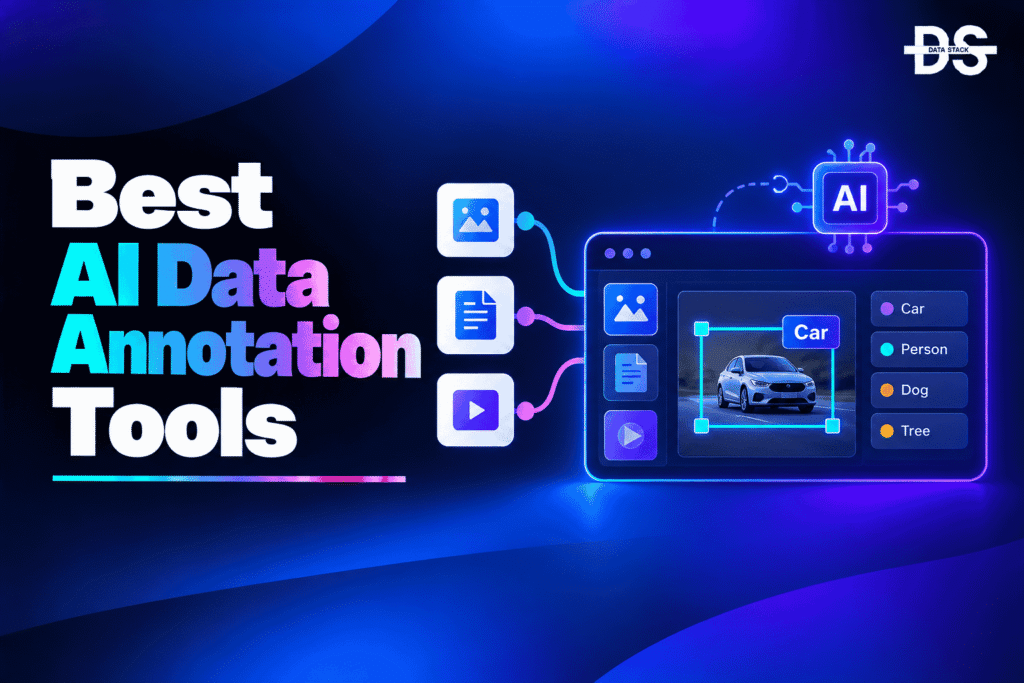
AI models need large amounts of accurately labeled data to learn how to recognize objects, understand text, classify information, and make predictions. Data annotation is the process of adding labels, tags, categories, bounding boxes, polygons, transcriptions, or other metadata to raw data so it can be used for machine learning and AI development. As datasets become larger and more complex, manually labeling every record becomes difficult and expensive.
AI data annotation tools use artificial intelligence and machine learning to speed up this process. Instead of requiring annotators to create every label from scratch, AI can identify objects, suggest classifications, generate labels, segment images, transcribe audio, or pre-annotate data for human review. This can reduce repetitive work while allowing human annotators to focus on reviewing and correcting difficult cases.
Modern annotation platforms support multiple data types, including images, video, text, audio, documents, and multimodal datasets. Some are designed for computer vision, while others focus on NLP, speech, generative AI, autonomous systems, or large-scale machine learning projects. The right platform depends heavily on the type of data being labeled and the level of automation required.
In this guide, we compare the best AI data annotation tools based on their AI capabilities, supported data types, annotation features, automation, collaboration capabilities, and ideal use cases. We also cover their key AI-focused features, compare them side by side, explain how to choose the right tool, and answer common questions about AI-powered data annotation.
What are AI Data Annotation Tools?
AI data annotation tools are software platforms that use artificial intelligence and machine learning to automatically or semi-automatically label, classify, segment, transcribe, and organize raw data for training and evaluating AI and machine learning models. They can reduce manual labeling by generating initial annotations that humans can review and correct.
Traditional annotation requires humans to manually label each image, video frame, document, audio recording, or text sample. AI-assisted annotation changes this workflow by using models to create preliminary labels. For example, an AI model can identify cars in an image and create bounding boxes, while an annotator reviews the results and corrects any mistakes.
The level of AI automation varies between platforms. Some tools provide simple pre-labeling, while others offer model-assisted labeling, active learning, auto-segmentation, object tracking, natural-language labeling, and automated quality checks. These capabilities are especially useful when working with millions of records.
AI Data Annotation Tools Comparison
The table below compares the leading AI data annotation tools based on their AI capabilities, supported annotation workflows, and ideal use cases.
| Tool | AI Capabilities | What You Can Automate | Best For | G2 Rating |
|---|---|---|---|---|
| Labelbox | AI-assisted labeling, model-assisted labeling, foundation models | Pre-labeling, review, classification, segmentation | Enterprise AI teams | 4.7/5 |
| Encord | AI-assisted annotation, automated labeling, active learning | Labeling, review, quality control | AI/ML teams | 4.8/5 |
| SuperAnnotate | AI-assisted annotation, auto-labeling, computer vision AI | Image, video, text annotation | Computer vision teams | 4.9/5 |
| Dataloop | AI-assisted labeling, automation, model integration | Annotation, review, dataset management | Enterprise AI development | 4.5/5 |
| CVAT | AI-assisted annotation, auto-annotation, model integration | Image and video labeling | Open-source computer vision | 4.5/5 |
| Label Studio | ML-assisted labeling, AI integrations | Multi-format annotation | Flexible open-source labeling | 4.6/5 |
| Roboflow | AI-assisted labeling, model-assisted annotation | Object detection, classification, segmentation | Computer vision development | 4.7/5 |
| Snorkel AI | Programmatic labeling, weak supervision, AI-assisted labeling | Label generation and data curation | Large-scale training datasets | 4.6/5 |
8 Best AI Data Annotation Tools
Choosing the right data annotation tool depends on your data types, labeling requirements, and AI model workflows. Let’s explore 8 leading AI data annotation tools, highlighting their key features and what makes each one stand out.
#1. Labelbox
Labelbox is a data labeling and AI development platform designed for teams building machine learning and generative AI applications. It supports multiple annotation workflows and uses AI-assisted capabilities to reduce the amount of manual labeling required.
The platform can use models to generate preliminary labels that human annotators review and correct. This approach is particularly useful for large datasets because teams can spend less time creating basic annotations manually and more time handling ambiguous or difficult examples.
Labelbox supports workflows across computer vision, natural language, multimodal AI, and other machine learning use cases. It is particularly well suited to enterprise teams that need annotation, dataset management, model-assisted labeling, and human review within a single workflow.
Key Features
- AI-Assisted Labeling: AI models can generate preliminary annotations that human reviewers can verify and correct, reducing repetitive manual work.
- Model-Assisted Labeling: Existing models can be incorporated into annotation workflows to automatically pre-label data before human review.
- Image Annotation: Teams can create classifications, bounding boxes, polygons, segmentation masks, and other computer vision labels.
- Text Annotation: Text datasets can be labeled for classification, entities, sentiment, and other NLP tasks.
- Video Annotation: Teams can annotate objects and events across video frames while reducing repetitive frame-by-frame work.
- Multimodal Annotation: Multiple data types can be incorporated into workflows for AI applications that work across text, images, audio, and other inputs.
- Human-in-the-Loop Workflows: Human reviewers can validate AI-generated annotations and correct inaccurate labels.
- Dataset Management: Teams can organize, review, and prepare labeled datasets for machine learning and AI development.
G2 Rating: 4.7/5
Also Read: Best Labelbox Alternatives and Competitors in 2026
#2. Encord
Encord is an AI data platform focused on data annotation, data quality, model evaluation, and AI development. Its annotation capabilities are designed to help teams create high-quality training datasets while using AI to reduce repetitive labeling work.
The platform provides model-assisted labeling and active-learning capabilities that can prioritize useful examples and help teams improve annotation efficiency. This makes it particularly useful when teams have large datasets and need to focus human attention on the most important or difficult examples.
Encord is well suited to AI teams working on computer vision, multimodal AI, and other machine learning applications where annotation quality is closely connected to model performance.
Key Features
- AI-Assisted Annotation: AI can help generate annotations and reduce the amount of manual labeling required.
- Automated Labeling: Existing models can assist with creating labels for large datasets before human review.
- Active Learning: Data and annotation workflows can prioritize examples that are most useful for improving model performance.
- Computer Vision Annotation: Teams can label objects, classifications, segmentation masks, and other visual information.
- Multimodal Data: Annotation workflows can support multiple data types used by modern AI systems.
- Annotation Quality Control: Teams can review labels and identify problematic or inconsistent annotations before using datasets for training.
- Model Evaluation: Annotation and data-quality workflows can be connected with model evaluation to identify areas where additional data may be required.
- Human Review: AI-generated annotations can be reviewed and corrected by human annotators to improve dataset quality.
G2 Rating: 4.8/5
Also Read: Best Encord Alternatives and Competitors in 2026

Showcase your software to buyers actively comparing tools. Submit your product for editorial review and get featured on Data Stack Hub.
Submit Your Tool →#3. SuperAnnotate
SuperAnnotate is an AI data annotation and data-management platform designed for creating training datasets for computer vision and other AI applications. It combines annotation tools with AI-assisted labeling to reduce the time required to manually label large datasets.
The platform supports image, video, and text annotation and provides automation capabilities for generating labels. AI-assisted workflows can help identify objects and create preliminary annotations that human teams can then review.
SuperAnnotate is particularly useful for computer vision teams working with large image and video datasets. Its combination of annotation, automation, collaboration, and dataset management makes it suitable for organizations building production AI systems.
Key Features
- AI-Powered Annotation: AI capabilities can automatically generate or assist with labels to reduce manual annotation effort.
- Auto-Labeling: Models can create preliminary labels that annotators can review instead of starting from an empty dataset.
- Image Annotation: Teams can create bounding boxes, polygons, segmentation masks, classifications, and other visual labels.
- Video Annotation: Objects and events can be labeled across video sequences with AI-assisted workflows.
- Text Annotation: Text data can be labeled for NLP and other language-based machine learning tasks.
- Segmentation: AI-assisted segmentation can help identify and label objects or regions within images.
- Annotation Management: Teams can organize datasets, annotation tasks, reviewers, and labeling workflows.
- Quality Control: Review processes help identify incorrect or inconsistent labels before datasets are used for model training.
G2 Rating: 4.9/5
Also Read: Best SuperAnnotate Alternatives and Competitors in 2026
#4. Dataloop
Dataloop is an AI data platform that provides annotation, dataset management, automation, and model integration capabilities. It is designed for teams that need to prepare and manage large datasets for AI and machine learning applications.
The platform combines human annotation with AI-assisted workflows so models can help generate labels before human review. This can be particularly valuable when working with large computer vision datasets where manually labeling every object would take significant time.
Dataloop also supports broader data operations around annotation, allowing teams to manage datasets, automate workflows, integrate models, and move prepared data into AI development pipelines.
Key Features
- AI-Assisted Annotation: AI models can help generate labels and reduce repetitive annotation tasks.
- Automated Labeling: Models can pre-label datasets so annotators can focus on reviewing and correcting results.
- Computer Vision Annotation: Teams can label objects, images, video frames, segmentation regions, and classifications.
- Model Integration: Existing machine learning models can be incorporated into annotation workflows.
- Workflow Automation: Repetitive annotation and dataset-management processes can be automated.
- Data Management: Teams can organize, process, review, and prepare datasets within a centralized environment.
- Human-in-the-Loop: Human annotators can validate and correct AI-generated labels before datasets are used for training.
- AI Pipeline Integration: Annotation workflows can connect with broader machine learning and AI development processes.
G2 Rating: 4.5/5
Also Read: Best Dataloop Alternatives and Competitors (2026)
#5. CVAT
CVAT, or Computer Vision Annotation Tool, is an open-source platform designed primarily for image and video annotation. It is widely used for computer vision datasets and provides tools for creating different types of visual annotations.
CVAT can use AI and machine learning models to assist with annotation and auto-labeling. This allows teams to use automated predictions as a starting point and then have human annotators correct the results.
Its open-source nature makes CVAT particularly attractive to development teams that want control over their annotation environment. It is a strong choice for organizations that need computer vision labeling without relying entirely on a commercial SaaS platform.
Key Features
- AI-Assisted Annotation: AI models can help generate annotations and accelerate visual labeling workflows.
- Auto-Annotation: Automated models can create preliminary labels that users can review and correct.
- Object Detection: Teams can annotate objects using bounding boxes and other supported shapes.
- Image Segmentation: Visual regions and objects can be labeled for segmentation-based computer vision models.
- Video Annotation: Objects can be annotated across video frames for tracking and other computer vision tasks.
- Object Tracking: Annotation workflows can help maintain object labels across multiple video frames.
- Open-Source: Organizations can deploy and customize CVAT according to their own infrastructure and workflow requirements.
- Model Integration: Computer vision models can be integrated into annotation workflows for assisted labeling.
G2 Rating: 4.5/5
Also Read: Best CVAT Alternatives and Competitors in 2026
#6. Label Studio
Label Studio is an open-source data labeling platform that supports a broad range of data types and annotation workflows. It can be used for images, text, audio, video, documents, and other machine learning datasets.
Its flexible labeling interface allows organizations to create custom annotation projects rather than being limited to a predefined workflow. Machine learning models can also be connected to the platform to provide predictions that annotators can review.
Label Studio is particularly useful for teams that need a flexible open-source annotation environment. It can support different AI projects from NLP and computer vision to speech and multimodal applications.
Key Features
- AI-Assisted Labeling: Machine learning models can provide predictions that serve as starting points for human annotation.
- Multi-Format Annotation: Teams can label text, images, audio, video, documents, and other supported data types.
- Pre-Labeling: AI predictions can reduce the need to manually create every annotation from scratch.
- Custom Annotation Interfaces: Teams can design labeling workflows around their specific machine learning requirements.
- NLP Annotation: Text can be labeled for entities, classification, sentiment, and other language-processing tasks.
- Computer Vision Annotation: Images and video can be labeled using multiple annotation types.
- Open-Source: Teams can deploy and customize the platform rather than depending entirely on a proprietary environment.
- ML Integration: Models can be connected to annotation workflows to create human-in-the-loop labeling processes.
G2 Rating: 4.6/5
Also Read: Best Label Studio Alternatives and Competitors (2026)
Increase your product visibility by reaching software buyers researching the best tools. Every submission is reviewed by our editorial team.
Feature My Tool →#7. Roboflow
Roboflow is a computer vision platform that provides tools for collecting, annotating, preparing, training, and deploying computer vision datasets and models. Its annotation capabilities include AI-assisted workflows designed to reduce manual labeling.
The platform is particularly focused on computer vision use cases such as object detection, image classification, and segmentation. AI-assisted labeling can help teams create annotations faster by using models to identify objects or regions before human review.
Roboflow is well suited to developers, researchers, startups, and computer vision teams that want an integrated environment for preparing visual training data and building computer vision models.
Key Features
- AI-Assisted Labeling: AI models can help identify objects and generate preliminary annotations.
- Auto-Annotation: Automated predictions can accelerate the labeling of large image datasets.
- Object Detection: Teams can create and manage bounding-box annotations for computer vision training.
- Image Segmentation: Images can be labeled at the object or pixel level for segmentation models.
- Classification: Datasets can be labeled and organized for image-classification tasks.
- Dataset Management: Teams can organize, version, transform, and prepare computer vision datasets.
- Model-Assisted Workflows: Existing models can help create annotations and reduce repetitive labeling work.
- Computer Vision Integration: Annotation can be connected directly to broader computer vision model-development workflows.
G2 Rating: 4.7/5
Also Read: Best Roboflow Alternatives and Competitors in 2026
#8. Snorkel AI
Snorkel AI takes a different approach to data annotation by using programmatic labeling and weak supervision to generate training labels at scale. Instead of manually labeling every example, teams can create labeling functions that apply rules, heuristics, external knowledge, or other signals to generate labels.
This approach is useful when organizations have large amounts of unlabeled data and want to create training datasets more efficiently. Human experts can still review and improve labeling logic, but the platform focuses heavily on programmatically generating and managing labels.
Snorkel AI is particularly valuable for enterprise AI teams working with large datasets where traditional manual annotation would be too slow or expensive. It is best suited to technically capable teams that can define labeling logic and use AI-assisted approaches to scale dataset creation.
Key Features
- Programmatic Labeling: Labeling functions can generate labels across large datasets without manually annotating every record.
- Weak Supervision: Multiple imperfect labeling signals can be combined to create useful training labels.
- AI-Assisted Data Labeling: Automated methods can help generate training data from unlabeled or partially labeled datasets.
- Labeling Function Management: Teams can create, test, refine, and manage rules used to generate labels.
- Large-Scale Dataset Creation: Automated labeling can help teams build training datasets much faster than manual annotation alone.
- Human Review: Experts can evaluate labeling quality and improve the underlying labeling strategies.
- NLP Support: Programmatic labeling can be applied to language datasets and other AI use cases.
- Training Data Development: Generated labels can be used to create datasets for machine learning and AI model development.
G2 Rating: 4.6/5
Also Read: Best Snorkel AI Alternatives and Competitors in 2026
How to Choose an AI Data Annotation Tool
The right AI data annotation platform depends mainly on your data type, annotation requirements, and how much labeling you want to automate. Focus on these factors:
- Data Type: Make sure the tool supports the data you need to label, such as images, video, text, audio, documents, or multimodal data.
- AI Automation: Check whether AI can generate labels, provide predictions, segment objects, track objects, or automate repetitive annotation work.
- Annotation Types: Confirm that the platform supports the specific labels you need, including bounding boxes, polygons, segmentation masks, classifications, entities, or transcriptions.
- Human Review: Look for workflows that allow humans to review, correct, and approve AI-generated annotations.
- Model Integration: If you already have machine learning models, check whether they can be used for pre-labeling or assisted annotation.
- Data Quality: Consider features for quality control, reviewer workflows, disagreement resolution, and annotation consistency.
- Scalability: Make sure the platform can handle your dataset size and the number of annotators required for your project.
- Collaboration: Check whether multiple annotators, reviewers, data scientists, and project managers can work together efficiently.
- Deployment: If your data is sensitive, consider whether you need cloud, self-hosted, or open-source deployment.
- Use Case: Choose based on whether you are building computer vision, NLP, speech, document AI, generative AI, or multimodal models.
Browse expertly curated software recommendations across hundreds of business categories.
Browse Top Tools →Conclusion
AI data annotation tools can significantly reduce the time required to create training datasets by combining machine-generated labels with human review. Instead of manually labeling every image, video frame, text sample, or document, teams can use AI to generate initial annotations and focus human effort on correcting errors and handling ambiguous cases.
Labelbox is a strong enterprise option for teams that need AI-assisted labeling across different types of AI projects. Its combination of model-assisted labeling, human review, and dataset management makes it suitable for organizations building large-scale AI systems.
Encord is particularly attractive for AI teams that care about the relationship between data quality and model performance. Its annotation, active-learning, and evaluation capabilities make it useful when teams need to continuously improve their training datasets.
SuperAnnotate is a strong choice for computer vision teams working with images and video. Its AI-assisted annotation capabilities can reduce repetitive labeling while supporting detailed visual annotation workflows.
Dataloop provides a broader AI data platform that combines annotation with data management, automation, and model integration. It can be useful for organizations building more complex AI data pipelines.
For teams looking for an open-source option, CVAT is one of the strongest choices for computer vision annotation. It supports image and video labeling and can incorporate AI-assisted annotation models while giving organizations greater control over deployment.
Label Studio is another strong open-source choice, especially when annotation requirements extend beyond computer vision. Its support for text, images, audio, video, and documents makes it flexible for different AI and machine learning projects.
Roboflow is well suited to computer vision developers who want annotation to be part of a larger computer vision development workflow. Its AI-assisted labeling capabilities can help speed up the creation of image datasets.
Snorkel AI takes a different approach by using programmatic labeling and weak supervision rather than relying exclusively on manual annotation. It can be particularly effective when teams need to generate labels across very large datasets and have domain knowledge that can be converted into labeling logic.
The most important consideration when selecting an AI data annotation tool is not simply how much labeling it can automate. Annotation quality matters just as much as annotation speed. A large dataset containing inaccurate labels can negatively affect model performance, regardless of how quickly those labels were created.
Human review therefore remains important for many AI projects. AI-generated annotations should be checked, especially when the data is complex, ambiguous, or used for high-impact applications. The best annotation workflows combine automation with clear review and quality-control processes.
Teams should also consider the type of AI model they are building. Computer vision projects may require bounding boxes, segmentation masks, and object tracking, while NLP projects may need entity labels, classification, relationships, or sentiment annotations. Document AI may require fields, tables, and layout information.
Open-source platforms can be attractive when customization, infrastructure control, or cost is important. Commercial platforms may be more suitable when teams need managed infrastructure, enterprise collaboration, workflow automation, and support.
Ultimately, the best AI data annotation tool is the one that provides the right balance between automation, annotation accuracy, supported data types, human review, scalability, and workflow integration. AI can dramatically reduce repetitive labeling work, but a strong annotation process still needs well-defined labeling guidelines and effective quality control.
Frequently Asked Questions
1. What are AI Data Annotation Tools?
AI data annotation tools are software platforms that use artificial intelligence to automatically or semi-automatically label raw data for AI and machine learning. They can generate classifications, bounding boxes, segmentation masks, transcriptions, entities, and other annotations.
2. What are the best AI data annotation tools in 2026?
Some of the leading AI data annotation tools include Labelbox, Encord, SuperAnnotate, Dataloop, CVAT, Label Studio, Roboflow, and Snorkel AI. The best option depends on your data type, annotation requirements, AI model, and desired level of automation.
3. How does AI data annotation work?
AI annotation systems use machine learning models to analyze raw data and generate preliminary labels. Human annotators can then review, correct, or approve those labels before the dataset is used for model training.
4. What types of data can AI annotation tools label?
Depending on the platform, AI annotation tools can label images, video, text, audio, documents, and multimodal data. The available annotation types vary by tool and use case.
5. Can AI automatically label images?
Yes. AI models can identify objects, classify images, create bounding boxes, generate segmentation masks, and perform other visual labeling tasks. Human review can then be used to correct inaccurate predictions.
6. Can AI data annotation tools label video?
Yes. Several annotation platforms support video labeling and can use AI to identify and track objects across multiple frames. This can significantly reduce repetitive frame-by-frame annotation.
7. Are there open-source AI data annotation tools?
Yes. CVAT and Label Studio are two popular open-source options. They allow teams to create custom annotation workflows and integrate machine learning models for assisted labeling.
8. What is AI-assisted data annotation?
AI-assisted annotation uses an AI or machine learning model to generate preliminary labels while humans review and correct them. This approach can be faster than manually creating every annotation while retaining human oversight.
9. Can AI annotation tools reduce labeling costs?
Yes. AI-generated pre-labels can reduce the amount of manual work required for large datasets. However, teams still need human reviewers and quality-control processes, particularly for complex or ambiguous data.
10. What is the difference between AI data annotation and data labeling?
The terms are often used interchangeably. Data labeling generally refers to assigning labels or categories to data, while data annotation can include a broader range of information such as bounding boxes, segmentation, entities, relationships, transcriptions, and metadata.
11. Can AI annotation tools be used for NLP?
Yes. AI annotation platforms can support NLP tasks such as text classification, named-entity recognition, sentiment labeling, relationship annotation, and other language-data preparation workflows.
12. Can AI annotation tools be used for generative AI?
Yes. AI data annotation can support generative AI development by helping create high-quality datasets for model training, fine-tuning, evaluation, preference data, and other AI workflows. Some platforms also support multimodal annotation.
13. What should I look for in an AI data annotation tool?
Look for AI-assisted labeling, supported data types, annotation formats, model integration, human review, quality control, scalability, collaboration, deployment options, and workflow automation. The tool should match the specific type of AI model you are developing.
14. Is human annotation still necessary when using AI?
In many cases, yes. AI-generated labels can contain mistakes, particularly when data is ambiguous or difficult to interpret. Human review helps improve accuracy and ensures that training datasets meet the required quality standards.
15. Why is data annotation important for AI?
AI models learn from training data, and annotation provides the labels or contextual information needed to learn from that data. Higher-quality annotations can help models learn more accurately, while inconsistent or incorrect labels can negatively affect model performance.