
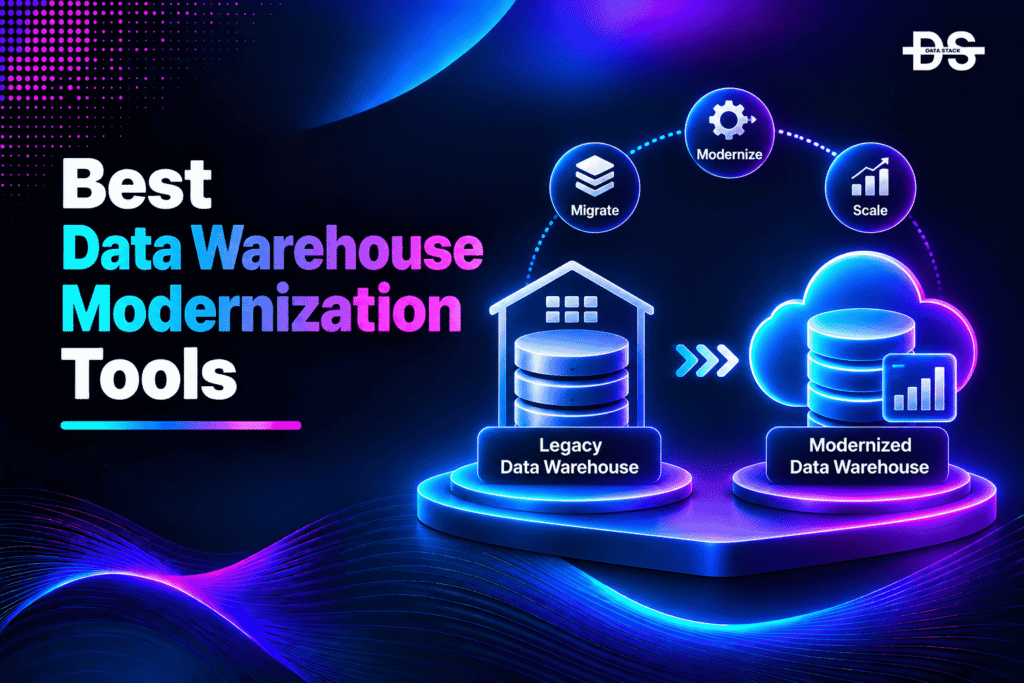
Enterprise data warehouses often evolve over many years, accumulating complex schemas, transformation logic, stored procedures, scheduled jobs, and dependencies on legacy infrastructure. Although these systems may continue supporting business intelligence and reporting, their underlying architectures can become expensive to maintain and difficult to scale.
Traditional data warehouses were frequently designed around fixed infrastructure, proprietary database engines, and tightly coupled ETL processes. Modern data platforms increasingly rely on cloud-native storage and compute, distributed processing, automated data pipelines, and open table formats. Moving between these architectures requires more than transferring historical records. Organizations must also modernize SQL workloads, rebuild data transformations, preserve business logic, and validate analytical outputs.
Data warehouse modernization tools help organizations manage different parts of this transition. Some assess existing warehouse workloads and convert SQL code for a new platform. Others automate data transfer, replicate changes during migration, modernize legacy ETL pipelines, or help teams rebuild data transformation workflows.
The right platform depends on the source warehouse, target architecture, data volume, transformation complexity, and acceptable migration downtime. A Teradata-to-Snowflake migration, for example, has different requirements from moving an Azure Synapse warehouse to Microsoft Fabric or rebuilding legacy PowerCenter pipelines.
This guide explores nine data warehouse modernization tools in 2027. It compares their capabilities, supported environments, practical use cases, and limitations to help data engineering and enterprise architecture teams evaluate the right modernization approach.
Why Enterprises Are Rebuilding Their Data Warehouse Architecture
Data warehouse modernization involves upgrading or replacing legacy analytical data platforms with architectures that better support current data volumes, analytics requirements, and business operations. It can include migrating an existing warehouse, converting SQL workloads, restructuring data pipelines, consolidating platforms, and adopting cloud-native technologies.
Several changes are driving these modernization initiatives:
- Cloud infrastructure adoption: Organizations are moving from fixed-capacity warehouse infrastructure to managed cloud platforms that offer more flexible storage and compute.
- Rising data volumes: Traditional warehouse architectures may struggle to accommodate growing volumes of structured, semi-structured, and streaming data.
- Legacy ETL complexity: Older integration platforms can contain thousands of mappings, workflows, and scheduled jobs that are difficult to maintain or migrate.
- Expensive proprietary platforms: Enterprises may want to reduce licensing and infrastructure costs by moving to alternative warehouse technologies.
- Real-time analytics requirements: Business teams increasingly expect more frequent data updates instead of relying exclusively on overnight batch processing.
- Modern data engineering practices: Organizations are adopting version-controlled SQL transformations, automated testing, CI/CD, and centralized governance.
- AI and machine learning workloads: Modern data platforms need to support analytical processing alongside data science and AI workloads.
A warehouse migration can involve several interconnected workstreams. Teams may need to assess the existing environment, translate SQL, transfer historical data, rebuild ETL jobs, establish data governance, and validate results before switching production workloads.
Modernization tools help automate parts of this process, but they do not eliminate the need for architecture planning, testing, and business validation.
What We Considered When Selecting These Tools
We evaluated the platforms based on their documented data warehouse modernization capabilities, supported source and target environments, migration workflows, and suitability for enterprise data engineering.
The evaluation focused on six areas:
- Warehouse migration: Whether the platform supports moving data warehouse workloads between on-premises, cloud, and modern analytical platforms.
- SQL and code conversion: Capabilities for translating SQL dialects, stored procedures, warehouse scripts, and data processing code.
- Data movement and replication: Support for initial data loads, incremental transfers, change data capture, and migration synchronization.
- ETL and ELT modernization: Ability to rebuild, automate, or migrate legacy data integration and transformation workflows.
- Data engineering workflows: Support for reusable pipelines, version control, orchestration, testing, and deployment automation.
- Enterprise compatibility: Supported warehouse platforms, deployment models, governance requirements, scalability, and integration capabilities.
The selection includes dedicated migration utilities as well as broader data integration and engineering platforms. Not every product performs a complete warehouse migration independently, so the descriptions explain where each tool fits into the modernization process.
9 Data Warehouse Modernization Tools to Consider in 2027
The following table compares nine platforms across their primary modernization capabilities and supported environments. Use it to identify which products align with your migration destination and data engineering requirements.
| Tool | Key Modernization Capabilities | Best For | Best-Suited Environment | Free Trial |
|---|---|---|---|---|
| Databricks Lakebridge | Warehouse Assessment, SQL Conversion, Data Reconciliation, Migration Planning, Lakehouse Modernization | Migrating legacy data warehouses to a lakehouse architecture | Databricks and cloud-based lakehouse environments | No |
| Google Cloud BigQuery Migration Service | Warehouse Assessment, SQL Translation, Data Transfer, Schema Conversion, Migration Validation | Moving legacy warehouses to BigQuery | Google Cloud and BigQuery | No |
| SnowConvert AI | SQL Conversion, Database Object Transformation, Code Assessment, Migration Assistance, Data Validation | Converting legacy warehouse code for Snowflake | Snowflake and supported source warehouse platforms | No |
| Microsoft Fabric Migration Assistant | Warehouse Schema Migration, Metadata Transfer, Data Migration, Compatibility Assistance | Moving SQL Server and Azure Synapse warehouses to Fabric | Microsoft Fabric Data Warehouse | No |
| Azure Data Factory | Data Integration, ETL/ELT Modernization, Pipeline Orchestration, Bulk Data Movement, Incremental Loading | Rebuilding warehouse ingestion and migration pipelines | Azure, hybrid, and connected cloud environments | No |
| Qlik Replicate | Change Data Capture, Continuous Replication, Data Warehouse Migration, Data Synchronization | Keeping warehouse data synchronized during migration | Enterprise, cloud, and hybrid data environments | No |
| Informatica IDMC | PowerCenter Modernization, Cloud ETL/ELT, Data Integration, Data Quality, Metadata Management | Moving legacy enterprise ETL workloads to cloud data integration | Multi-cloud and hybrid environments | No |
| IBM DataStage | ETL/ELT Modernization, Parallel Processing, Pipeline Development, Data Quality, Hybrid Integration | Modernizing complex enterprise data integration workflows | IBM, cloud, on-premises, and hybrid environments | No |
| Matillion Data Productivity Cloud | Cloud Data Integration, ELT Automation, Data Transformation, Pipeline Orchestration, Version Control | Rebuilding data warehouse pipelines for modern cloud platforms | Snowflake, Databricks, Amazon Redshift, and BigQuery | No |
A Closer Look at the 9 Data Warehouse Modernization Platforms
The platforms below address different technical requirements, from migrating warehouse schemas and translating legacy SQL to rebuilding enterprise ETL processes. Understanding these differences helps organizations choose the right modernization stack instead of expecting one product to handle every stage.
1. Databricks Lakebridge
Deployment: Cloud-based and developer-managed tooling
Databricks Lakebridge is a data warehouse migration toolkit designed to help organizations move legacy analytical workloads to the Databricks Data Intelligence Platform. It supports the transition from traditional enterprise data warehouses toward a lakehouse architecture built around technologies such as Delta Lake and Unity Catalog.
Warehouse migrations often involve large collections of SQL scripts, stored procedures, ETL workflows, data models, and scheduled jobs. Recreating these components manually can increase migration time and introduce inconsistencies between the original and modernized environments.
Lakebridge helps organize this work through assessment, code conversion, and validation capabilities. Its Profiler and Analyzer components help teams understand existing warehouse workloads and estimate migration complexity. SQL transpilers support the conversion of supported source dialects into Databricks SQL, while reconciliation capabilities help compare source and target results.
Databricks also offers newer AI-assisted code conversion capabilities, including a beta agentic code converter. This can help translate supported legacy SQL into Databricks SQL or DataFrame-based notebooks, although organizations should distinguish beta functionality from generally available tooling.
Key Features
- Warehouse profiling: Analyzes existing warehouse workloads to help estimate migration scope and complexity.
- SQL analysis: Identifies code characteristics and potential compatibility concerns before conversion.
- SQL transpilation: Converts supported legacy SQL dialects into Databricks-compatible SQL.
- Data reconciliation: Helps compare migrated results against the original environment to identify differences.
- Lakehouse migration: Supports the transition toward Delta Lake and Unity Catalog-based architectures.
- Migration planning: Helps organize warehouse modernization into assessment, conversion, data movement, and validation stages.
- AI-assisted conversion: Provides newer AI-driven code conversion capabilities for supported migration workflows.
Limitations
Lakebridge is designed specifically around migration to Databricks. Organizations targeting Snowflake, BigQuery, or Microsoft Fabric will need different conversion and migration tools.
Its capabilities also vary by source technology and migration component. Automated SQL conversion does not guarantee that every stored procedure, business rule, or orchestration dependency will work without changes. Teams should validate converted workloads before production cutover.
Why Choose Databricks Lakebridge?
Lakebridge is worth considering when an organization wants to move from a traditional enterprise data warehouse to a Databricks lakehouse architecture. Its assessment, conversion, and reconciliation capabilities help reduce manual migration work while giving engineering teams a structured process for modernizing analytical workloads.
2. Google Cloud BigQuery Migration Service
Deployment: Google Cloud-managed service
Google Cloud BigQuery Migration Service provides a collection of tools for moving existing data warehouse workloads to BigQuery. It supports multiple stages of the migration process, including assessment, SQL translation, data transfer, and validation.
Legacy warehouse migrations often require organizations to convert large collections of SQL scripts and database objects into GoogleSQL. Different warehouse platforms use different SQL dialects, functions, data types, and procedural features. Manually rewriting these workloads can create a substantial engineering burden.
BigQuery Migration Service addresses this challenge through assessment and SQL translation capabilities. Its migration assessment helps organizations understand existing warehouse workloads, estimate storage requirements, identify optimization opportunities, and generate migration plans.
The SQL translation capabilities include interactive, batch, and API-based workflows. Supported source dialects include Amazon Redshift, Apache Hive, IBM Netezza, Snowflake, and Teradata. Additional dialects, including Oracle, SQL Server, Azure Synapse, and PostgreSQL, have supported translation paths in preview or other documented availability states, so teams should check the current support matrix.
The service also supports data transfer and validation workflows. Google provides open-source migration utilities that combine data movement, SQL translation, and data validation to help automate larger projects.
Key Features
- Warehouse migration assessment: Analyzes source warehouse metadata and query logs to help estimate migration effort and cost.
- SQL translation: Converts supported source SQL dialects into GoogleSQL.
- Batch conversion: Translates multiple SQL scripts in bulk for larger warehouse migration projects.
- Translation API: Supports programmatic SQL conversion and integration with automated migration workflows.
- Data transfer: Connects warehouse migration activities with BigQuery data transfer capabilities.
- Data validation: Provides tools for comparing source and destination tables after migration.
- Open-source migration utilities: Offers supporting tools for automating migration, validation, and permission mapping.
Limitations
BigQuery Migration Service is designed specifically for migration to Google Cloud BigQuery. It is not a platform for moving warehouses to arbitrary cloud destinations.
SQL translation also requires engineering review. Some database-specific features, stored procedures, and complex transformations may need manual adjustments. Preview-stage translation capabilities should not be treated as equivalent to generally available support.
Why Choose Google Cloud BigQuery Migration Service?
BigQuery Migration Service is a strong option for organizations replacing legacy warehouses with Google Cloud’s analytical platform. Its combination of assessment, SQL translation, data transfer, and validation tools makes it particularly relevant for large migrations involving Teradata, Redshift, Snowflake, and other supported source platforms.
Showcase your software to buyers actively comparing tools. Submit your product for editorial review and get featured on Data Stack Hub.
Submit Your Tool →3. SnowConvert AI
Deployment: Desktop application and command-line tooling
SnowConvert AI is Snowflake’s code conversion utility for organizations modernizing legacy data platforms and moving warehouse workloads to Snowflake. It analyzes source database code and converts supported objects into Snowflake-compatible SQL.
Traditional data warehouse migrations often involve more than table definitions. Existing environments may contain views, stored procedures, functions, packages, and proprietary SQL constructs that support reporting and business operations. Rewriting these components manually can slow down modernization and increase the risk of changing business logic.
SnowConvert AI helps automate this process by analyzing source scripts and generating corresponding Snowflake SQL. It supports migration sources including Teradata, Oracle, SQL Server, Amazon Redshift, Azure Synapse, Sybase IQ, Spark SQL, Databricks SQL, BigQuery, PostgreSQL, Greenplum, Netezza, Vertica, and Hive.
The platform identifies conversion errors, warnings, and issues that require additional attention. Its AI-assisted conversion capabilities can help resolve selected issues and generate test cases for validating converted SQL.
SnowConvert AI also has a command-line version that supports scripting and automated migration workflows. This makes it relevant for engineering teams that want to incorporate conversion activities into repeatable modernization processes.
Key Features
- Multi-platform SQL conversion: Converts supported SQL code from multiple legacy warehouse technologies into Snowflake SQL.
- Database object transformation: Supports conversion of tables, views, stored procedures, functions, and other eligible objects.
- Code assessment: Identifies errors, warnings, issues, and functional differences in converted code.
- AI-assisted issue resolution: Provides suggestions and code conversion assistance for supported conversion issues.
- Command-line automation: Supports scripted conversion workflows through SnowConvert AI CLI.
- Migration validation: Supports validation workflows for eligible migration scenarios.
- Snowpark Migration Accelerator: Provides a separate utility for converting supported Spark-based applications toward the Snowpark API.
Limitations
SnowConvert AI focuses on code conversion and selected migration activities rather than providing a universal data warehouse migration service. Its capabilities vary by source platform. For example, some sources support code conversion without direct data migration or deployment functionality.
Converted SQL also requires review and testing. Complex business logic, unsupported source features, and performance differences may require additional engineering work.
Why Choose SnowConvert AI?
SnowConvert AI is a relevant choice for organizations migrating legacy warehouse workloads to Snowflake. Its broad source-platform coverage and automated SQL conversion capabilities can help reduce manual rewriting while giving developers visibility into compatibility issues that need to be resolved.
4. Microsoft Fabric Migration Assistant
Deployment: Microsoft Fabric-managed service
Microsoft Fabric Migration Assistant for Data Warehouse is a guided migration experience designed to help organizations move existing warehouse schemas and data into Microsoft Fabric Data Warehouse.
Many enterprises operating Azure Synapse Analytics dedicated SQL pools or SQL Server-based analytical environments are evaluating Microsoft Fabric as a modern analytics platform. However, moving these workloads requires transferring metadata, converting database structures, resolving compatibility issues, and validating the destination.
Fabric Migration Assistant helps automate several of these activities. It can copy metadata and data from supported source databases while converting the source schema into a Fabric Data Warehouse-compatible format. AI-powered assistance also helps users resolve certain migration incompatibilities and errors.
The assistant supports migration scenarios involving Azure Synapse Analytics dedicated SQL pools, SQL Server, and other SQL database platforms. Teradata metadata migration is also documented as a preview capability, so teams should confirm its current availability before relying on it for production projects.
Users can provide source metadata through a DACPAC file or establish a direct connection to the source environment. After schema migration, data can be copied using Fabric Data Factory, followed by testing and comparison between the original warehouse and the new environment.
Key Features
- Guided warehouse migration: Provides a structured migration experience within Microsoft Fabric.
- Schema conversion: Converts supported source database schemas into Fabric Data Warehouse-compatible definitions.
- Metadata transfer: Imports metadata from supported source environments through file upload or direct connection.
- Data migration: Supports transferring data into the newly created Fabric warehouse.
- AI-powered assistance: Helps users identify and resolve selected schema incompatibilities and migration errors.
- Synapse modernization: Supports migration from Azure Synapse Analytics dedicated SQL pools.
- Migration validation: Allows teams to test and compare the source and destination warehouse after migration.
Limitations
Fabric Migration Assistant is designed specifically for migration to Microsoft Fabric Data Warehouse. It is not a cross-cloud warehouse migration platform.
Its supported source environments and migration capabilities also vary. Teams should verify the availability of preview features, including Teradata-related functionality, before building a production migration plan. Complex SQL logic, unsupported objects, and external pipeline dependencies may still require manual changes.
Why Choose Microsoft Fabric Migration Assistant?
Fabric Migration Assistant is worth evaluating for organizations already using SQL Server or Azure Synapse Analytics that want to move their warehouse workloads to Microsoft Fabric. Its guided schema and data migration capabilities can simplify the transition while helping teams identify compatibility issues before cutover.
5. Azure Data Factory
Deployment: Azure-managed cloud service
Azure Data Factory is a cloud-based data integration and orchestration service that helps organizations build, schedule, and manage data pipelines across on-premises and cloud environments. Although it is not a dedicated warehouse schema conversion product, it plays an important role in data warehouse modernization by moving and transforming data between legacy sources and modern analytical platforms.
Organizations migrating enterprise data warehouses often need to transfer large volumes of historical data while rebuilding the ingestion and transformation processes that keep the warehouse updated. Azure Data Factory supports these workflows through connectors, copy activities, data flows, and pipeline orchestration.
The service can be used to migrate data from traditional warehouse environments such as Oracle Exadata, Netezza, Teradata, and Amazon Redshift to Azure. It supports one-time historical loads as well as scheduled incremental data movement.
Azure Data Factory also provides self-hosted integration runtimes for connecting to systems inside private networks or behind firewalls. This is useful when organizations need to move data from on-premises infrastructure without exposing internal databases directly to the public internet.
Microsoft positions Data Factory in Fabric as the next generation of Azure Data Factory, with a simpler architecture and additional capabilities. Organizations planning new integration projects should evaluate whether Fabric Data Factory is a better fit for their target environment.
Key Features
- Data warehouse migration: Moves data from supported on-premises and cloud warehouse sources to Azure environments.
- ETL and ELT pipelines: Supports data ingestion, transformation, and loading workflows.
- Pipeline orchestration: Schedules, coordinates, and monitors data movement and processing activities.
- Incremental data loading: Supports recurring data transfers in addition to historical migration loads.
- Hybrid connectivity: Uses self-hosted integration runtimes to connect with private networks and on-premises systems.
- Visual pipeline development: Provides a graphical interface for building and managing data integration workflows.
- Azure ecosystem integration: Works with Azure Synapse Analytics, Azure storage, and other connected data services.
Limitations
Azure Data Factory is primarily a data integration and orchestration platform. It does not independently convert every legacy warehouse SQL script, stored procedure, or proprietary database object into a new target architecture.
Organizations migrating between different warehouse engines will likely need separate schema conversion and code transformation tools. Its strongest fit is within Azure-oriented data movement and pipeline modernization projects.
Why Choose Azure Data Factory?
Azure Data Factory is useful when warehouse modernization requires large-scale data movement and the rebuilding of ETL or ELT workflows. Its hybrid connectivity, orchestration, and incremental loading capabilities make it a practical component of enterprise migrations to Azure.
6. Qlik Replicate
Deployment: Enterprise-managed software
Qlik Replicate is a data replication platform designed to move and synchronize information across databases, data warehouses, cloud platforms, and other supported environments. It is particularly useful in warehouse modernization projects where organizations need to keep the source and target systems synchronized while preparing for migration.
A traditional warehouse migration may require days or weeks to transfer historical data, rebuild transformations, and validate the new environment. During this period, the source system may continue receiving new records. If these changes are not captured and transferred, the target warehouse can become outdated before cutover.
Qlik Replicate addresses this challenge through change data capture (CDC). It can perform an initial data load and then capture ongoing changes from supported source systems. These changes are transferred to the target, helping keep both environments synchronized.
The platform supports a wide range of source and target endpoints, including relational databases, cloud services, and analytical platforms. Its documented targets include environments such as Databricks, Microsoft Fabric, Oracle Autonomous Data Warehouse, and Teradata, subject to supported endpoint configurations.
Qlik Replicate can also integrate with Qlik Talend Cloud data integration workflows, which provide additional capabilities for data transformation and replication.
Key Features
- Change data capture: Captures ongoing changes from supported source databases and transfers them to target systems.
- Initial data loading: Performs bulk data transfer before continuous replication begins.
- Warehouse synchronization: Helps maintain consistent data between source and destination environments during migration.
- Heterogeneous replication: Supports data movement across different database and analytical platforms.
- Cloud connectivity: Provides connectors for supported cloud warehouses and data platforms.
- Replication monitoring: Helps teams monitor data movement tasks and replication activity.
- Hybrid deployment support: Connects on-premises databases with cloud-based analytical environments.
Limitations
Qlik Replicate focuses on data movement and synchronization rather than complete warehouse modernization. It does not automatically convert all source SQL, rebuild legacy ETL logic, or redesign the target warehouse architecture.
Endpoint support also varies by platform and version. Organizations should verify the current source and target compatibility matrix before selecting it for a migration project.
Why Choose Qlik Replicate?
Qlik Replicate is a strong option for organizations that need continuous data synchronization during warehouse modernization. Its CDC capabilities can reduce the amount of work required during final cutover and help enterprises migrate analytical workloads without relying exclusively on large, one-time data transfers.
Increase your product visibility by reaching software buyers researching the best tools. Every submission is reviewed by our editorial team.
Feature My Tool →7. Informatica Intelligent Data Management Cloud
Deployment: SaaS and hybrid environments
Informatica Intelligent Data Management Cloud (IDMC) is an enterprise data management platform that supports data integration, engineering, quality, governance, cataloging, and cloud modernization. It is particularly relevant for organizations replacing legacy ETL infrastructure and moving toward cloud-based data engineering environments.
Many enterprises have built their warehouse ecosystems around Informatica PowerCenter. Over time, these environments can accumulate extensive collections of mappings, workflows, transformation rules, and operational dependencies. Rebuilding everything from scratch can be expensive and disruptive.
Informatica offers PowerCenter modernization capabilities through Cloud Data Integration for PowerCenter (CDI-PC) on IDMC. This approach helps organizations run existing PowerCenter workloads in a cloud-managed environment without requiring every asset and business rule to be rewritten immediately.
The broader IDMC platform also supports modern ETL and ELT pipelines, data replication, data quality, metadata management, and governance. This allows organizations to move beyond simply hosting legacy workflows and gradually adopt cloud-native data integration practices.
Its CLAIRE AI capabilities support intelligent automation and assistance across different data management activities.
Key Features
- PowerCenter modernization: Supports moving existing PowerCenter workloads to Informatica’s cloud platform.
- Cloud data integration: Builds and manages ETL and ELT pipelines across enterprise data sources.
- Data replication: Supports data movement and change data capture for eligible integration scenarios.
- Data quality: Provides capabilities for profiling, cleansing, validation, and monitoring data quality.
- Metadata management: Supports data discovery, lineage, and governance across connected environments.
- AI-assisted engineering: Uses CLAIRE AI capabilities to assist with data integration and engineering workflows.
- Hybrid execution: Supports integration architectures involving cloud and on-premises data environments.
Limitations
IDMC is a broad enterprise data management platform rather than a dedicated warehouse SQL conversion utility. Organizations migrating from Teradata, Redshift, or another warehouse engine may need additional tools for schema translation and database-specific code conversion.
PowerCenter modernization also requires careful planning. Reusing existing workflows can simplify the initial transition, but teams may still need to redesign pipelines to take full advantage of modern cloud-native capabilities.
Why Choose Informatica IDMC?
Informatica IDMC is worth considering for enterprises with substantial PowerCenter investments or complex data integration environments. Its modernization path can help preserve existing ETL assets while introducing cloud-managed integration, governance, and data quality capabilities.
8. IBM DataStage
Deployment: Cloud-based, on-premises, and hybrid environments
IBM DataStage is an enterprise data integration platform designed to build and operate ETL and ELT pipelines across complex data environments. It helps organizations connect disparate data sources, transform large datasets, and deliver information to analytical platforms, applications, and data warehouses.
Data warehouse modernization often requires rebuilding legacy ETL workflows that were developed around older integration platforms or tightly coupled infrastructure. These workflows may include complex transformation logic, custom processing stages, data quality rules, and dependencies on enterprise databases.
DataStage provides a visual pipeline development environment with parallel processing capabilities and a broad range of connectors. It supports reusable data integration flows and can execute workloads across cloud and hybrid environments.
IBM also provides capabilities for importing existing legacy parallel jobs into DataStage through ISX files in supported environments. This can help organizations preserve selected ETL assets while modernizing their integration infrastructure.
The platform supports both graphical and programmatic development. Its Python SDK provides additional flexibility for developers, while its AI-powered pipeline assistant can help users create data pipelines through natural language interactions.
Key Features
- ETL and ELT processing: Supports data extraction, transformation, and loading across enterprise systems.
- Legacy job import: Supports importing existing legacy parallel jobs through ISX files in supported environments.
- Parallel processing: Executes large data integration workloads through parallelized processing.
- Hybrid integration: Supports data pipelines across on-premises, cloud, and hybrid infrastructure.
- Reusable pipeline development: Allows teams to create, manage, and reuse data integration flows.
- Python SDK: Supports programmatic pipeline development and maintenance.
- AI pipeline assistant: Helps users create data integration workflows through natural language-based assistance.
- Enterprise connectivity: Connects with relational databases, cloud services, enterprise applications, and other data sources.
Limitations
DataStage is a data integration and pipeline modernization platform, not a universal data warehouse migration engine. It does not automatically translate every legacy warehouse SQL dialect or convert all database-specific stored procedures.
Some migration scenarios also require teams to redesign or adapt existing jobs rather than importing them unchanged. Organizations should assess their existing ETL assets and verify compatibility with the selected DataStage deployment.
Why Choose IBM DataStage?
IBM DataStage is relevant for enterprises with complex ETL environments that need scalable data integration across hybrid infrastructure. Its parallel processing, reusable pipeline design, and support for legacy job imports can help organizations modernize data movement and transformation workflows without rebuilding every integration from the beginning.
9. Matillion Data Productivity Cloud
Deployment: Cloud-based
Matillion Data Productivity Cloud is a cloud-native data integration and engineering platform designed to build, orchestrate, and manage pipelines for modern analytical data platforms. It helps organizations replace traditional ETL workflows with cloud-oriented ELT processes that use the processing capabilities of the target warehouse or lakehouse.
Legacy data warehouse environments often depend on ETL servers that extract, transform, and load data before it reaches the analytical platform. These architectures can create operational overhead and make it difficult to scale processing as data volumes increase.
Matillion supports a different approach through pushdown ELT. Data is loaded into the target platform, and supported transformations are executed using the processing resources of the cloud warehouse or lakehouse. This allows teams to build data pipelines without managing a separate transformation infrastructure for every workload.
The Data Productivity Cloud supports connections to platforms including Snowflake, Databricks, Amazon Redshift, and Google BigQuery. Its development environment provides pipeline design, collaboration, scheduling, and version control capabilities.
Matillion’s current cloud platform also includes Maia, an AI-powered data productivity experience for building and managing data pipelines. These capabilities can help engineering teams accelerate pipeline development, although generated workflows still need validation before production use.
Key Features
- Cloud data integration: Connects business applications, databases, files, and other sources to modern analytical platforms.
- Pushdown ELT: Executes supported transformations within the target warehouse or lakehouse.
- Visual pipeline development: Provides a graphical environment for building data integration workflows.
- Cloud warehouse connectivity: Supports Snowflake, Databricks, Amazon Redshift, and BigQuery.
- Pipeline orchestration: Helps schedule and coordinate data integration workflows.
- Version control: Supports collaborative development and management of pipeline changes.
- AI-assisted development: Uses Maia to help users build and manage data pipelines.
- Reusable components: Supports standardized integration and transformation workflows across projects.
Limitations
Matillion is primarily a data integration and engineering platform. It does not independently migrate an entire legacy warehouse, convert every proprietary SQL object, or replicate all historical data from a source platform.
Its capabilities also depend on the selected cloud data platform and product components. Organizations should verify connector availability, transformation support, and deployment requirements before designing a modernization architecture.
Why Choose Matillion Data Productivity Cloud?
Matillion is a useful option for organizations rebuilding warehouse ingestion and transformation pipelines around modern cloud platforms. Its visual development environment, ELT capabilities, and warehouse integrations can help teams move away from traditional ETL infrastructure and adopt more scalable data engineering workflows.
Which Modernization Route Should Your Organization Take?
The right data warehouse modernization strategy depends on the problem you are trying to solve. Some organizations need to replace a legacy warehouse engine, while others want to migrate ETL workflows or reduce downtime during a cloud transition.
1. Replacing a Traditional Enterprise Data Warehouse
Organizations moving away from platforms such as Teradata, Netezza, or older warehouse infrastructure should prioritize assessment, SQL conversion, and data validation.
Databricks Lakebridge, Google Cloud BigQuery Migration Service, and SnowConvert AI provide capabilities for assessing and converting warehouse workloads toward their respective target platforms.
2. Moving an Existing Warehouse to Microsoft Fabric
Organizations operating SQL Server or Azure Synapse Analytics dedicated SQL pools may consider Microsoft Fabric Migration Assistant.
It supports guided schema and data migration into Fabric Data Warehouse. Azure Data Factory and Fabric Data Factory can also support data movement and pipeline orchestration during the transition.
3. Migrating a Warehouse With Minimal Downtime
Large production warehouses may continue receiving data while the migration is underway. In these cases, continuous replication can help keep the target environment synchronized with the source.
Qlik Replicate is relevant for this type of migration because it supports initial data loading and ongoing change data capture across supported platforms.
4. Modernizing Legacy PowerCenter Workflows
Enterprises with substantial Informatica PowerCenter investments may want to preserve existing ETL assets while moving toward cloud-managed data integration.
Informatica IDMC provides a modernization path for PowerCenter workloads and supports broader cloud data integration, governance, and data quality requirements.
5. Rebuilding Complex Enterprise ETL Pipelines
Organizations with large data integration estates may need to modernize how data is extracted, transformed, validated, and delivered.
IBM DataStage provides enterprise pipeline development and parallel processing, while Matillion supports cloud-oriented ELT workflows for modern warehouse and lakehouse platforms.
6. Standardizing Data Engineering Across Multiple Platforms
Organizations operating several analytical environments may need reusable pipelines, consistent transformations, and standardized deployment workflows.
A combination of data integration, transformation, and orchestration platforms can help establish a consistent engineering model across cloud warehouses and lakehouses.
What to Check Before Starting a Warehouse Migration
Choosing a modernization tool is only one part of the project. Organizations should evaluate the source environment, target architecture, migration risks, and long-term operating requirements before committing to a platform.
1. Inventory Warehouse Objects and Dependencies
Document the existing warehouse schemas, tables, views, stored procedures, functions, SQL scripts, scheduled jobs, and downstream applications.
This inventory helps identify which components can be migrated directly and which require conversion or redesign. Query logs and workload metadata can also reveal which warehouse objects are actively used.
2. Confirm Source and Target Compatibility
Check whether the selected tool supports the exact source and target warehouse platforms, including their versions and deployment configurations.
A tool may support SQL conversion for a particular source engine without supporting direct data migration or deployment. These distinctions can materially affect project scope.
3. Assess SQL and Transformation Complexity
Review the amount of warehouse-specific SQL, stored procedures, proprietary functions, and custom transformation logic in the existing environment.
For complex migrations, run a representative conversion assessment before selecting a platform. This helps identify unsupported features and estimate the amount of manual engineering required.
4. Plan Historical Data Transfer and Incremental Loads
Estimate the size of the warehouse, the available network bandwidth, and the time required to move historical data.
If the source warehouse must remain active during migration, evaluate whether the platform supports CDC or another incremental synchronization method. This can help reduce the work required during final cutover.
5. Validate Business Logic and Analytical Results
A successful migration must preserve the meaning of the original analytical workloads. Teams should compare table contents, transformation outputs, aggregates, reports, and downstream application results.
Pay particular attention to differences in SQL behavior, data types, time zones, numeric precision, null handling, and query performance.
6. Modernize Governance and Data Quality
A new warehouse should not simply reproduce the limitations of the old environment. Review access policies, data ownership, lineage, quality rules, retention requirements, and monitoring as part of the modernization project.
This is also an opportunity to standardize how data is documented, tested, and deployed.
7. Prepare for Ongoing Pipeline Maintenance
After migration, teams need a reliable way to manage schema changes, transformation updates, scheduling, and deployment across environments.
Consider whether the selected platform supports version control, automated testing, reusable pipelines, CI/CD integration, and operational monitoring.
Browse expertly curated software recommendations across hundreds of business categories.
Browse Top Tools →Conclusion: Build the Next Generation of Your Data Warehouse
Data warehouse modernization is a combination of platform migration, SQL conversion, data movement, pipeline engineering, and operational redesign. Organizations that focus only on transferring historical data may overlook the transformation logic and dependencies that make their existing warehouses valuable to the business.
The nine tools covered in this guide address different parts of that process. Databricks Lakebridge, Google Cloud BigQuery Migration Service, SnowConvert AI, and Microsoft Fabric Migration Assistant provide capabilities for migrating warehouse workloads toward modern analytical platforms. Azure Data Factory and Qlik Replicate support data movement and synchronization, while Informatica IDMC and IBM DataStage help modernize enterprise integration workflows. Matillion supports rebuilding cloud-native ELT pipelines.
There is no single platform that handles every warehouse modernization requirement. The right selection depends on the source and target technologies, the complexity of existing SQL workloads, data volume, downtime constraints, and long-term data engineering strategy.
For large enterprise projects, combining specialist migration tools with modern data integration platforms is often more practical than expecting one product to perform assessment, conversion, data transfer, validation, and pipeline modernization. A phased approach gives teams more opportunities to resolve compatibility issues, verify analytical results, and move business-critical workloads with greater control.
Frequently Asked Questions
1. What are data warehouse modernization tools?
Data warehouse modernization tools are software platforms that help organizations migrate, upgrade, convert, and rebuild analytical data warehouse environments. They support activities such as SQL translation, schema conversion, data replication, ETL modernization, data validation, and cloud migration.
2. What is the difference between data warehouse migration and modernization?
Data warehouse migration primarily involves moving warehouse data and workloads from one platform or infrastructure environment to another. Modernization is broader. It can include migration, SQL conversion, architecture redesign, pipeline automation, cloud adoption, data governance, and improvements to ongoing data engineering practices.
3. Which tools are suitable for migrating Teradata to a modern cloud data warehouse?
The right tool depends on the target platform. Google Cloud BigQuery Migration Service supports Teradata-to-BigQuery migration workflows, while SnowConvert AI provides Teradata SQL conversion for Snowflake. Databricks Lakebridge also supports warehouse modernization toward Databricks. Organizations should assess SQL compatibility, data movement, and validation requirements before choosing a migration path.
4. How can organizations migrate a data warehouse without extended downtime?
Organizations can use an initial data load followed by continuous or incremental replication to keep the target warehouse updated while the source remains operational. Tools such as Qlik Replicate support change data capture for eligible source and target environments. A controlled cutover can then take place after the target has been validated.
5. Can legacy warehouse SQL be converted automatically?
Several platforms provide automated SQL conversion. SnowConvert AI, BigQuery Migration Service, and Databricks Lakebridge support conversion workflows for documented source dialects. However, automated conversion does not guarantee complete functional equivalence. Unsupported functions, procedural code, and platform-specific behavior may require manual changes and testing.
6. What is the role of ETL modernization in data warehouse projects?
ETL modernization involves updating the processes that extract, transform, and load data into a warehouse. It can include moving legacy integration jobs to cloud platforms, replacing fixed infrastructure with managed pipelines, adopting ELT, and introducing better orchestration and testing. Informatica IDMC, IBM DataStage, Azure Data Factory, and Matillion support different aspects of this work.
7. What is the difference between ETL and ELT?
ETL extracts data, transforms it before loading, and then places the processed results into the target system. ELT loads data into the target platform first and performs transformations within that environment. Modern cloud warehouses often support ELT because they can use their own scalable compute resources to process data.
8. Can a data warehouse be migrated directly to a lakehouse?
Yes. Organizations can migrate warehouse data and workloads to a lakehouse architecture, but the process may require changes to SQL, data storage formats, transformation pipelines, governance, and workload orchestration. Databricks Lakebridge supports migration workflows toward the Databricks lakehouse environment.
9. How long does data warehouse modernization take?
The timeline depends on warehouse size, source and target compatibility, SQL complexity, data volume, pipeline dependencies, and testing requirements. A relatively simple warehouse migration may take weeks, while a large enterprise environment with thousands of transformation jobs and complex business logic can require several months or longer. Assessment and pilot migrations help produce more realistic estimates.