
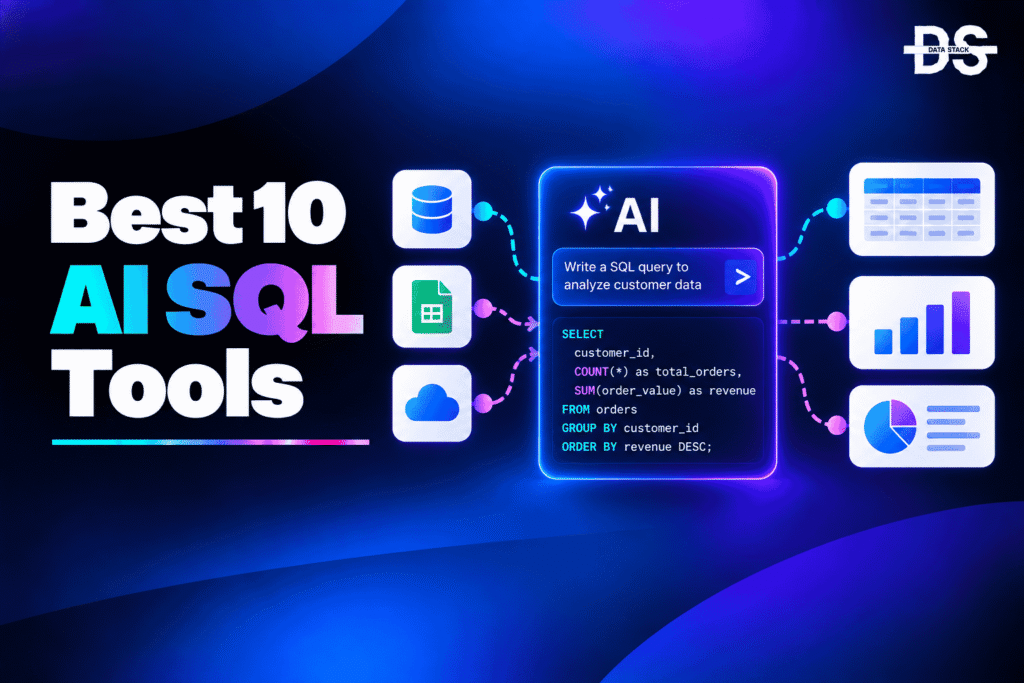
SQL remains one of the most important ways to interact with structured data, but writing complex queries can be time-consuming, especially when databases contain hundreds of tables, complicated relationships, and business-specific metrics. AI SQL tools use artificial intelligence to reduce this complexity by allowing users to describe what they need in natural language and receive SQL queries, explanations, optimizations, or data-driven answers.
Modern AI SQL tools go beyond simple text-to-SQL generation. They can understand database schemas, generate queries from natural-language questions, explain existing SQL, identify errors, suggest optimizations, and in some cases execute queries and return results or visualizations. Some tools are designed primarily for developers and data engineers, while others allow business users with limited SQL knowledge to interact with databases conversationally.
The growth of AI-powered database interfaces has also expanded the role of these tools in analytics workflows. Instead of simply generating a SQL statement, AI can help users explore databases, refine queries through natural-language conversations, troubleshoot errors, and turn query results into charts or insights. More advanced platforms can use semantic context, business definitions, previous queries, and database metadata to improve the relevance of generated SQL.
However, AI-generated SQL still needs to be validated before it is used, particularly for complex queries or production databases. A query can be syntactically correct while still using the wrong table, join, filter, or business definition. The best AI SQL tools therefore combine natural-language querying with schema awareness, query inspection, error handling, optimization, and appropriate controls.
What Are AI SQL Tools?
AI SQL tools are software applications that use artificial intelligence and large language models to help users write, understand, optimize, and work with SQL queries. Their most common capability is text-to-SQL, where a user describes a question in natural language and the AI converts that request into SQL.
For example, instead of manually writing a query to find monthly revenue by customer segment, a user can ask an AI SQL tool to “show monthly revenue by customer segment for the last 12 months.” The tool interprets the request, identifies the relevant database structures, and generates SQL that can then be reviewed and executed.
Modern AI SQL tools can also help with existing queries. Users can ask the AI to explain what a query does, fix syntax errors, simplify complicated SQL, optimize inefficient statements, translate queries between SQL dialects, or modify a query based on a new requirement. Some platforms can connect directly to databases and execute approved queries, while others focus primarily on generating SQL that users can copy into their existing environment.
AI SQL Tools vs. Traditional SQL Tools
| Capability | Traditional SQL Tools | AI SQL Tools |
|---|---|---|
| Query writing | Manual SQL coding | Natural-language and AI-assisted generation |
| SQL autocomplete | Rule-based suggestions | Context-aware AI suggestions |
| Query explanation | Manual interpretation | AI-generated explanations |
| Error fixing | Manual debugging | AI-assisted error detection and correction |
| Query optimization | Manual analysis | AI-generated optimization suggestions |
| Schema understanding | User-driven | AI can use schema context |
| Natural-language querying | Limited | Core capability |
| Conversational querying | Rare | Supported by many tools |
| SQL learning | Documentation and examples | Interactive AI explanations |
| Data insights | Requires manual queries | Some tools generate answers and visualizations |
Top 8 AI SQL Tools Comparison
The comparison table below provides a quick overview of the best AI SQL tools, highlighting their AI capabilities, automation features, best use cases, and G2 ratings.
These AI SQL tools differ in how they use AI for text-to-SQL generation, query optimization, database interaction, SQL development, and natural-language data analysis.
| Tool | AI Capabilities | What You Can Automate | Best For | G2 Rating |
|---|---|---|---|---|
| Chat2DB | AI SQL generation, schema-aware querying, SQL optimization | Query generation, error fixing, SQL explanation, analysis | AI-assisted database development | 0/5 |
| Vanna AI | Text-to-SQL, schema-aware AI agents, conversational querying | SQL generation, database Q&A, query refinement | Developers building AI SQL agents | 4.5/5 |
| AI2sql | Natural-language SQL generation, query explanation, SQL assistance | Query creation, SQL learning, query modification | Non-technical SQL users | 5.0/5 |
| DataGrip | AI-assisted SQL generation, code completion, query assistance | SQL completion, query generation, code modification | Developers and database professionals | 4.6/5 |
| Hex | AI analytics, natural-language querying, AI-assisted SQL and analysis | Query creation, data exploration, analysis | Data analysts and analytics teams | 4.5/5 |
| Outerbase | Natural-language SQL, AI database interaction, AI-assisted analysis | Query generation, data exploration, visualization | Teams seeking an AI database interface | 5.0/5 |
| Metabase | AI-assisted analytics and natural-language data interaction | Query creation, data exploration, dashboard workflows | Self-service analytics teams | 4.4/5 |
| Wren AI | Text-to-SQL, semantic modeling, AI data analysis | SQL generation, natural-language analysis, insights | Governed AI-powered analytics | 0/5 |
8 Best AI SQL Tools
The following AI SQL tools use artificial intelligence to help users generate, understand, modify, optimize, and work with SQL queries. Each platform takes a different approach, from developer-focused SQL assistance to conversational database interfaces and natural-language analytics.
#1. Chat2DB
Chat2DB is an AI-powered database management and SQL development platform designed to help users interact with databases and work with SQL using natural language. It combines database management capabilities with AI assistance, allowing developers, data engineers, analysts, and other database users to generate and understand queries without having to manually write every SQL statement. Its database-oriented environment makes it useful for teams that want AI assistance directly alongside their database workflows.
Chat2DB uses AI to convert natural-language instructions into SQL queries and can help users modify and explain existing SQL. Instead of starting a query from scratch, users can describe the desired result and use the generated SQL as a starting point. The AI can also assist with debugging and query refinement, making it useful when users need to identify problems or change an existing query based on a new requirement.
The platform extends AI assistance beyond basic text-to-SQL generation by supporting database exploration and query-related workflows. Users can use natural language to interact with their data, while AI assistance can help make complex SQL easier to understand and work with. This makes Chat2DB relevant for both experienced SQL users who want to accelerate development and users who need AI assistance when working with databases.
Key Features
- Natural-Language SQL Generation: Chat2DB can translate natural-language instructions into SQL queries, giving users an AI-generated starting point for retrieving or manipulating database data.
- AI SQL Explanation: The AI can explain SQL queries in more understandable language, helping users understand complex statements, joins, filters, and other query logic.
- SQL Error Assistance: AI can help identify problems in SQL statements and suggest corrections, reducing the time developers spend manually troubleshooting query errors.
- AI Query Modification: Users can describe changes they want to make to an existing query and use AI assistance to modify the SQL rather than rewriting the statement manually.
- Database-Aware AI Assistance: AI functionality can work within a database environment, allowing query generation and assistance to be connected to the database structures users are working with.
- AI-Powered Data Interaction: Users can interact with database information through natural-language requests, making database exploration more accessible to people who may not know every SQL command.
- SQL Development Assistance: AI can support developers while creating and refining SQL, helping reduce repetitive query-writing work during database development.
- Database Analysis: AI-assisted database workflows can help users explore data and understand query results without relying entirely on manually written SQL for every question.
G2 Rating: 0/5

Showcase your software to buyers actively comparing tools. Submit your product for editorial review and get featured on Data Stack Hub.
Submit Your Tool →#2. Vanna AI
Vanna AI is an open-source AI framework designed to generate SQL from natural-language questions and allow users to interact with databases conversationally. It is built for developers and data teams that want to integrate natural-language database querying into their own applications, analytics environments, or AI agents. Rather than functioning only as a standalone SQL editor, Vanna AI can be incorporated into custom AI-powered data workflows.
Its core capability is text-to-SQL generation using database-specific context. Vanna AI can be trained or configured using information about a database’s schema, documentation, and previous SQL examples so that generated queries are more closely aligned with the structure and terminology of the underlying data. Users can then ask questions in natural language and receive SQL generated for that specific database context.
Vanna AI is particularly relevant for organizations building their own AI database assistants. Developers can use it as a foundation for applications where users ask questions about business data conversationally and the system generates SQL to retrieve the requested information. This makes it useful not only for individual SQL generation but also for creating AI-powered data agents and natural-language database interfaces.
Key Features
- Text-to-SQL Generation: Vanna AI converts natural-language questions into SQL, allowing users to query structured databases without manually writing every statement.
- Schema-Aware SQL Generation: The AI can use database schema information and other training context to generate SQL that is more closely aligned with the tables, columns, and relationships in a specific database.
- AI Database Agents: Developers can use Vanna AI as a foundation for building conversational AI agents that allow users to interact with databases using natural language.
- Natural-Language Database Q&A: Users can ask questions about their data conversationally, with the AI translating those questions into database queries.
- SQL Training Context: Vanna AI can learn from SQL examples, documentation, and database information to improve the relevance of generated queries for a particular environment.
- Query Refinement: Users can continue interacting with the AI to clarify or modify queries, making it possible to refine SQL through a conversational workflow.
- Custom AI Integration: Developers can integrate Vanna AI into their own applications and data products rather than being limited to a fixed user interface.
- AI-Powered Data Access: The framework can help organizations build interfaces where non-technical users access structured data through natural-language questions while the underlying system works with SQL.
G2 Rating: 4.5/5
#3. AI2sql
AI2sql is an AI-powered SQL tool designed to help users generate SQL queries from natural-language instructions. It is aimed at users who need to work with databases but may not want to manually write every query, including analysts, developers, students, and business users. The platform supports AI-assisted SQL development across common database environments and can make routine query creation faster.
Its primary AI capability is natural-language-to-SQL generation. Users can describe what they want to retrieve or analyze, and the AI produces a SQL query based on that request. The tool can also assist users who already know SQL by helping modify queries, understand SQL statements, and work through database questions without requiring them to manually construct every part of the query.
AI2sql is also useful as an AI learning and productivity tool because users can interact with generated SQL rather than simply receiving a final answer. They can use AI assistance to understand how a query works, make changes, or generate SQL for a particular database task. This makes the platform relevant for both users learning SQL and experienced users looking to reduce repetitive query-writing work.
Key Features
- Natural-Language-to-SQL: AI2sql converts plain-language database requests into SQL queries, allowing users to describe the desired result instead of manually constructing the statement.
- AI Query Generation: The platform can generate SQL for common database operations, helping users create queries more quickly when they know the desired outcome but do not want to write the syntax manually.
- SQL Explanation: AI can help explain generated or existing SQL queries so users can understand what the different parts of a statement are doing.
- Query Modification: Users can use natural-language instructions to request changes to existing SQL, helping them refine queries without rewriting them from scratch.
- SQL Learning Assistance: The AI can help users understand SQL concepts and generated queries, making it useful for people who are still developing their SQL skills.
- Database-Specific Query Support: AI2sql can generate SQL for different database systems, helping users work with the syntax and query requirements of their chosen database environment.
- AI Query Troubleshooting: AI assistance can help users identify potential problems in SQL and make corrections when a generated query does not work as expected.
- Natural-Language Data Access: The platform makes SQL-based data access more approachable by allowing users to begin with a natural-language question rather than a manually written database query.
G2 Rating: 5.0/5
#4. DataGrip
DataGrip is a database development environment from JetBrains that provides AI-assisted capabilities alongside its traditional SQL development and database management features. It is designed for developers, database administrators, data engineers, and other technical users who work directly with relational databases and SQL. Its AI functionality adds natural-language assistance, code generation, and query-related support to an environment already built around professional SQL development.
DataGrip’s AI capabilities can help users generate and modify SQL based on natural-language instructions and the context of their database project. Instead of manually writing or changing every part of a complex query, developers can describe the desired change and use AI assistance to generate or modify the SQL. This can be particularly useful for repetitive query development, unfamiliar SQL syntax, and situations where developers need to quickly understand existing database code.
Because DataGrip combines AI assistance with a full-featured SQL development environment, it is suited to workflows where generated SQL still needs to be inspected and refined by a technical user. Developers can work with database schemas, existing queries, code completion, and AI assistance in the same environment, making it possible to use AI for productivity without removing the developer from the query-development process.
Key Features
- AI SQL Generation: DataGrip’s AI capabilities can generate SQL based on natural-language instructions, helping developers create queries without manually writing every part of the statement.
- AI Code Completion: AI-assisted coding can provide context-aware suggestions while developers write SQL, helping complete statements and reduce repetitive typing.
- Natural-Language SQL Modification: Developers can describe how they want an existing SQL statement changed and use AI assistance to modify the query instead of editing every clause manually.
- SQL Explanation: AI can explain SQL code and query logic in natural language, helping developers understand unfamiliar or complicated statements more quickly.
- AI Query Assistance: Developers can use AI assistance during SQL development to explore different approaches to a query and refine the generated result within their database workflow.
- Database Context Awareness: AI-assisted development can work with the database and project context available in the development environment, helping produce SQL that is relevant to the developer’s current work.
- SQL Troubleshooting: AI can help developers understand potential problems in SQL code and suggest changes when a query contains errors or does not behave as expected.
- Integrated SQL Development: AI assistance is available alongside database navigation, SQL editing, schema inspection, and other development capabilities, allowing generated SQL to be reviewed and refined within the same workflow.
G2 Rating: 4.6/5
#5. Hex
Hex is an AI-powered analytics and data workspace that combines SQL, notebooks, visualization, and natural-language data analysis. It is designed for data analysts, analytics engineers, and data teams that need to explore and analyze structured data without relying entirely on manually written SQL. Its AI capabilities allow users to move between natural-language questions, SQL, analysis, and visual outputs as part of a broader data workflow.
Hex uses AI to help users translate analytical questions into SQL and work through data exploration tasks. A user can describe what they want to understand about a dataset and use AI assistance to generate SQL or continue the analysis from the generated query. This can reduce the amount of repetitive SQL writing required for exploratory analysis while still allowing analysts to inspect and modify the underlying code.
The platform connects AI-assisted SQL with a broader analytical workflow. Users can explore query results, create visualizations, combine SQL with other analytical steps, and use AI to iterate on questions about their data. This makes Hex particularly relevant for teams that want AI SQL capabilities as part of a complete data-analysis environment rather than as a standalone SQL generator.
Key Features
- AI SQL Generation: Hex can use natural-language instructions to help generate SQL for analytical questions, giving analysts a starting point for exploring their data.
- Natural-Language Data Analysis: Users can describe analytical questions in plain language and use AI assistance to move from a business question toward a data query and analysis.
- AI-Assisted Query Refinement: Analysts can use AI to modify and refine SQL as their analytical requirements change, reducing the need to rewrite queries manually.
- SQL Explanation: AI assistance can help users understand generated or existing SQL, making complex analytical queries easier to inspect and modify.
- AI Data Exploration: Hex combines AI assistance with interactive data exploration so users can investigate datasets and iterate on questions without treating SQL generation as an isolated task.
- AI-Powered Visualization Workflows: AI-assisted analysis can help users move from queried data toward visual representations, making it easier to communicate patterns and findings.
- Conversational Analytics: Users can interact with data using natural-language questions, allowing less technical stakeholders to participate in analytical workflows alongside SQL users.
- Integrated Data Analysis: AI SQL capabilities operate within a broader analytics environment that combines queries, analysis, and visualization, helping teams maintain a connected workflow from question to insight.
G2 Rating: 4.5/5
Increase your product visibility by reaching software buyers researching the best tools. Every submission is reviewed by our editorial team.
Feature My Tool →#6. Outerbase
Outerbase is an AI-powered database interface designed to make database exploration and analysis more accessible through natural-language interaction. It provides an interface where users can work with databases, create queries, explore data, and build visualizations while using AI to assist with tasks that traditionally require SQL knowledge. This makes it relevant for both technical database users and business teams that need easier access to structured data.
Outerbase uses AI to translate natural-language questions into SQL and help users interact with database information conversationally. Instead of manually identifying tables, writing joins, and constructing filters for every question, users can describe what they want to know and use AI-generated SQL as part of the workflow. The resulting query can then be reviewed and used to retrieve the relevant data.
The platform also connects AI SQL generation with data exploration and visualization. This means users can move from a natural-language question to a query and then to a visual representation of the results within the same environment. For organizations trying to make database access more self-service, this combination can reduce the SQL barrier while keeping the underlying database query visible to users who need to inspect it.
Key Features
- Natural-Language SQL Generation: Outerbase can translate plain-language questions into SQL, helping users query databases without manually constructing every statement.
- AI Database Interaction: Users can communicate with database information through natural-language requests, making database exploration more accessible to people with limited SQL experience.
- AI Query Generation: The platform can create SQL based on a user’s analytical request, providing a query that can be reviewed and used to retrieve the required data.
- Conversational Data Exploration: Users can ask follow-up questions and refine their analysis through natural-language interactions instead of creating an entirely new query for every step.
- AI-Assisted Data Analysis: AI can help users move from a database question toward data exploration and analysis, reducing repetitive work involved in investigating structured datasets.
- AI-Powered Visualization: Query results can be turned into visual representations as part of the data exploration workflow, helping users understand and communicate the resulting information.
- Database-Aware Querying: AI-generated queries can work within the context of connected database structures, helping users ask questions about the data available to them.
- Self-Service AI Analytics: Natural-language database interaction allows business and non-technical users to explore data while reducing their dependence on manually written SQL for routine questions.
G2 Rating: 5.0/5
#7. Metabase
Metabase is a business intelligence and analytics platform that provides SQL-based and no-code approaches to exploring data. Its AI capabilities add natural-language assistance to data analysis, helping users ask questions about connected datasets and create analytical outputs without relying entirely on manual SQL development. It is designed for organizations that want to make data exploration more accessible across technical and business teams.
AI-assisted capabilities can help users translate natural-language questions into analytical queries and work with data through a more conversational interface. This is particularly useful for users who understand the business question they want to answer but may not know the exact SQL syntax needed to retrieve the data. Technical users can still work directly with SQL when greater control over the query is required.
Metabase combines this AI assistance with dashboards, data exploration, and self-service analytics workflows. As a result, AI-generated SQL is not treated as the final destination; it becomes part of a larger process in which users can investigate data, validate results, and share findings. This makes Metabase relevant for organizations that want to expand AI-assisted data access beyond dedicated SQL developers.
Key Features
- AI-Assisted Querying: Metabase uses AI capabilities to help users turn natural-language analytical questions into queries, reducing the need to manually construct SQL for routine requests.
- Natural-Language Data Questions: Users can describe what they want to understand in plain language and use AI assistance to explore the connected data.
- AI SQL Assistance: Technical users can continue working with SQL while using AI capabilities to accelerate query creation and analytical workflows.
- Conversational Data Exploration: AI-assisted interactions can help users investigate follow-up questions and explore datasets without manually rebuilding every analytical request.
- AI-Powered Data Analysis: AI can assist users as they move from a business question toward data exploration and interpretation within the analytics environment.
- SQL and No-Code Analytics: Metabase combines SQL-based analysis with simpler data exploration workflows, allowing different types of users to work with the same underlying data.
- AI-Assisted Dashboard Workflows: AI-supported analysis can contribute to workflows where data is organized into dashboards and shared with other users for ongoing business analysis.
- Self-Service AI Analytics: Natural-language assistance can reduce the technical barrier to database analysis, allowing more business users to investigate data without depending entirely on SQL specialists.
G2 Rating: 4.4/5
#8. Wren AI
Wren AI is an open-source AI data platform designed to help users interact with databases and analytics systems using natural language. Its core focus is making structured data more accessible by using AI to translate business questions into SQL while incorporating semantic context. This makes it relevant for organizations that want to provide natural-language data access without requiring every user to understand the underlying database structure.
Wren AI uses text-to-SQL capabilities to interpret natural-language questions and generate queries based on the available data model. Its semantic approach is important because simply generating syntactically valid SQL is not enough for business analytics; the AI also needs to understand how tables, metrics, dimensions, and business concepts relate to each other. This helps create queries that are better aligned with the intended analytical question.
The platform is particularly useful for organizations building governed AI analytics workflows. By combining semantic modeling with natural-language querying, Wren AI can provide a layer between business questions and the underlying database. This allows users to interact with data conversationally while giving technical teams greater control over how business definitions and database relationships are represented to the AI.
Key Features
- Text-to-SQL Generation: Wren AI converts natural-language questions into SQL, allowing users to ask analytical questions without manually constructing the complete query.
- Semantic-Aware SQL: The platform uses semantic context to help AI understand relationships between data entities, metrics, and business concepts when generating SQL.
- Natural-Language Data Analysis: Users can describe the information they need in business language and use AI to translate that request into a database query.
- AI Database Q&A: Wren AI supports conversational interaction with structured data, allowing users to ask questions and explore data through natural language.
- Semantic Modeling: Teams can define how business concepts relate to underlying database structures, providing AI with additional context for generating more meaningful analytical queries.
- AI Query Refinement: Natural-language interaction can be used to clarify or modify analytical requests, allowing users to refine the resulting SQL without manually rebuilding the query.
- Open-Source AI Data Stack: Wren AI provides an open-source foundation that technical teams can integrate into their own AI-powered data and analytics environments.
- Governed AI Analytics: By combining semantic context with AI-generated SQL, teams can create a more controlled layer between natural-language questions and the underlying database.
G2 Rating: 0/5
How to Choose the Right AI SQL Tool
Choosing an AI SQL tool depends on how you work with databases, how much SQL you already know, and whether you need simple query generation or a complete AI-powered data workflow.
- Text-to-SQL Accuracy: Check how well the tool converts natural-language questions into correct SQL, especially when queries involve multiple tables, joins, filters, aggregations, and nested logic.
- Database and Schema Context: Look for tools that can understand your database schema, table relationships, column definitions, and business context so the AI can generate queries that match your actual data structure.
- SQL Generation and Editing: Make sure the AI can not only generate new queries but also modify existing SQL based on natural-language instructions without unnecessarily changing working logic.
- AI Query Explanation: Choose a tool that can explain complex SQL in plain language if your team needs help understanding queries, debugging logic, or maintaining SQL created by other users.
- Query Optimization: For production or large-scale databases, check whether the AI can identify inefficient SQL and suggest improvements to query structure, joins, filters, or other operations.
- AI Error Detection: Look for capabilities that help identify SQL syntax problems, incorrect query logic, or other issues and provide suggestions for fixing them.
- Natural-Language Database Access: If non-technical users will use the platform, prioritize tools that allow them to ask questions about data conversationally rather than requiring them to know SQL.
- AI Analytics Capabilities: Consider whether the tool goes beyond SQL generation and supports data exploration, analysis, visualization, or conversational follow-up questions.
- SQL Dialect Support: Check whether the tool works with the specific database technology you use and can generate SQL using the appropriate syntax and functions.
- Security and Data Access: Before connecting an AI tool to a production database, evaluate how it handles database credentials, permissions, sensitive data, query execution, and user access controls.
Browse expertly curated software recommendations across hundreds of business categories.
Browse Top Tools →Conclusion
AI SQL tools are changing how developers, analysts, engineers, and business users interact with structured data. Instead of requiring users to manually write every SQL statement, these tools can translate natural-language questions into queries, explain existing SQL, assist with debugging, and accelerate repetitive database development tasks.
The tools covered in this article take different approaches to AI-powered SQL. Chat2DB, AI2sql, and DataGrip are useful for users who want AI assistance directly during SQL development, while Vanna AI and Wren AI are particularly relevant for teams building natural-language database interfaces and AI data agents. Hex, Outerbase, and Metabase combine AI-assisted querying with broader data exploration and analytics workflows.
For technical teams, the most important consideration is not simply whether a platform can generate SQL. The generated query needs to reflect the actual database schema and the intended business logic. AI-generated SQL can look correct while using an incorrect table, join, metric, or filter, so users should review queries before relying on them for important analysis or production workloads.
AI SQL tools can also make data more accessible to non-technical users. Natural-language interfaces allow users to describe the information they need without first learning complex SQL syntax. However, this convenience makes schema awareness, semantic context, permissions, and validation especially important when AI is allowed to interact directly with business databases.
The best choice ultimately depends on your workflow. Developers may prioritize AI code assistance and query modification, analysts may need natural-language data exploration and visualization, while organizations building AI data agents may need text-to-SQL, semantic modeling, and database-aware AI capabilities.
Frequently Asked Questions
1. What are AI SQL tools?
AI SQL tools are software applications that use artificial intelligence to help users write, understand, modify, optimize, and execute SQL queries. Many use large language models to convert natural-language questions into SQL.
2. How do AI SQL tools generate SQL?
AI SQL tools typically use a large language model combined with information about the database schema, tables, columns, relationships, and sometimes business definitions. The AI interprets the user’s natural-language request and generates a SQL query designed to retrieve the requested information.
3. What is text-to-SQL?
Text-to-SQL is an AI capability that converts a natural-language question into a SQL query. For example, a user can ask for “total revenue by month for the last year,” and the AI can generate the SQL required to retrieve that information.
4. Can AI SQL tools understand database schemas?
Yes. Many AI SQL tools can use database schema information to understand available tables, columns, and relationships. Schema context can help the AI generate queries that are more relevant to the database being queried.
5. Can AI SQL tools fix SQL errors?
Many AI SQL tools can help identify SQL syntax or logic problems and suggest corrections. Users can provide an error message or problematic query and ask the AI to explain the issue and generate a corrected version.
6. Can AI SQL tools optimize queries?
Some AI SQL tools provide query optimization assistance. They can analyze SQL and suggest changes intended to improve readability or performance, although optimization recommendations should be tested against the actual database and workload.
7. Can non-technical users use AI SQL tools?
Yes. Natural-language querying is one of the main advantages of AI SQL tools. Users can describe what they want to know without manually writing SQL, although the complexity and accuracy of the resulting query depend on the tool and database context.
8. Can AI SQL tools query databases directly?
Some AI SQL platforms can connect to databases and execute generated queries, while others primarily generate SQL for users to review and run themselves. The available functionality depends on the specific platform and its database integrations.
9. Are AI-generated SQL queries accurate?
AI-generated SQL can be useful but should not automatically be assumed to be correct. A query can be syntactically valid while still using the wrong table, join, filter, metric, or business definition. Reviewing important queries is therefore recommended.
10. Can AI SQL tools explain SQL queries?
Yes. Many AI SQL tools can explain SQL in natural language. This can help users understand complicated joins, filters, subqueries, aggregations, and other SQL logic without manually interpreting every part of the statement.
11. Can AI SQL tools generate SQL from business questions?
Yes. Natural-language-to-SQL is a core capability of many AI SQL tools. Users can describe a business question, and the AI can translate it into a database query based on the available schema and context.
12. What are the best AI SQL tools in 2026?
The tools covered in this article are Chat2DB, Vanna AI, AI2sql, DataGrip, Hex, Outerbase, Metabase, and Wren AI. They target different AI SQL use cases, including text-to-SQL generation, SQL development, database Q&A, query assistance, and natural-language analytics.
13. Can AI SQL tools help people learn SQL?
Yes. AI can explain SQL queries, describe individual clauses, provide examples, identify errors, and modify queries based on natural-language instructions. This makes AI SQL tools useful for people learning SQL as well as experienced users.
14. What is the difference between AI SQL tools and AI database tools?
AI SQL tools primarily focus on generating, explaining, modifying, and optimizing SQL. AI database tools generally cover a broader range of database management and interaction capabilities, which can include natural-language database access, administration, schema management, monitoring, and AI-assisted database operations.
15. Can AI SQL tools replace SQL developers?
AI SQL tools can automate parts of SQL development, but they do not eliminate the need for SQL and database expertise. Complex data models, performance optimization, security, business logic, production queries, and validation still require appropriate technical oversight.
16. What are AI SQL generators?
AI SQL generators use artificial intelligence to convert natural-language instructions into SQL queries. They can help users generate SELECT statements, joins, filters, aggregations, and other SQL logic without writing the entire query manually.
17. What are the best AI SQL generators in 2026?
Popular AI SQL generators include Vanna AI, AI2sql, Chat2DB, DataGrip, Wren AI, and Outerbase, with each offering different capabilities for text-to-SQL generation, database context, query refinement, and AI-assisted data analysis.