
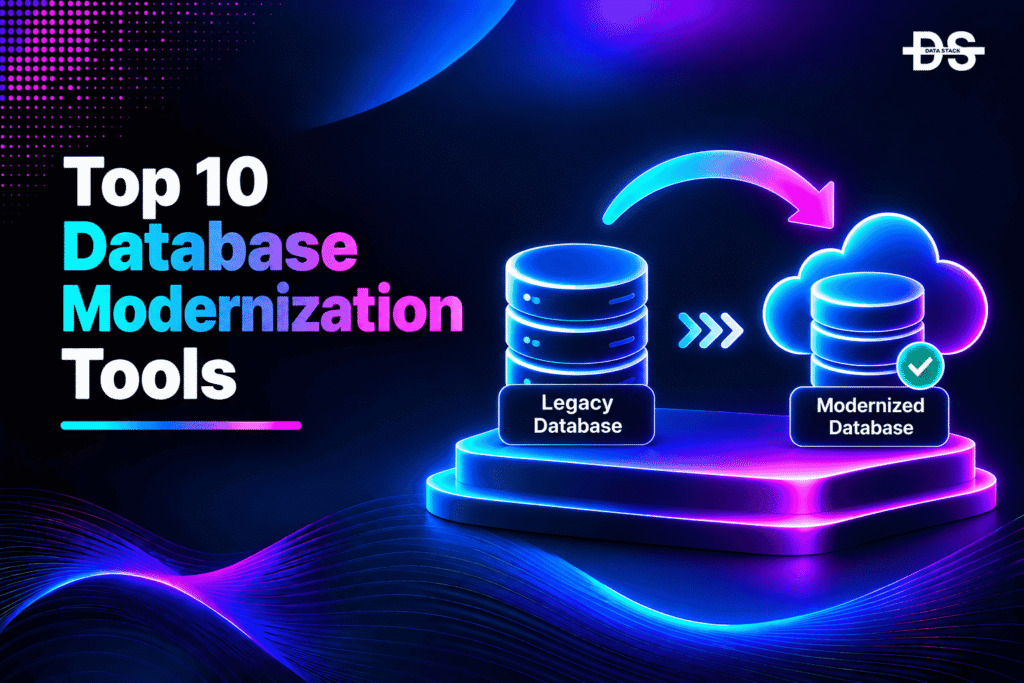
Databases are among the most difficult components of enterprise technology environments to modernize. Organizations often depend on legacy database platforms that have supported critical business applications for years. These systems may contain complex schemas, stored procedures, proprietary SQL extensions, and application dependencies that make migration to newer technologies challenging.
Moving to a modern database platform can help organizations reduce infrastructure costs, improve scalability, simplify administration, and adopt cloud-native architectures. However, database modernization involves more than transferring tables and records. Teams must also consider schema compatibility, stored procedure conversion, data integrity, application dependencies, replication, downtime, and performance validation.
Database modernization tools help address these challenges through different technical approaches. Some platforms automate database discovery, assessment, and migration. Others convert schemas and database code between engines, replicate data during migration, or manage ongoing schema changes through development pipelines.
Choosing the right platform depends on the source and target databases, migration complexity, infrastructure strategy, and operational requirements. A tool designed for Oracle-to-PostgreSQL conversion, for example, may not be suitable for managing database changes across dozens of cloud platforms.
This guide examines 10 database modernization tools in 2027, covering their core capabilities, supported environments, practical applications, and limitations. It also explains how to select a platform based on the modernization challenges your organization needs to solve.
What Does Database Modernization Involve?
Database modernization is the process of upgrading, migrating, restructuring, or replacing legacy database systems with more modern technologies and architectures. It aims to improve database performance, scalability, security, maintainability, and integration with contemporary applications.
Modernization can involve several different activities:
- Database migration: Moving databases from on-premises infrastructure to cloud platforms or between database engines.
- Schema conversion: Translating tables, indexes, constraints, stored procedures, triggers, and other database objects into a format supported by the target engine.
- Data replication: Keeping source and target databases synchronized during migration to reduce downtime and support controlled cutovers.
- Database consolidation: Moving multiple database environments into fewer platforms to simplify administration and reduce infrastructure overhead.
- Database refactoring: Restructuring schemas, queries, stored procedures, and database logic to improve maintainability and compatibility.
- Database DevOps: Introducing version control, automated schema deployments, testing, and governance into database development workflows.
- Cloud database adoption: Moving workloads to managed services, cloud-native databases, or modern open-source alternatives.
For example, an enterprise migrating from Oracle to PostgreSQL may need separate capabilities for schema assessment, SQL conversion, data transfer, application updates, and validation. A team upgrading an existing PostgreSQL environment may instead focus on schema versioning, deployment automation, and compatibility testing.
This is why database modernization is best treated as a collection of connected activities rather than a single migration operation.
How We Assessed the Database Modernization Platforms
We evaluated the tools based on their documented database capabilities, supported source and target engines, automation features, deployment workflows, and suitability for enterprise modernization projects.
The evaluation considered the following areas:
- Migration and replication: Support for database transfers, continuous data replication, change data capture, and low-downtime migration workflows.
- Schema and code conversion: Ability to convert database structures, stored procedures, triggers, functions, and SQL dialects between different database engines.
- Database assessment: Capabilities for analyzing existing databases, identifying compatibility issues, and estimating migration complexity.
- Database change management: Support for version-controlled schema changes, migration scripts, automated deployments, and rollback workflows.
- Technology compatibility: Supported relational databases, cloud database services, database versions, and operating environments.
- Enterprise operations: Security, deployment flexibility, monitoring, validation, integration, and scalability.
The comparison includes cloud-provider services, specialist migration platforms, open-source conversion utilities, replication products, and database change management solutions. These products address different stages of modernization and should be evaluated according to the actual requirements of the project.
10 Database Modernization Tools Worth Evaluating in 2027
The following tools support different database modernization requirements, from cross-platform migration and schema conversion to continuous replication and database change management. Compare their core capabilities, ideal use cases, supported environments, and free trial availability to identify the right fit for your modernization project.
| Tool | Key Modernization Capabilities | Best For | Best-Suited Environment | Free Trial |
|---|---|---|---|---|
| AWS Database Migration Service | Database Assessment, Schema Conversion, Data Replication, Change Data Capture, Low-Downtime Migration | Migrating heterogeneous databases and modernizing workloads for AWS | Amazon RDS, Aurora, AWS, and supported external databases | No |
| Azure Database Migration Service | Database Assessment, Migration Planning, Schema Migration, Data Transfer, Minimal-Downtime Migration | Moving legacy databases to Microsoft Azure data platforms | SQL Server, Azure SQL, and supported Azure database environments | No |
| Google Cloud Database Migration Service | Database Migration, Schema and Code Conversion, Continuous Replication, Migration Validation | Migrating legacy relational databases to Cloud SQL and AlloyDB | Google Cloud, Cloud SQL, and AlloyDB | No |
| Ispirer Toolkit | Cross-Engine Schema Conversion, SQL Code Conversion, Application Code Conversion, Data Migration, Validation | Automating complex database and application migrations between different technologies | Oracle, SQL Server, DB2, PostgreSQL, MySQL, and other supported engines | Yes – 14 days |
| EDB Migration Suite | Oracle Schema Assessment, Schema Conversion, Database Object Migration, Data Migration | Modernizing Oracle databases for PostgreSQL and EDB Postgres | Oracle and PostgreSQL environments | No |
| Ora2Pg | Oracle Assessment, Schema Extraction, SQL Conversion, Data Export, Migration Reporting | Moving Oracle databases to PostgreSQL | Oracle and PostgreSQL | No |
| Qlik Replicate | Change Data Capture, Continuous Replication, Heterogeneous Data Movement, Cloud Database Migration | Keeping databases synchronized during modernization and migration | Enterprise databases, cloud platforms, and hybrid environments | No |
| Quest SharePlex | Oracle and PostgreSQL Replication, Data Synchronization, Active-Active Replication, Migration Support | Modernizing Oracle and PostgreSQL environments with continuous data replication | Oracle, PostgreSQL, on-premises, and cloud environments | No |
| Redgate Flyway | Schema Version Control, Database Migration Scripts, Automated Deployments, Schema Drift Detection | Modernizing database development and deployment workflows | SQL Server, Oracle, PostgreSQL, MySQL, and supported database platforms | No |
| Liquibase | Database Change Management, Schema Versioning, Automated Deployment, Policy Enforcement, Rollback | Standardizing database changes across enterprise environments | Relational, NoSQL, cloud, and analytical database platforms | Yes – 30 days |
A Closer Look at the 10 Database Modernization Platforms
Explore each platform in detail to understand its modernization capabilities, key features, limitations, and how it fits into different database migration and modernization workflows.
1. AWS Database Migration Service
Deployment: AWS-managed cloud service
AWS Database Migration Service (AWS DMS) is a managed database migration and replication service that helps organizations move data between supported database engines and infrastructure environments. It supports both homogeneous migrations, where the source and target use the same database engine, and heterogeneous migrations, where organizations move between different technologies.
For legacy modernization, AWS DMS is particularly useful when enterprises want to migrate databases to Amazon RDS, Amazon Aurora, or other supported AWS data platforms. It can perform an initial data transfer and then use change data capture to replicate ongoing changes from the source database. This allows the target environment to remain synchronized while the migration progresses.
AWS DMS also includes schema conversion capabilities for supported heterogeneous migration scenarios. Its assessment reports identify database objects that may require manual intervention, while conversion workflows help translate supported schema elements and database code into target-compatible formats.
Organizations can use AWS DMS for migrations involving Oracle, Microsoft SQL Server, PostgreSQL, MySQL, IBM Db2, and other supported database engines. The exact source and target combinations depend on the selected migration workflow.
Key Features
- Database migration: Moves data between supported source and target databases, including on-premises and cloud environments.
- Schema conversion: Converts supported database schemas and code objects for heterogeneous migrations.
- Change data capture: Replicates ongoing database changes to keep source and target environments synchronized.
- Migration assessment: Generates reports identifying schema conversion complexity and objects that require additional work.
- Low-downtime migration: Supports migration workflows that reduce the time required to switch applications to the target database.
- Fleet assessment: AWS DMS Fleet Advisor helps inventory supported database and analytics server environments and identify migration options.
- AWS ecosystem integration: Works with Amazon RDS, Aurora, and other supported AWS services.
Limitations
AWS DMS is primarily designed for database migration and replication. It does not automatically modernize every application dependency, rewrite all database-specific business logic, or optimize the architecture of the target system.
Schema conversion also has limitations. Unsupported objects and complex database features may require manual conversion, application changes, and testing. Organizations should review source and target compatibility before selecting a migration path.
Why Choose AWS Database Migration Service?
AWS DMS is a practical option for enterprises moving legacy databases into AWS environments. Its combination of migration, replication, and schema conversion capabilities can reduce the manual effort involved in transferring database workloads while supporting controlled migration cutovers.
2. Azure Database Migration Service
Deployment: Azure-managed cloud service
Azure Database Migration Service (Azure DMS) helps organizations migrate databases from existing infrastructure to Microsoft Azure data platforms. It is designed to simplify migration workflows through assessment, migration planning, and managed database transfer capabilities.
For enterprises operating legacy SQL Server environments, Azure DMS can support the transition toward Azure SQL and other supported Azure database services. Its migration workflows help move database structures and data while minimizing the operational disruption associated with traditional migration approaches.
Azure’s broader migration ecosystem also includes Azure Migrate and Azure Arc capabilities for discovering and assessing database estates. These services help organizations understand existing database workloads, evaluate migration readiness, and identify the changes required before moving to Azure.
The distinction between these services is important. Azure Database Migration Service handles supported database migration workflows, while Azure Migrate provides broader discovery and assessment capabilities for infrastructure and application portfolios.
Key Features
- Managed database migration: Supports migration from supported source databases to Azure data platforms.
- Migration readiness assessment: Works with Microsoft’s migration ecosystem to identify compatibility concerns and required preparation.
- SQL Server modernization: Supports modernization workflows for SQL Server workloads targeting Azure SQL.
- Migration automation: Provides managed workflows through the Azure portal, PowerShell, and Azure CLI.
- Minimal-downtime migration: Supports online migration scenarios for eligible source and target combinations.
- Azure integration: Connects database migration activities with Microsoft’s broader cloud migration environment.
Limitations
Azure DMS is designed specifically for migration into Azure. Organizations moving databases to AWS, Google Cloud, or independent infrastructure will need a different migration platform.
Its scope should also not be confused with a complete database refactoring tool. Moving a database to Azure does not automatically redesign its schema, optimize queries, or eliminate application dependencies on legacy database features.
Why Choose Azure Database Migration Service?
Azure DMS is relevant for organizations with existing Microsoft database environments that want to modernize their infrastructure around Azure. It provides a managed migration path and can be combined with Azure Migrate and other Microsoft tools to support larger database modernization initiatives.
Showcase your software to buyers actively comparing tools. Submit your product for editorial review and get featured on Data Stack Hub.
Submit Your Tool →3. Google Cloud Database Migration Service
Deployment: Google Cloud-managed service
Google Cloud Database Migration Service helps organizations migrate relational databases to Google Cloud with managed migration workflows and continuous data replication. It supports both homogeneous migrations, where the source and target database engines are the same, and selected heterogeneous migrations involving different engines.
The service is particularly relevant for enterprises moving traditional database workloads to Cloud SQL or AlloyDB for PostgreSQL. It supports migration scenarios involving MySQL, PostgreSQL, SQL Server, and Oracle, subject to the source and destination combinations documented by Google.
For heterogeneous migrations, Google Cloud provides schema and code conversion capabilities to help prepare database objects for the target engine. Its Gemini-assisted conversion experience can also help developers review and convert supported database-resident code, including stored procedures, functions, and triggers. Availability of individual AI-assisted capabilities may depend on preview status and supported migration scenarios.
Google Cloud Database Migration Service uses an initial database snapshot followed by ongoing replication to keep the target synchronized. This approach can reduce downtime during the final migration cutover.
Key Features
- Managed database migration: Provides guided migration workflows for supported relational database engines.
- Heterogeneous migration: Supports selected migrations between different database technologies, including Oracle and SQL Server to PostgreSQL targets.
- Continuous replication: Keeps source and target databases synchronized during migration.
- Schema and code conversion: Helps translate supported database structures and code into target-compatible formats.
- Gemini-assisted conversion: Provides AI-assisted support for reviewing and converting eligible database-resident code.
- Migration validation: Helps teams validate migration readiness and monitor migration operations.
- Google Cloud integration: Supports migration to Cloud SQL and AlloyDB for PostgreSQL.
Limitations
Google Cloud Database Migration Service is designed around migration to Google Cloud. It is not a general-purpose database migration platform for organizations targeting arbitrary infrastructure.
Schema and code conversion also require careful review. Database-specific functionality, unsupported objects, and application dependencies may need manual adjustments before the target environment can replace the source system.
Why Choose Google Cloud Database Migration Service?
Google Cloud Database Migration Service is worth considering when an organization wants to move legacy relational databases to Cloud SQL or AlloyDB. Its managed replication and conversion workflows can simplify migration planning while reducing the complexity of transferring production database workloads.
4. Ispirer Toolkit
Deployment: Self-managed software
Ispirer Toolkit is a database and application migration platform designed to automate cross-platform modernization. It helps organizations convert database schemas, SQL code, application logic, and data when moving from legacy technologies to modern database environments.
Database migrations become particularly complex when the source and target engines use different SQL dialects, data types, procedural languages, and database-specific functions. For example, migrating from Oracle to PostgreSQL involves more than transferring tables. Developers may also need to convert PL/SQL packages, triggers, stored procedures, and application code that interacts with the original database.
Ispirer addresses these challenges through its SQLWays and CodeWays capabilities. Its conversion engine uses structured code parsing and transformation rules to generate target-compatible database and application code. It supports migration scenarios involving Oracle, Microsoft SQL Server, IBM Db2, Sybase, Informix, MySQL, PostgreSQL, and other supported technologies.
The platform also supports application conversion for legacy development technologies such as COBOL, PowerBuilder, Delphi, and other languages. This makes it relevant for modernization projects where both the database layer and the applications connected to it need to change.
Key Features
- Cross-database conversion: Converts supported database schemas and SQL code between different database engines.
- Stored procedure migration: Supports conversion of database-resident logic, including procedures, functions, and triggers.
- Application code conversion: Helps migrate legacy application languages and database APIs to modern development technologies.
- Data migration: Supports transferring database records to the target environment.
- Automated assessment: Provides analysis capabilities to estimate migration complexity and identify conversion requirements.
- Structured conversion engine: Uses parsing and conversion rules to generate target code rather than relying solely on text replacement.
- Validation support: Supports migration validation and comparison workflows.
Limitations
Ispirer is a specialist migration platform rather than a managed cloud database service. Organizations need to plan the target infrastructure, migration execution, application integration, and production cutover separately.
Automated conversion also does not guarantee that every database object will work identically in the target environment. Complex business logic, unsupported database features, and performance-sensitive queries require review, testing, and potentially manual refactoring.
Why Choose Ispirer Toolkit?
Ispirer Toolkit is a strong candidate for organizations undertaking complex cross-engine migrations. Its ability to convert database code alongside application logic makes it especially relevant when modernization involves more than moving database records from one platform to another.
5. EDB Migration Suite
Deployment: Web-based and self-managed tools
EDB provides a collection of migration tools designed to help organizations move legacy database workloads toward PostgreSQL and EDB Postgres Advanced Server. Its migration capabilities include assessment, schema conversion, database object migration, and data transfer.
Two important components are EDB Migration Portal and EDB Migration Toolkit. Migration Portal helps assess and convert Oracle database schemas into EDB Postgres Advanced Server-compatible definitions. It can process objects such as tables, sequences, constraints, indexes, views, triggers, functions, procedures, packages, users, and permissions.
EDB Migration Toolkit focuses on moving database objects and data from supported source engines. Its documented migration sources include Oracle, MySQL, Microsoft SQL Server, and Sybase Adaptive Server Enterprise, with additional supported migration scenarios depending on the selected target.
These capabilities make EDB relevant for enterprises seeking to move away from proprietary database platforms while retaining PostgreSQL compatibility. Organizations can use the assessment and conversion components to understand the migration workload before transferring data and validating the target environment.
Key Features
- Oracle schema assessment: Analyzes Oracle database structures and identifies objects that require conversion.
- Schema conversion: Generates PostgreSQL-compatible database definitions for supported Oracle objects.
- Database object migration: Supports migration of tables, views, procedures, functions, and other database objects.
- Data transfer: Moves database data into EDB Postgres Advanced Server or PostgreSQL environments.
- Cross-engine support: Provides migration capabilities for Oracle, MySQL, SQL Server, and selected additional source platforms.
- Migration control: Offers command-line migration workflows and configuration options for greater control over database transfers.
- PostgreSQL modernization: Helps organizations adopt PostgreSQL-compatible platforms as alternatives to legacy proprietary databases.
Limitations
EDB’s migration tools are particularly focused on PostgreSQL and EDB Postgres targets. Organizations planning to migrate to other database platforms may need alternative conversion utilities.
Migration Portal and Migration Toolkit also serve different purposes. Schema assessment and conversion do not automatically complete the data migration, application changes, performance optimization, or production cutover.
Why Choose EDB Migration Suite?
EDB is worth evaluating when an organization wants to modernize Oracle or other supported database workloads around PostgreSQL. Its combination of schema assessment, conversion, and data migration capabilities provides a more structured path toward PostgreSQL adoption.
6. Ora2Pg
Deployment: Self-managed and open source
Ora2Pg is an open-source migration toolkit designed primarily to help organizations move Oracle databases to PostgreSQL. It connects to an Oracle database, analyzes its structure, extracts database objects and data, and generates SQL scripts that can be used to create the corresponding PostgreSQL environment.
Oracle-to-PostgreSQL migrations can involve several compatibility challenges. Oracle uses database-specific data types, PL/SQL constructs, packages, functions, and other features that may not have direct PostgreSQL equivalents. Ora2Pg helps identify these differences and provides conversion capabilities for supported database objects.
The tool can generate assessment reports that help estimate migration complexity and identify database features requiring additional work. It also supports exporting tables, views, sequences, indexes, constraints, and other supported objects, along with data migration workflows.
Because Ora2Pg is open source, teams can inspect its configuration, customize migration behavior, and integrate it into their own migration processes. It is particularly useful for organizations that want a specialist Oracle-to-PostgreSQL conversion utility without adopting a full commercial migration platform.
Key Features
- Oracle database assessment: Analyzes database structures and identifies Oracle-specific features that may require conversion.
- Schema extraction: Extracts database definitions and generates PostgreSQL-compatible SQL scripts.
- Data export: Supports transferring Oracle database records into PostgreSQL.
- PL/SQL conversion: Provides conversion support for selected Oracle procedural code and database objects.
- Migration reporting: Generates reports that help estimate migration effort and identify compatibility issues.
- Configurable conversion: Offers configuration options for controlling object extraction and transformation.
- Open-source licensing: Allows organizations to use and customize the tool under its GPL license.
Limitations
Ora2Pg is specifically focused on Oracle-to-PostgreSQL migration, so it is not suitable as a universal cross-database conversion platform.
Its conversion capabilities also have boundaries. Complex PL/SQL packages, Oracle-specific functionality, application dependencies, and performance-sensitive queries may require manual changes. Teams should validate converted schemas and data before production cutover.
Why Choose Ora2Pg?
Ora2Pg is a practical option for development teams and database administrators moving Oracle workloads to PostgreSQL. Its open-source model, assessment capabilities, and schema conversion features make it useful for both smaller migrations and larger projects that require customized migration workflows.
Increase your product visibility by reaching software buyers researching the best tools. Every submission is reviewed by our editorial team.
Feature My Tool →7. Qlik Replicate
Deployment: Enterprise-managed software
Qlik Replicate is a data replication platform that helps organizations move and synchronize data across heterogeneous database environments. It uses change data capture (CDC) to identify changes in source systems and replicate them to target databases, cloud platforms, and other supported destinations.
For database modernization, continuous replication is particularly valuable when organizations cannot afford extended downtime. Instead of transferring all data at once and immediately switching applications, teams can perform an initial load and then continue replicating changes until the target environment is ready for cutover.
Qlik Replicate supports a broad range of enterprise data sources and targets, including Oracle, Microsoft SQL Server, IBM Db2, PostgreSQL, MySQL, and other supported technologies. Its endpoint coverage also includes cloud data platforms and analytical environments.
The platform is designed to simplify data movement across complex enterprise estates. Its visual interface helps configure replication tasks, monitor data movement, and manage connections between source and target environments.
Key Features
- Change data capture: Captures ongoing database changes and transfers them to configured target systems.
- Heterogeneous replication: Moves data between supported database engines and different infrastructure environments.
- Initial data loading: Performs an initial transfer before continuous replication begins.
- Low-downtime migration: Helps keep target databases synchronized while organizations prepare for cutover.
- Enterprise connectivity: Supports a broad range of relational database and cloud data endpoints.
- Replication monitoring: Provides visibility into replication tasks and data movement operations.
- Hybrid architecture support: Helps organizations synchronize data across on-premises and cloud environments.
Limitations
Qlik Replicate is primarily a data movement and replication platform. It should not be treated as a complete schema conversion or database code modernization solution.
When migrating between different database engines, teams may need separate tools to convert stored procedures, indexes, constraints, and database-specific logic. The source and target endpoint support matrix should also be checked before planning a migration.
Why Choose Qlik Replicate?
Qlik Replicate is useful for organizations that need reliable data synchronization during database modernization. Its CDC capabilities can help reduce migration downtime and support phased transitions between legacy and modern database environments.
8. Quest SharePlex
Deployment: Self-managed and enterprise-managed environments
Quest SharePlex is a database replication platform designed to support data synchronization, high availability, disaster recovery, and migration across Oracle and PostgreSQL environments. It helps organizations keep multiple database systems synchronized while supporting modernization and infrastructure transition projects.
One of its important use cases is database migration without requiring an immediate application cutover. SharePlex can replicate database changes from a source environment to a target, allowing teams to prepare and validate the destination while the original database continues operating.
The platform also supports data comparison and synchronization, helping organizations identify and address differences between source and target systems. Its active-active replication capabilities support selected bidirectional replication scenarios, including environments involving Oracle and PostgreSQL.
SharePlex can also integrate with streaming and cloud storage destinations, enabling organizations to move operational data into broader analytics and integration architectures.
Key Features
- Continuous database replication: Keeps supported source and target databases synchronized through ongoing data movement.
- Oracle and PostgreSQL support: Supports replication workflows involving Oracle and PostgreSQL environments.
- Migration assistance: Helps organizations maintain synchronized database copies during modernization and migration projects.
- Data comparison: Compares source and target data to identify inconsistencies.
- Data synchronization: Supports correcting differences between replicated database environments.
- Active-active replication: Provides bidirectional replication capabilities for supported configurations.
- Streaming integration: Can deliver database changes to supported message queues and other destinations.
Limitations
SharePlex is a specialist replication platform, not a universal database schema conversion engine. It does not independently translate every database object or rewrite application code for a new database engine.
Its capabilities are also more focused than broad multi-engine migration suites. Organizations should verify supported database versions, replication configurations, and source-target combinations before implementation.
Why Choose Quest SharePlex?
SharePlex is relevant for enterprises that need to synchronize Oracle and PostgreSQL environments during migration, high-availability planning, or modernization. Its replication and data comparison capabilities can help reduce the operational risks associated with moving critical database workloads.
9. Redgate Flyway
Deployment: Self-managed and enterprise-managed
Redgate Flyway is a database development and change management platform that helps teams version-control database changes and automate deployments across development, testing, and production environments.
Traditional database modernization projects often focus on moving data and upgrading database infrastructure. However, maintaining the modernized environment also requires a reliable process for managing schema changes, database scripts, and deployment dependencies.
Flyway addresses this challenge through versioned migration scripts. Developers define database changes as migration files, store them in version control, and execute them through a consistent deployment workflow. This helps teams track which changes have been applied and maintain consistency across environments.
Flyway supports a wide range of database platforms, including SQL Server, Oracle, PostgreSQL, MySQL, Snowflake, Databricks, and other supported systems. Its advanced editions provide additional capabilities for schema modeling, change reporting, drift detection, and governed database deployments.
Key Features
- Database version control: Tracks schema changes through versioned migration scripts.
- Automated migrations: Applies database changes through repeatable deployment workflows.
- CI/CD integration: Connects database deployments with existing software delivery pipelines.
- Schema modeling: Supports database schema representations that can be stored and managed alongside migration scripts in eligible editions.
- Schema drift detection: Helps identify differences between expected and actual database states through supported enterprise capabilities.
- Multi-database support: Provides a consistent migration workflow across a broad range of database platforms.
- Deployment governance: Adds controls and reporting for organizations managing database changes at scale.
Limitations
Flyway is primarily a database change management and deployment tool. It does not independently migrate an entire legacy database estate, convert complex stored procedures between incompatible engines, or replicate production data during a cloud migration.
Some advanced capabilities, including schema modeling and enterprise governance features, are available only in higher editions. Organizations should evaluate the edition requirements before selecting Flyway for enterprise-wide database modernization.
Why Choose Redgate Flyway?
Flyway is a strong option for teams that want to modernize how database changes are developed, reviewed, versioned, and deployed. It helps bring database development into the same controlled workflows used for application code, making it useful for organizations adopting database DevOps practices.
10. Liquibase
Deployment: Self-managed and enterprise-managed
Liquibase is a database schema change management platform that helps development and database teams define, version, automate, and govern database changes. It is designed to make database deployments more consistent across development, testing, staging, and production environments.
The platform uses changelogs to record database modifications as structured changesets. These changes can be written in SQL, XML, JSON, or YAML, allowing teams to manage schema updates through version control and automated deployment pipelines.
Liquibase supports a broad range of relational, NoSQL, and analytical database platforms. This makes it useful for organizations operating multiple database technologies that want a consistent process for managing schema changes.
Its enterprise capabilities extend beyond basic migration execution. Liquibase Secure includes features for policy enforcement, drift detection, targeted rollback, audit history, and database change governance. These capabilities can help organizations introduce more control over database changes as they modernize their development and deployment processes.
Key Features
- Database schema versioning: Tracks database changes through structured changelogs and changesets.
- Multiple changelog formats: Supports SQL, XML, JSON, and YAML for defining database modifications.
- Automated deployment: Executes database changes through repeatable development and CI/CD workflows.
- Cross-platform support: Works with a broad range of relational, NoSQL, and analytical database platforms.
- Policy enforcement: Helps enforce database change policies before modifications reach production.
- Drift detection: Identifies differences between expected database states and deployed environments through supported enterprise capabilities.
- Rollback management: Provides rollback options for supported database changes and configurations.
- Audit and governance: Maintains visibility into database changes and deployment activity.
Limitations
Liquibase focuses on database change management rather than full database migration. It does not replace specialist tools for moving large datasets, performing continuous replication, or converting complex database-specific procedural code.
Some advanced governance, rollback, and automation capabilities require Liquibase Secure. Teams should also review database-specific support because available change types and advanced functionality can vary across platforms.
Why Choose Liquibase?
Liquibase is worth considering for organizations that need consistent database change management across multiple technologies. Its changelog-based approach, broad database compatibility, and enterprise governance features make it useful for maintaining modernized database environments over time.
Which Database Modernization Approach Fits Your Situation?
Not every database modernization project starts with the same problem. Some organizations need to move away from expensive proprietary platforms, while others want to migrate to cloud infrastructure or improve how developers manage database changes.
The following scenarios can help identify the right type of tool.
1. Moving From a Proprietary Database to an Open-Source Platform
Organizations migrating from Oracle or Microsoft SQL Server to PostgreSQL need more than a data transfer utility. They may need to convert database objects, stored procedures, SQL dialects, and application dependencies.
Tools such as Ispirer Toolkit, EDB Migration Suite, and Ora2Pg can support different parts of this process.
2. Migrating Legacy Databases to the Cloud
If the objective is to move existing databases to managed cloud services, cloud-provider migration platforms can simplify infrastructure integration and data transfer.
AWS DMS, Azure Database Migration Service, and Google Cloud Database Migration Service support migrations into their respective cloud ecosystems.
3. Reducing Downtime During Database Migration
Production databases often continue receiving transactions throughout a migration project. Organizations need a way to transfer the initial dataset and synchronize ongoing changes before cutover.
Qlik Replicate and Quest SharePlex provide replication capabilities that can support these workflows for their respective supported environments.
4. Modernizing Database Development and Deployment
Organizations that already operate modern database platforms may still depend on manual scripts, inconsistent deployments, and limited schema version control.
Redgate Flyway and Liquibase help teams introduce repeatable migration workflows, version-controlled schema changes, and database deployment automation.
5. Managing Complex Oracle-to-PostgreSQL Migrations
Oracle databases often contain proprietary SQL, PL/SQL packages, triggers, and database features that require special attention during migration.
Ora2Pg, EDB Migration Suite, and Ispirer Toolkit provide capabilities for assessing and converting supported Oracle database objects.
6. Modernizing Large Enterprise Database Estates
Organizations managing multiple database engines and infrastructure environments may need separate tools for assessment, conversion, replication, and deployment governance.
A combination of migration platforms and database change management tools can provide better coverage than relying on a single product.
A Practical Framework for Selecting Database Modernization Software
Selecting a database modernization tool requires a clear understanding of the source environment, target architecture, migration risks, and long-term operational requirements. The following considerations can help narrow the selection.
1. Map the Existing Database Environment
Start by documenting the database engines, versions, schemas, stored procedures, extensions, integrations, and application dependencies currently in use.
This inventory helps identify which components can be migrated directly and which require conversion or refactoring. It also prevents teams from choosing a tool that does not support their actual source database.
2. Define the Target Database Architecture
Decide whether the project involves upgrading the existing database engine, moving to a managed cloud service, adopting PostgreSQL, consolidating databases, or introducing a different architecture.
The target environment determines which migration tools and conversion capabilities are relevant.
3. Evaluate Schema and Code Conversion Requirements
For cross-engine migrations, review how the tool handles data types, indexes, constraints, stored procedures, triggers, functions, and database-specific SQL.
Do not assume that successful data transfer means the database has been fully modernized. Converted objects and application queries must be tested against the target engine.
4. Plan for Replication and Cutover
Estimate the acceptable downtime for the migration. If the source database must remain active during the transition, consider tools that support continuous replication and change data capture.
Also evaluate how the platform handles replication lag, validation, synchronization, and final cutover.
5. Review Data Validation and Testing Capabilities
Database modernization can introduce subtle issues involving data types, precision, character encoding, transaction behavior, and query results.
Evaluate whether the platform supports data comparison, migration validation, error reporting, and repeatable testing. Critical business applications should undergo functional and performance testing before the source database is retired.
6. Consider Long-Term Database Operations
Modernization continues after migration. Teams need to manage schema changes, deployments, access controls, monitoring, backups, and database performance.
Consider whether the selected tool supports ongoing database development and governance or whether a separate platform such as Flyway or Liquibase will be required.
Browse expertly curated software recommendations across hundreds of business categories.
Browse Top Tools →Final Thoughts on Database Modernization Tools
Database modernization requires a combination of migration planning, schema conversion, data movement, validation, and ongoing change management. Organizations that treat it as a simple infrastructure transfer may overlook important dependencies in stored procedures, application queries, database objects, and operational workflows.
The tools covered in this guide address different parts of the modernization lifecycle. AWS DMS, Azure Database Migration Service, and Google Cloud Database Migration Service support migration into their respective cloud ecosystems. Ispirer Toolkit, EDB Migration Suite, and Ora2Pg focus on database conversion and migration between different technologies. Qlik Replicate and Quest SharePlex provide replication capabilities, while Redgate Flyway and Liquibase help manage database changes after modernization.
There is no single platform that fits every database modernization project. The right choice depends on the source and target engines, migration complexity, acceptable downtime, application dependencies, and long-term operating model.
For complex enterprise environments, combining specialist tools is often more practical than expecting one platform to handle assessment, conversion, replication, migration, and deployment governance. A phased approach also gives engineering teams more opportunities to validate data, resolve compatibility issues, and reduce the risks of moving business-critical workloads.
Frequently Asked Questions
1. What are database modernization tools?
Database modernization tools are software platforms that help organizations upgrade, migrate, convert, replicate, and manage database systems. They support activities such as schema conversion, data migration, change data capture, database assessment, and automated schema deployments.
2. What is the difference between database migration and database modernization?
Database migration involves moving a database from one environment or platform to another. Database modernization is broader and can include migration, schema conversion, query optimization, architectural changes, cloud adoption, database consolidation, and automated change management.
3. Which tools are best for Oracle-to-PostgreSQL migration?
Ispirer Toolkit, EDB Migration Suite, and Ora2Pg are relevant options for Oracle-to-PostgreSQL migration. They provide different combinations of schema assessment, SQL conversion, database object migration, and data transfer. The right choice depends on the complexity of the Oracle environment and the amount of automation required.
4. Can database modernization tools reduce migration downtime?
Yes. Tools that support change data capture and continuous replication can reduce downtime by keeping the target database synchronized with the source during migration. AWS DMS, Google Cloud Database Migration Service, Qlik Replicate, and Quest SharePlex offer replication capabilities for supported migration scenarios.
5. What is heterogeneous database migration?
Heterogeneous database migration involves moving data and database objects between different database engines. Examples include migrating Oracle to PostgreSQL, SQL Server to MySQL, or Db2 to another supported database platform. These migrations usually require schema conversion and application compatibility testing.
6. What is change data capture in database modernization?
Change data capture (CDC) is a technique for identifying and transferring changes made to a source database. It helps keep a target database synchronized during migration, replication, and data integration workflows. CDC can reduce the amount of data that must be transferred during the final cutover.
7. Are there open-source database modernization tools?
Yes. Ora2Pg is an open-source tool for Oracle-to-PostgreSQL migration. Liquibase Community and Flyway Community also provide database change management capabilities. Their feature sets differ from their commercial editions, so organizations should review licensing and functionality before adoption.
8. What should organizations validate before retiring a legacy database?
Before retiring a legacy database, organizations should validate schema compatibility, data completeness, stored procedure behavior, application connectivity, query results, transaction consistency, security controls, and performance. They should also confirm backup and recovery procedures and maintain a rollback plan until the new environment is stable.
9. Can database modernization be completed without changing the application?
Sometimes. Homogeneous database migrations and certain infrastructure moves can require relatively few application changes. However, moving between different database engines often introduces differences in SQL syntax, data types, stored procedures, and database-specific behavior. These changes may require application code updates and testing.