
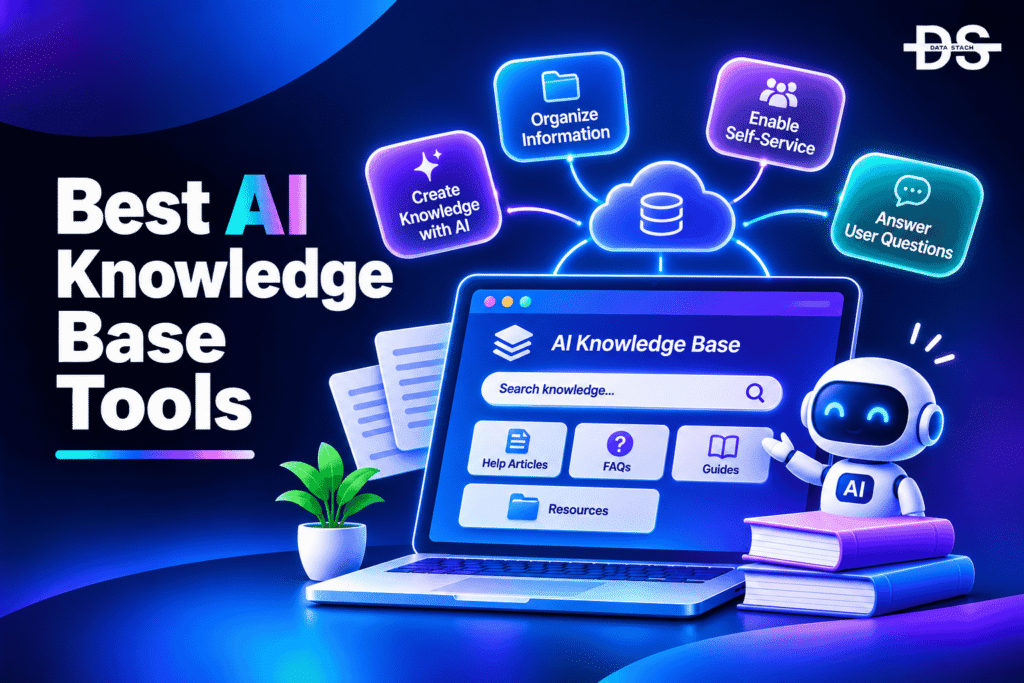
AI knowledge base tools use artificial intelligence to organize company information, retrieve relevant documents, and answer questions using an organization’s existing knowledge. Instead of relying entirely on manual searches or browsing through lengthy documentation, employees and customers can ask questions in natural language and receive relevant answers from articles, internal documents, product guides, and connected applications.
These tools serve different purposes depending on where an organization stores its information and who needs to access it. Some focus on internal knowledge sharing, helping employees find company policies, processes, and project documentation. Others support customer-facing knowledge bases, where AI-powered search and assistance help users find product information, troubleshoot issues, and resolve common questions without contacting support.
Modern AI knowledge base tools go beyond basic document storage. They can generate answers from multiple sources, summarize lengthy content, recommend relevant articles, assist with documentation creation, and identify outdated information. Enterprise-focused platforms also offer permission-aware search, allowing employees to retrieve information without accessing documents they are not authorized to view.
Choosing the right tool requires evaluating its AI capabilities alongside its documentation features, integrations, content governance, and access controls. This guide compares eight AI knowledge base tools based on their core capabilities, practical use cases, free access, and G2 ratings to help you identify the right option for your organization.
AI Knowledge Base Tools Comparison
The following table compares eight AI knowledge base tools based on their AI capabilities, primary use cases, free access, and G2 ratings. Use it to identify which product best matches your internal documentation, enterprise search, or customer support requirements.
| Tool | Key Capabilities | Best For | Use Case | Free Access | G2 Rating |
|---|---|---|---|---|---|
| Guru | AI-powered answers, knowledge verification, connected-source search | Verified internal knowledge | Finding trusted company information across business applications | Demo; no permanent free plan | 4.7/5 |
| Glean | Enterprise AI search, AI assistant, connected data sources, permission-aware retrieval | Enterprise-wide knowledge discovery | Searching information across workplace applications | Demo; no permanent free plan | 4.7/5 |
| Notion AI | AI search, content generation, document summarization, workspace Q&A | Teams managing knowledge in one workspace | Creating and retrieving internal documentation | Free plan with limited AI access | 4.6/5 |
| Document360 | Eddy AI, AI-powered search, documentation assistance, knowledge base analytics | Customer-facing documentation | Building searchable product documentation and help centers | 14-day free trial | 4.7/5 |
| Slite | AI search, Ask, knowledge verification, document management | Internal team knowledge bases | Finding answers and maintaining company documentation | 14-day free trial | 4.6/5 |
| Tettra | Kai AI assistant, knowledge search, Slack integration, Q&A workflows | Slack-first internal knowledge sharing | Answering recurring employee questions | Free access for small teams; paid plans available | 4.7/5 |
| Bloomfire | AI-powered search, Synapse AI, content discovery, knowledge authoring | Enterprise knowledge sharing | Finding information across documents, videos, and company resources | Demo-based access | 4.6/5 |
| Slab | Unified Search, knowledge organization, integrations, AI-assisted discovery | Lightweight team knowledge bases | Centralizing company documentation and finding information across connected tools | Free plan available | 4.6/5 |
8 Best AI Knowledge Base Tools in 2026
The 8 best AI knowledge base tools in 2026 offer different ways to organize information, retrieve answers, and improve knowledge sharing across teams. Let’s compare their AI capabilities, key features, and practical use cases to find the right tool for your organization.
#1. Guru
Guru is an AI-powered knowledge platform that helps organizations centralize company information and deliver verified answers across the applications employees already use. It combines a knowledge base with enterprise search and an AI assistant, allowing teams to retrieve information from internal knowledge cards and connected business sources without manually searching through multiple systems.
Its AI capabilities focus on making company knowledge more accessible and reliable. Employees can ask questions in natural language and receive answers grounded in relevant company information. Guru also supports knowledge verification workflows, helping organizations assign ownership to content and keep important information current. This is particularly useful for customer support, sales, HR, and operations teams that depend on accurate internal processes.
Guru is a strong choice for organizations that need more than a conventional wiki. Its integrations help surface knowledge in tools such as Slack and Microsoft Teams, while its verification capabilities help reduce the risk of employees relying on outdated documentation. However, organizations looking for a simple, low-cost documentation tool may find its enterprise-oriented approach more extensive than necessary.
Key Features
- AI-powered knowledge search: Retrieve relevant information using natural-language questions instead of relying only on exact keywords.
- AI-generated answers: Generate responses grounded in company knowledge and connected information sources.
- Knowledge verification: Assign content owners and verification schedules to help maintain accurate documentation.
- Connected-source search: Bring information from supported business applications into a centralized knowledge experience.
- In-workflow knowledge access: Surface relevant information through integrations such as Slack and Microsoft Teams.
- Knowledge management: Create, organize, update, and distribute internal knowledge cards across teams.
#2. Glean
Glean is an enterprise AI platform that helps employees find information distributed across workplace applications. Rather than requiring organizations to move all their documents into a new knowledge base, it connects to existing systems and makes their information searchable through a unified interface. Its enterprise search, AI assistant, and AI agents help employees retrieve knowledge and complete work using company data.
Glean’s AI assistant can answer questions, summarize information, and generate content based on connected organizational knowledge. Its search capabilities use context and permissions to surface relevant information while respecting access restrictions in source applications. This is particularly valuable for organizations that store information across tools such as Google Workspace, Microsoft 365, Slack, Jira, and other enterprise applications.
Glean is best suited to large organizations with complex technology environments and information spread across multiple departments. Its broad connector ecosystem reduces the need to maintain a separate repository for every team. However, it is more of an enterprise knowledge discovery and AI layer than a traditional documentation authoring tool, so companies that primarily need to publish structured customer-facing documentation may prefer a dedicated knowledge base platform.
Key Features
- Enterprise AI search: Search information across connected business applications through a unified search experience.
- Glean Assistant: Ask questions and generate summaries using information from an organization’s connected knowledge sources.
- Permission-aware retrieval: Respect source-system access permissions when retrieving enterprise information.
- Enterprise connectors: Connect knowledge from workplace applications and business systems.
- AI agents: Build and deploy agents that can perform multi-step tasks across connected applications.
- Personalized knowledge discovery: Surface relevant information based on employee context and available organizational data.
Showcase your software to buyers actively comparing tools. Submit your product for editorial review and get featured on Data Stack Hub.
Submit Your Tool →#3. Notion AI
Notion AI combines an AI assistant with a flexible workspace for creating and managing company documentation. Teams can use Notion to maintain internal wikis, meeting notes, project documentation, product requirements, and operational processes. Its AI capabilities make this information easier to create, summarize, search, and reuse without switching between multiple applications.
Notion AI can generate and improve written content, summarize lengthy documents, extract important information, and answer questions using workspace knowledge. Its enterprise search capabilities also help users find information across connected applications, depending on their plan and enabled integrations. This makes it useful for teams that want to combine documentation, collaboration, and AI-assisted information retrieval in one environment.
Notion works particularly well for startups, product teams, and growing organizations that want a flexible workspace rather than a specialized enterprise knowledge platform. Its customizable pages, databases, templates, and collaborative editing features make it easy to structure information around different business needs. However, organizations with complex knowledge governance requirements or large collections of information across many external systems may need more specialized search and permission-management capabilities.
Key Features
- AI workspace search: Find relevant information across Notion pages and supported connected sources.
- AI writing assistance: Generate, rewrite, translate, and improve documentation and other written content.
- Document summarization: Extract important points from lengthy pages, meeting notes, and project documents.
- Workspace Q&A: Ask questions about information stored in the workspace and retrieve relevant answers.
- AI database assistance: Use AI to help organize, populate, and work with information in Notion databases.
- Knowledge organization: Create interconnected pages, databases, wikis, and documentation structures.
#4. Document360
Document360 is a knowledge base platform designed to help organizations create, manage, and publish structured documentation. It supports customer-facing help centers, product documentation, technical guides, FAQs, and internal knowledge bases. Its AI capabilities, including Eddy AI, help users find information and make documentation easier to create and maintain.
Eddy AI supports AI-powered search and content assistance, helping readers find relevant answers from published documentation. Documentation teams can also use AI-assisted capabilities to improve content creation and management workflows. These features are useful for software companies and businesses that maintain extensive product documentation and want customers to resolve common questions independently.
Document360 is particularly suitable for organizations that need a dedicated documentation environment with publishing controls, structured content, and analytics. It provides tools for managing documentation at scale rather than treating knowledge as a collection of informal team notes. However, companies primarily looking for enterprise-wide search across existing applications may find Glean or Guru better suited to that requirement.
Key Features
- Eddy AI search: Help users retrieve relevant answers from the knowledge base through AI-powered search.
- AI writing assistance: Support documentation creation and improvement with AI-assisted content workflows.
- Knowledge base publishing: Build and publish structured public or private documentation portals.
- Content management: Organize articles, categories, versions, and documentation workflows.
- Knowledge base analytics: Monitor documentation usage and identify opportunities to improve content.
- Documentation customization: Customize the appearance and structure of knowledge portals to match organizational requirements.
#5. Slite
Slite is an AI-powered internal knowledge base designed to help teams document company information and keep it accessible. It provides a collaborative environment for creating documents, organizing processes, and maintaining a shared source of truth. Its AI capabilities focus on helping employees find answers and keeping internal documentation accurate as company information changes.
Slite’s Ask feature allows employees to ask questions and retrieve answers from company documentation and supported connected sources. Its AI capabilities also help teams identify information that may need updating, reducing the effort involved in maintaining a reliable knowledge base. This is useful for organizations where processes, policies, and project information change frequently and employees need access to current documentation.
Slite is a good fit for small and mid-sized teams that want a focused knowledge-sharing tool without the complexity of a large enterprise platform. Its clean interface and collaborative documentation features make it easier for employees to contribute and find information. However, organizations that need extensive enterprise connectors, complex governance controls, or large-scale customer-facing documentation may need a more specialized solution.
Key Features
- Ask AI: Ask questions about internal documentation and retrieve relevant answers.
- AI-powered search: Find information across company knowledge and supported connected sources.
- Knowledge verification: Help identify outdated documentation and keep important information current.
- Collaborative documents: Create, edit, organize, and share internal company documentation.
- Content ownership: Assign responsibility for documents to improve accountability and maintenance.
- Integrations: Connect Slite with supported workplace applications to make knowledge more accessible.
#6. Tettra
Tettra is an internal knowledge base that helps organizations organize company information and answer recurring employee questions. It combines documentation management with AI-assisted knowledge retrieval, making it easier for teams to find processes, policies, and operational information. Its Slack integration is a central part of the product experience, allowing employees to access knowledge without leaving their communication workflow.
Tettra’s AI assistant, Kai, helps employees find answers using information stored in the company’s knowledge base and supported connected sources. Instead of asking colleagues the same questions repeatedly, employees can search for existing documentation or use the assistant to retrieve relevant information. Tettra also supports Q&A workflows that help teams capture unanswered questions and turn useful responses into reusable documentation.
Tettra is particularly useful for small and mid-sized organizations that rely heavily on Slack for internal communication. Its straightforward interface makes it easier to create and maintain company documentation without introducing a complicated knowledge management system. However, its focus on internal team knowledge means it is not the best choice for businesses that need advanced public documentation portals or extensive enterprise-wide search capabilities.
Key Features
- Kai AI assistant: Help employees find answers from internal company knowledge.
- Slack integration: Search and access company documentation directly within Slack workflows.
- Knowledge base management: Create, organize, and maintain internal documentation.
- Q&A workflows: Capture employee questions and convert useful answers into reusable knowledge.
- Content organization: Structure information into categories and pages for easier discovery.
- Knowledge maintenance: Support content updates and improve the accessibility of company information.
Increase your product visibility by reaching software buyers researching the best tools. Every submission is reviewed by our editorial team.
Feature My Tool →#7. Bloomfire
Bloomfire is an AI-driven enterprise knowledge management platform that helps organizations centralize information and make it easier for employees to discover. It supports different content formats, including documents, videos, presentations, and other company resources. Its AI-powered search and knowledge discovery capabilities help employees find information without manually navigating through multiple repositories.
Bloomfire’s Synapse AI capabilities support question-based information retrieval, allowing employees to ask questions and receive answers based on available company knowledge. The platform also includes AI-assisted content authoring features that help teams create and improve knowledge resources. Its ability to organize and search different content formats makes it useful for organizations that maintain large collections of training materials, operational documents, and internal resources.
Bloomfire is best suited to mid-sized and large enterprises that need a centralized environment for sharing organizational knowledge across departments. It can support employee onboarding, internal training, customer support operations, and knowledge-sharing programs. However, its enterprise-oriented positioning may be more than smaller teams need, particularly if they only require a lightweight wiki or basic documentation system.
Key Features
- Synapse AI: Support question-based knowledge discovery and AI-generated answers from company information.
- AI-powered enterprise search: Find relevant information across centralized knowledge resources.
- AI-assisted authoring: Help teams create, summarize, and improve knowledge content.
- Multiformat content management: Organize and retrieve information from documents, videos, presentations, and other resources.
- Knowledge sharing: Distribute information across departments and teams through a centralized platform.
- Content organization: Structure company knowledge using categories, groups, and other organizational features.
#8. Slab
Slab is a collaborative knowledge hub that helps teams create, organize, and retrieve company documentation. It provides a structured environment for internal wikis, process documentation, team guides, and shared company information. Its search capabilities extend beyond content stored directly in Slab, helping employees discover information across supported connected applications.
Slab’s Unified Search is useful for organizations that keep knowledge in different workplace tools. Employees can search across Slab and supported integrations, reducing the need to open multiple applications to locate a document. Its AI-assisted discovery capabilities and connected knowledge experience help teams find relevant information more efficiently, while its collaborative editor makes it easier to maintain internal documentation.
Slab is a practical option for startups and mid-sized teams that want a lightweight knowledge base without adopting a complex enterprise platform. It supports integrations with tools such as Slack, GitHub, and Google, making it easier to connect existing workflows. However, organizations that require advanced AI-generated answers, extensive knowledge governance, or sophisticated enterprise search may find Guru or Glean more suitable.
Key Features
- Unified Search: Search information across Slab and supported connected applications.
- Knowledge organization: Create structured pages and internal wikis for company documentation.
- Collaborative editor: Allow teams to create, edit, and maintain shared knowledge.
- Third-party integrations: Connect knowledge with supported tools such as Slack, GitHub, and Google.
- Content discovery: Help employees locate relevant documentation across connected sources.
- Team knowledge sharing: Centralize company information and make it accessible to authorized employees.
How to Choose the Right AI Knowledge Base Tool
Choosing an AI knowledge base tool requires understanding how your organization creates, stores, and accesses information. A platform that works well for a small team wiki may not be suitable for an enterprise with thousands of documents spread across multiple applications.
Consider the following factors before selecting a tool:
- Internal or customer-facing knowledge: Decide whether the platform will primarily serve employees or customers. Guru, Slite, and Tettra are focused on internal knowledge sharing, while Document360 is particularly suitable for customer-facing documentation.
- AI search and answer quality: Evaluate whether the tool can understand natural-language questions, retrieve relevant information, and provide answers grounded in your organization’s content.
- Source integrations: Check whether the platform connects to the applications where your knowledge already exists. Glean is worth considering when information is distributed across many enterprise systems.
- Access permissions: For sensitive company information, verify that the platform respects source-system permissions and prevents unauthorized users from retrieving restricted content.
- Content maintenance: Look for document ownership, verification workflows, and features that help identify outdated information. These capabilities are important for keeping an internal knowledge base reliable.
- Documentation and publishing: If you need to maintain product guides, FAQs, and public help centers, prioritize structured documentation, publishing controls, and content analytics.
- Pricing and scalability: Compare per-user pricing, minimum seat requirements, AI usage limits, and enterprise contracts. A tool that is affordable for a small team may become expensive as the number of users grows.
- Ease of adoption: Choose a platform that fits existing employee workflows. Slack and Microsoft Teams integrations, for example, can make knowledge easier to access without requiring employees to change how they work.
Which AI Knowledge Base Tool Should You Choose?
The right tool depends on whether your priority is verified internal knowledge, enterprise-wide search, customer documentation, or lightweight team collaboration. The following recommendations map common requirements to the tools best suited to them.
| Scenario | Recommended Tool |
|---|---|
| Maintaining verified internal company knowledge | Guru |
| Searching information across multiple enterprise applications | Glean |
| Managing documentation and team knowledge in one workspace | Notion AI |
| Creating customer-facing product documentation and help centers | Document360 |
| Maintaining a self-updating internal knowledge base | Slite |
| Answering recurring employee questions through Slack | Tettra |
| Managing enterprise knowledge across documents and videos | Bloomfire |
| Building a lightweight collaborative team wiki | Slab |
Browse expertly curated software recommendations across hundreds of business categories.
Browse Top Tools →Conclusion
AI knowledge base tools help organizations make company information easier to find, understand, and maintain. By combining knowledge management with AI-powered search and question answering, these platforms reduce the time employees spend looking for documentation and help customers find answers without relying entirely on support teams.
The right choice depends on the type of knowledge you need to manage. Guru is a strong option for organizations that prioritize verified internal information, while Glean is better suited to enterprises searching across multiple business applications. Notion AI offers a flexible workspace for teams that want documentation and AI assistance together, and Document360 is a suitable choice for structured customer-facing help centers.
For smaller teams, Slite, Tettra, and Slab provide more focused approaches to internal knowledge sharing. Bloomfire is worth considering when an organization needs to centralize different content formats and make enterprise knowledge easier to discover.
Before making a decision, evaluate how each platform handles AI-generated answers, source permissions, content updates, integrations, and pricing. A useful knowledge base should not simply store information; it should help the right people find accurate information when they need it.
Frequently Asked Questions
1. What is an AI knowledge base tool?
An AI knowledge base tool is software that uses artificial intelligence to organize, search, and retrieve information from a centralized collection of documents, articles, and other knowledge sources. It can answer natural-language questions, summarize content, and help users find relevant information without manually searching through multiple documents.
2. What are the best AI knowledge base tools in 2026?
The best AI knowledge base tools in 2026 are Guru, Glean, Notion AI, Document360, Slite, Tettra, Bloomfire, and Slab.
3. What are the top AI knowledge base tools in 2026?
The best AI knowledge base tools in 2026 are:
- Guru: Best for verified internal knowledge and AI-powered answers.
- Glean: Best for enterprise search across multiple workplace applications.
- Notion AI: Best for managing team documentation in a flexible workspace.
- Document360: Best for customer-facing documentation and help centers.
- Slite: Best for maintaining an AI-powered internal knowledge base.
- Tettra: Best for Slack-based employee knowledge sharing.
- Bloomfire: Best for enterprise knowledge discovery across different content formats.
- Slab: Best for lightweight team wikis and unified knowledge search.
4. How does AI work in a knowledge base?
AI in a knowledge base uses technologies such as natural-language processing, semantic search, and large language models to understand questions and retrieve relevant information. Depending on the platform, it can generate answers from internal documents, summarize articles, recommend related content, and assist with documentation updates.
5. What is the difference between an AI knowledge base and an AI chatbot?
An AI knowledge base organizes and manages information that users or AI systems can retrieve, while an AI chatbot provides a conversational interface for interacting with information or completing tasks. An AI chatbot can use a knowledge base as its information source, but a knowledge base does not necessarily include a chatbot.
6. Can AI knowledge base tools connect to existing company documents?
Yes. Many AI knowledge base tools integrate with applications such as Google Drive, Microsoft 365, Slack, and other business systems. Platforms such as Glean and Guru are designed to retrieve information from connected sources, while other tools primarily manage content stored within their own knowledge base.
7. Are AI knowledge base tools suitable for customer support?
Yes. AI knowledge base tools can help customer support teams organize product documentation, FAQs, troubleshooting guides, and support articles. Platforms such as Document360 can provide searchable customer-facing help centers, while AI-powered retrieval can help users find answers without contacting a support representative.
8. Are there free AI knowledge base tools?
Yes. Some tools offer free plans or limited free access. Notion and Slab provide free entry-level options, while other platforms offer free trials or demo-based access. However, AI features, integrations, user limits, and advanced knowledge management capabilities may require a paid subscription.
9. How do AI knowledge base tools keep information accurate?
AI knowledge base tools can help maintain accuracy through content ownership, verification workflows, document update suggestions, and source-based answer retrieval. Some platforms also identify potentially outdated information or show the documents used to generate an answer. Human review remains important, particularly for sensitive or frequently changing company information.
10. What features should an AI knowledge base include?
An AI knowledge base should ideally include natural-language search, AI-generated answers, document summarization, content organization, integrations, access controls, and analytics. Enterprise platforms may also need permission-aware retrieval, content verification, version history, and administrative governance features.
11. What is the difference between an AI knowledge base and a traditional knowledge base?
A traditional knowledge base primarily stores and organizes information for users to browse or search. An AI knowledge base adds capabilities such as semantic search, natural-language question answering, automated summaries, and AI-assisted content management, making it easier to retrieve and use information.