
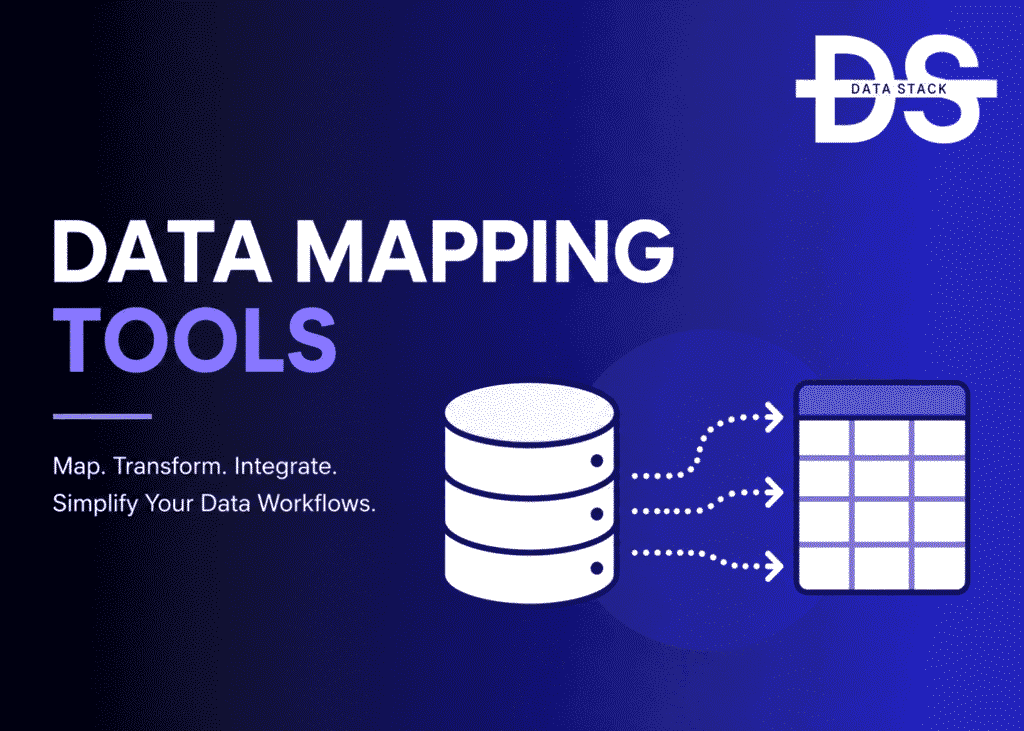
Modern organizations move data between dozens of systems every day.
Customer records flow from CRM platforms to marketing automation tools. Financial data moves between ERP systems and reporting environments. Operational information travels through ETL pipelines, cloud warehouses, analytics platforms, and business applications.
To ensure these systems exchange information correctly, organizations need a reliable way to define how source data maps to destination systems.
This is where Data Mapping Tools help.
Data Mapping Software enables organizations to create, manage, validate, document, and automate relationships between source and target data structures. These platforms are commonly used for ETL projects, cloud migrations, application modernization, master data management, integration initiatives, governance programs, and digital transformation projects.
As enterprise architectures continue becoming more complex, data mapping has evolved from a technical documentation exercise into a critical capability supporting integration, migration, governance, and analytics initiatives.
What Are Data Mapping Tools?
Data Mapping Tools are software platforms that help organizations define relationships between source and destination data structures. These tools automate mapping processes used in integration, ETL, migration, transformation, synchronization, governance, and master data management initiatives. Organizations use Data Mapping Software to reduce errors, accelerate implementation projects, improve data consistency, and ensure information moves correctly between systems.
Key Features of Data Mapping Software
- Visual mapping interfaces that simplify complex mapping projects.
- Automated source-to-target mapping capabilities.
- ETL and transformation workflow integration.
- Data migration and modernization support.
- Metadata-driven mapping and documentation.
- Validation and testing capabilities for mapping accuracy.
- Governance and lineage visibility across mapped systems.
Data Mapping Software Comparison
| Tool | Best For | Deployment | Good Fit |
|---|---|---|---|
| Informatica Cloud Data Integration | Enterprise mapping | Cloud | Large enterprises |
| Talend Data Integration | Integration and mapping | Cloud | Enterprises |
| IBM InfoSphere DataStage | Enterprise transformation | Hybrid | Large organizations |
| Microsoft SQL Server Integration Services (SSIS) | Microsoft environments | On-Premises | SQL Server users |
| SnapLogic | Modern integration mapping | Cloud | Cloud-first teams |
| Boomi | Business integration | Cloud | Mid-market and enterprise |
| MuleSoft Anypoint Platform | API and data mapping | Cloud | Enterprises |
| Oracle Data Integrator | Oracle ecosystems | Cloud | Oracle customers |
| SAP Data Services | SAP-centric mapping | Hybrid | SAP environments |
| CloverDX | ETL and mapping automation | Cloud, On-Premises | Data teams |
| Altova MapForce | Visual data mapping | Desktop | Technical users |
| Astera Centerprise | No-code mapping | Cloud | Business teams |
| Fivetran | Automated schema mapping | Cloud | Modern analytics teams |
13 Best Data Mapping Tools
#1 Informatica Cloud Data Integration
Informatica Cloud Data Integration is one of the most widely adopted enterprise Data Mapping Platforms available today. The solution helps organizations create, manage, and automate mappings across cloud applications, databases, warehouses, analytics platforms, and operational systems.
A major reason enterprises adopt Informatica is its ability to combine mapping, integration, transformation, governance, metadata management, and quality initiatives within a single ecosystem. Rather than maintaining disconnected mapping documentation, organizations can create governed mappings that support enterprise-wide integration strategies.
The platform is frequently used during cloud migration projects, master data management initiatives, application modernization programs, and large-scale integration efforts. Its scalability and extensive connectivity make it particularly attractive to organizations operating complex hybrid and multi-cloud environments.
Key Features
- Provides visual source-to-target mapping across cloud and on-premises environments.
- Supports transformation, validation, and integration workflows within mapping processes.
- Automatically documents mapping relationships for governance and compliance initiatives.
- Integrates mapping with metadata management, lineage, and data quality programs.
- Supports large-scale migration and modernization projects.
- Connects to hundreds of enterprise applications, databases, and cloud platforms.
Why Choose This Tool
Informatica Cloud Data Integration is ideal for enterprises that need mapping capabilities integrated with broader governance, quality, integration, and modernization initiatives.
G2 Rating: 4.4/5
Gartner Rating: 4.6/5
Showcase your software to buyers actively comparing tools. Submit your product for editorial review and get featured on Data Stack Hub.
Submit Your Tool →#2 Talend Data Integration
Talend Data Integration combines mapping, transformation, integration, and quality management capabilities within a modern cloud-oriented platform. Organizations use Talend to create repeatable mappings that support ETL, migration, synchronization, and operational integration initiatives.
One of Talend’s strengths is its ability to connect mapping activities directly to data movement and transformation workflows. This reduces manual effort while improving consistency across projects. Organizations frequently adopt Talend when modernizing legacy integration environments or building cloud-first architectures.
The platform supports both technical and business-focused mapping requirements, making it suitable for a broad range of enterprise use cases.
Key Features
- Supports visual mapping and transformation workflows.
- Connects source and destination systems through reusable mapping logic.
- Integrates mapping with quality management and governance initiatives.
- Supports cloud, hybrid, and multi-cloud architectures.
- Provides automation capabilities that reduce manual mapping effort.
- Enables scalable integration and migration projects.
Why Choose This Tool
Talend Data Integration is a strong option for organizations seeking mapping capabilities that align closely with integration, modernization, and governance initiatives.
G2 Rating: 4.3/5
Gartner Rating: 4.5/5
#3 IBM InfoSphere DataStage
IBM InfoSphere DataStage is an enterprise data integration and transformation platform that includes powerful mapping capabilities for large-scale environments. Organizations use DataStage to define relationships between source and target systems while automating transformation and movement processes.
The platform is particularly attractive for organizations operating complex enterprise architectures where mappings span multiple applications, databases, warehouses, and business processes. Its scalability and automation capabilities help support enterprise-wide modernization and analytics initiatives.
Key Features
- Supports enterprise-scale source-to-target mapping workflows.
- Automates transformations across complex integration environments.
- Provides metadata-driven mapping and documentation capabilities.
- Integrates with governance and compliance initiatives.
- Supports large-scale migration and modernization projects.
- Scales across hybrid and multi-cloud architectures.
Why Choose This Tool
IBM InfoSphere DataStage is best suited for large enterprises that require highly scalable mapping and integration capabilities across complex environments.
G2 Rating: 4.2/5
Gartner Rating: 4.5/5
#4 Microsoft SQL Server Integration Services (SSIS)
Microsoft SQL Server Integration Services (SSIS) remains one of the most widely used Data Mapping Tools in Microsoft-centric environments. Organizations use SSIS to create source-to-target mappings, transform data, automate ETL workflows, and support migration projects across SQL Server ecosystems.
A major reason companies continue using SSIS is its familiarity and deep integration with the Microsoft data stack. Teams can visually define mappings, apply transformation logic, validate outputs, and automate recurring integration workflows without purchasing separate mapping platforms.
SSIS is frequently used for warehouse loading, application integration, reporting environments, ERP migrations, and operational data synchronization projects.
Key Features
- Provides visual source-to-target mapping capabilities through a drag-and-drop interface.
- Supports transformation, cleansing, validation, and enrichment workflows.
- Integrates closely with SQL Server, Azure, and Microsoft analytics platforms.
- Automates recurring ETL and synchronization processes.
- Supports migration and modernization initiatives.
- Helps organizations standardize integration workflows across business systems.
Why Choose This Tool
SSIS is ideal for organizations heavily invested in Microsoft technologies that need reliable mapping and ETL capabilities without introducing additional platforms.
G2 Rating: 4.2/5
Gartner Rating: 4.3/5
#5 SnapLogic
SnapLogic is a modern integration and Data Mapping Platform that helps organizations connect applications, databases, APIs, warehouses, and cloud services. The platform emphasizes low-code development and automation, making mapping activities accessible to a broader range of users.
Organizations frequently adopt SnapLogic because it simplifies integration projects while reducing the technical complexity associated with traditional mapping environments. Its cloud-native architecture makes it particularly attractive for organizations modernizing legacy integration processes.
The platform is commonly used for SaaS integration, cloud migration, analytics modernization, and application connectivity initiatives.
Key Features
- Supports visual mapping across applications, APIs, databases, and cloud services.
- Provides low-code development capabilities that accelerate implementation.
- Automates integration and transformation workflows.
- Supports real-time and batch data movement requirements.
- Integrates with modern cloud ecosystems and SaaS platforms.
- Helps reduce manual mapping and development effort.
Why Choose This Tool
SnapLogic is best suited for organizations seeking cloud-native mapping capabilities combined with low-code integration and automation functionality.
G2 Rating: 4.3/5
Gartner Rating: 4.5/5
Increase your product visibility by reaching software buyers researching the best tools. Every submission is reviewed by our editorial team.
Feature My Tool →#6 Boomi
Boomi combines integration, automation, API management, and data mapping capabilities within a unified cloud platform. Organizations use Boomi to create mappings that support application integration, cloud migration, data synchronization, and digital transformation projects.
A major strength of Boomi is its ease of deployment. Organizations can build mappings quickly using visual interfaces while maintaining governance and operational consistency across integration projects.
The platform is widely used by both mid-market and enterprise organizations seeking scalable integration and mapping capabilities.
Key Features
- Supports visual source-to-target mapping workflows.
- Integrates cloud applications, databases, APIs, and operational systems.
- Automates transformation and synchronization processes.
- Provides reusable integration and mapping components.
- Supports hybrid and multi-cloud environments.
- Helps accelerate digital transformation initiatives.
Why Choose This Tool
Boomi is a strong choice for organizations seeking a balance between usability, scalability, and integration functionality.
G2 Rating: 4.4/5
Gartner Rating: 4.5/5
#7 MuleSoft Anypoint Platform
MuleSoft Anypoint Platform is best known for API integration, but it also provides robust Data Mapping Software capabilities that help organizations connect systems and transform information across enterprise environments.
Organizations frequently use MuleSoft to map data between applications, APIs, databases, ERP systems, CRM platforms, and cloud services. The platform’s API-first approach makes it particularly attractive for organizations pursuing application modernization and digital transformation strategies.
Large enterprises often select MuleSoft because mappings can be reused across multiple integration projects, reducing redundancy and improving consistency.
Key Features
- Supports mapping between APIs, applications, databases, and cloud services.
- Provides transformation capabilities for complex integration scenarios.
- Enables reusable mapping logic across enterprise projects.
- Integrates with API management and automation initiatives.
- Supports governance and security requirements.
- Helps accelerate modernization and connectivity projects.
Why Choose This Tool
MuleSoft is ideal for enterprises pursuing API-led connectivity strategies that require strong mapping and transformation capabilities.
G2 Rating: 4.4/5
Gartner Rating: 4.6/5
#8 Oracle Data Integrator
Oracle Data Integrator (ODI) is a Data Mapping and Integration Platform designed to help organizations transform and move information across Oracle and non-Oracle environments. The platform is commonly used for warehouse projects, analytics initiatives, migrations, and enterprise integration programs.
Organizations often choose ODI because it combines mapping, transformation, and integration within a framework optimized for large-scale enterprise workloads.
Key Features
- Supports source-to-target mapping across enterprise systems.
- Provides transformation capabilities for analytics and operational workloads.
- Integrates with Oracle databases, applications, and cloud services.
- Supports migration and modernization initiatives.
- Helps automate complex integration workflows.
- Enables metadata-driven development approaches.
Why Choose This Tool
Oracle Data Integrator is best suited for organizations heavily invested in Oracle technologies that need scalable mapping and integration capabilities.
G2 Rating: 4.2/5
Gartner Rating: 4.4/5
#9 SAP Data Services
SAP Data Services combines data integration, quality management, and mapping capabilities within a platform designed for SAP and hybrid enterprise environments. Organizations use the solution to define mappings, transform information, and support migration projects.
Many enterprises adopt SAP Data Services because data mapping frequently plays a central role in ERP modernization, warehouse initiatives, and master data management programs.
Key Features
- Supports visual mapping and transformation workflows.
- Integrates SAP and non-SAP systems.
- Provides data quality and validation capabilities.
- Supports migration and modernization projects.
- Enables governance and compliance initiatives.
- Helps maintain consistency across enterprise systems.
Why Choose This Tool
SAP Data Services is ideal for organizations operating large SAP environments that require integrated mapping, transformation, and quality capabilities.
G2 Rating: 4.1/5
Gartner Rating: 4.4/5
#10 CloverDX
CloverDX is a Data Integration and Mapping Platform that helps organizations automate transformation, migration, synchronization, and operational integration workflows. The platform is frequently used by teams that require more flexibility than traditional low-code mapping solutions.
Organizations often choose CloverDX because it supports both visual development and advanced customization, allowing technical teams to handle complex mapping requirements efficiently.
Key Features
- Supports advanced source-to-target mapping workflows.
- Provides transformation and integration automation capabilities.
- Enables complex validation and business rule implementation.
- Supports cloud, on-premises, and hybrid deployments.
- Helps automate migration and synchronization projects.
- Provides flexibility for technical teams managing complex environments.
Why Choose This Tool
CloverDX is a strong option for organizations that require advanced customization and flexibility within mapping and integration workflows.
G2 Rating: 4.5/5
Gartner Rating: 4.4/5
#11 Altova MapForce
Altova MapForce is a specialized Data Mapping Tool designed specifically for creating, documenting, and automating mappings across XML, JSON, databases, flat files, EDI formats, and other structured data sources.
Unlike broader integration platforms, MapForce focuses heavily on mapping productivity and transformation design. This specialization makes it particularly attractive for technical teams managing complex data conversion projects.
Key Features
- Provides graphical source-to-target mapping design.
- Supports XML, JSON, databases, EDI, CSV, and flat-file formats.
- Generates executable transformation code automatically.
- Helps document mapping relationships clearly.
- Supports complex conversion and transformation scenarios.
- Reduces manual coding requirements for mapping projects.
Why Choose This Tool
Altova MapForce is ideal for technical teams seeking dedicated mapping functionality without the overhead of a full enterprise integration platform.
G2 Rating: 4.4/5
Gartner Rating: Not Available
#12 Astera Centerprise
Astera Centerprise is a no-code Data Mapping and Integration Platform that helps organizations automate mapping, transformation, migration, and warehouse projects. The platform focuses on reducing complexity while improving accessibility for non-technical users.
Organizations frequently use Astera for modernization, reporting, migration, and integration initiatives where ease of use is a high priority.
Key Features
- Supports no-code visual mapping and transformation workflows.
- Automates migration and integration projects.
- Provides validation and quality control capabilities.
- Supports warehouse and analytics initiatives.
- Connects to cloud and on-premises systems.
- Helps reduce implementation complexity.
Why Choose This Tool
Astera Centerprise is best suited for organizations seeking no-code mapping capabilities that empower business and technical users alike.
G2 Rating: 4.5/5
Gartner Rating: 4.4/5
#13 Fivetran
Fivetran is not a traditional Data Mapping Platform, but it increasingly supports automated schema mapping and transformation workflows for modern analytics environments. Organizations use Fivetran to move information from SaaS applications, databases, and operational systems into cloud warehouses with minimal manual effort.
Its automation-first approach makes it attractive for analytics teams that want to reduce the time spent building and maintaining mappings manually.
Key Features
- Automates schema discovery and mapping processes.
- Supports hundreds of SaaS, database, and cloud connectors.
- Simplifies warehouse loading and analytics workflows.
- Reduces manual mapping maintenance requirements.
- Supports modern cloud data architectures.
- Integrates with transformation and analytics platforms.
Why Choose This Tool
Fivetran is ideal for modern analytics teams that prioritize automation and want to minimize manual mapping effort within cloud data ecosystems.
G2 Rating: 4.6/5
Gartner Rating: 4.5/5
How to Choose Data Mapping Software
Choosing the right Data Mapping Tool depends on your organization’s integration requirements, migration projects, governance maturity, architecture complexity, and long-term data strategy.
Some organizations need simple visual mapping capabilities for reporting and analytics projects. Others require enterprise-grade platforms that support integration, ETL, migration, governance, master data management, and large-scale modernization initiatives.
When evaluating Data Mapping Software, consider the following factors:
- Visual Mapping Capabilities: User-friendly mapping interfaces help reduce implementation complexity and improve productivity.
- Source and Target Support: Verify compatibility with databases, applications, APIs, warehouses, cloud platforms, ERP systems, and SaaS environments used across your organization.
- Transformation Functionality: Many projects require mapping combined with data transformation, cleansing, enrichment, and validation capabilities.
- Automation Features: Automated schema discovery, reusable mappings, and workflow orchestration can significantly reduce maintenance effort.
- Metadata Management: Metadata-driven mapping improves documentation, governance, and long-term maintainability.
- Migration Support: Organizations modernizing legacy systems often require mapping capabilities specifically designed for migration initiatives.
- Governance Integration: Lineage, stewardship, compliance, and auditability requirements become increasingly important in enterprise environments.
- Cloud Compatibility: Ensure support for AWS, Azure, Google Cloud, Snowflake, Databricks, BigQuery, and modern cloud architectures.
- Scalability: Large organizations need platforms capable of supporting thousands of mappings across complex enterprise ecosystems.
Organizations pursuing enterprise integration initiatives frequently evaluate Informatica Cloud Data Integration, Talend Data Integration, IBM DataStage, MuleSoft, and Boomi. Microsoft-focused teams often shortlist SSIS, while cloud-native organizations increasingly consider SnapLogic and Fivetran. SAP and Oracle customers commonly evaluate SAP Data Services and Oracle Data Integrator.
Browse expertly curated software recommendations across hundreds of business categories.
Browse Top Tools →Conclusion
Data Mapping Tools have become essential components of modern integration, migration, transformation, governance, and analytics initiatives.
As organizations continue expanding their use of cloud platforms, SaaS applications, APIs, data warehouses, and modern analytics architectures, maintaining accurate source-to-target relationships becomes increasingly important. Effective mapping capabilities help reduce errors, accelerate project delivery, improve governance outcomes, and strengthen trust in enterprise information.
Informatica Cloud Data Integration, Talend Data Integration, IBM DataStage, MuleSoft, and Boomi continue to lead enterprise mapping initiatives. SnapLogic and Fivetran provide compelling cloud-native alternatives, while Altova MapForce and Astera Centerprise offer specialized approaches for organizations with specific mapping requirements.
The best Data Mapping Platform ultimately depends on your integration strategy, governance requirements, architecture complexity, and modernization goals. Organizations that invest in scalable mapping capabilities often improve operational efficiency, reduce migration risks, strengthen governance programs, and accelerate digital transformation initiatives.
FAQs
1. What are Data Mapping Tools?
Data Mapping Tools help organizations define, document, automate, and manage relationships between source and destination data structures across systems, applications, databases, and cloud platforms.
2. Why is data mapping important?
Data mapping ensures information moves correctly between systems, reduces integration errors, supports migrations, improves governance, and helps maintain consistency across enterprise environments.
3. What are the best Data Mapping Tools?
Informatica Cloud Data Integration, Talend Data Integration, IBM DataStage, MuleSoft Anypoint Platform, Boomi, SnapLogic, and Oracle Data Integrator are among the leading solutions available today.
4. What is source-to-target mapping?
Source-to-target mapping defines how fields, tables, records, and attributes from a source system correspond to structures in a destination system.
5. How do Data Mapping Tools support ETL projects?
These platforms help define transformation logic, automate data movement, validate mappings, and document relationships across ETL workflows.
6. What is the difference between Data Mapping and Data Transformation?
Data mapping defines relationships between source and destination structures, while data transformation changes formats, values, or structures during movement processes.
7. Can Data Mapping Software support cloud migration projects?
Yes. Many modern mapping platforms are widely used during cloud migration, application modernization, warehouse modernization, and digital transformation initiatives.
8. How do Data Mapping Tools support governance?
Many platforms integrate with metadata management, lineage, stewardship, compliance, and auditability initiatives to improve governance outcomes.
9. Which industries commonly use Data Mapping Platforms?
Financial services, healthcare, retail, manufacturing, telecommunications, government, insurance, and technology organizations frequently deploy data mapping solutions.
10. How do I choose the right Data Mapping Tool?
Evaluate visual mapping capabilities, transformation support, governance integration, cloud compatibility, automation features, metadata management, scalability, and alignment with your integration strategy.