
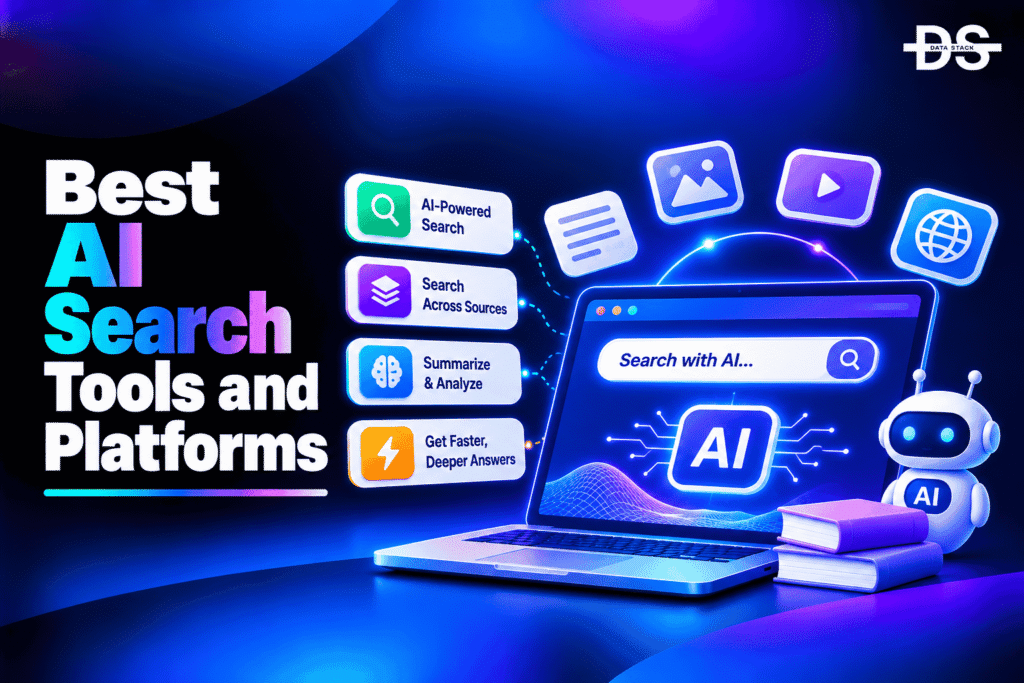
Businesses increasingly rely on information stored across cloud applications, websites, databases, document repositories, and internal knowledge systems. Finding relevant information across these sources can become difficult as data volumes grow. Traditional keyword-based search often struggles with complex queries, different terminology, and information spread across disconnected systems. AI search tools address these challenges by using artificial intelligence to improve how organizations index, retrieve, rank, and present information.
AI search tools combine technologies such as natural language processing, semantic search, vector retrieval, machine learning, and generative AI. These capabilities help search systems understand the meaning behind a query rather than relying exclusively on exact keyword matches. Some products generate contextual answers from indexed company information, while others help businesses build intelligent search experiences into websites, ecommerce stores, customer portals, and applications.
The category includes several types of products. Glean focuses on finding information across workplace applications, while Algolia helps developers build search and discovery experiences into websites and applications. Elastic provides a flexible search foundation for custom implementations, and Microsoft Azure AI Search and Google Vertex AI Search help development teams build AI-powered retrieval applications within their cloud environments. Other products, such as Coveo and Lucidworks, focus on improving search relevance and discovery across digital experiences.
Choosing an AI search tool depends on where your information lives and how users need to access it. An enterprise may need permission-aware search across internal applications, while an ecommerce business may prioritize product discovery and personalized results. Development teams building retrieval-augmented generation (RAG) applications may require hybrid search, vector retrieval, indexing controls, and APIs.
This guide compares seven AI search tools based on their AI capabilities, search relevance, integrations, customization, and intended business use cases.
AI Search Tools Comparison
The following table compares seven AI search tools based on their core capabilities, intended users, practical applications, free access, and G2 ratings.
| AI Search Tool | Key AI Search Capabilities | Best For | Use Case | Free Access | G2 Rating |
|---|---|---|---|---|---|
| Glean | Enterprise search, semantic understanding, AI-generated answers, permission-aware retrieval | Workplace knowledge search | Finding information across company applications and documents | Demo-based access | 4.7/5 |
| Elastic | Vector search, hybrid retrieval, full-text search, AI-powered retrieval | Custom search infrastructure | Building enterprise search and RAG applications | Yes, free options | 4.5/5 |
| Coveo | AI relevance, semantic search, personalization, generative answering | Customer-facing search experiences | Improving ecommerce, support, and website discovery | Free trial | 4.3/5 |
| Algolia | AI search, semantic retrieval, relevance tuning, personalization | Website and application search | Building fast product, content, and ecommerce search | Yes, limited | 4.5/5 |
| Azure AI Search | Vector search, hybrid search, semantic ranking, AI enrichment | Microsoft Azure environments | Building enterprise search and RAG applications | Limited free tier | 4.4/5 |
| Google Vertex AI Search | Semantic search, generative answers, data connectors, multi-turn search | Google Cloud environments | Creating AI-powered search across enterprise data | Trial credits and eligible free usage | 4.3/5 |
| Lucidworks Fusion | Neural hybrid search, AI relevance, personalization, generative AI | Enterprise search and discovery | Improving search across business data and digital experiences | Demo-based access | 4.5/5 |
7 Best AI Search Tools in 2026
Let’s explore the 7 best AI search tools, their key features, and what makes each platform worth considering.
#1. Glean
Glean is an enterprise AI search solution that helps employees find information across the applications and systems their organizations already use. Businesses often store knowledge across tools such as Slack, Google Drive, Microsoft 365, Jira, Confluence, and other workplace applications. Searching these sources individually can slow down research and collaboration. Glean brings connected information into a unified search experience, allowing employees to use natural language queries to locate documents, conversations, and relevant organizational knowledge.
Glean uses AI to understand search intent, organizational terminology, relationships between information, and the context of individual users. Its search experience can retrieve relevant content and generate answers grounded in connected company information. Source citations help employees inspect the documents behind generated responses. Glean also emphasizes permission-aware retrieval, ensuring that search results respect access controls from connected source systems. Beyond search, its broader product capabilities include AI assistance and agents that can support workplace tasks.
Glean is particularly suitable for medium-sized and large organizations that need to reduce information silos and make internal knowledge easier to access. It can help employees find policies, project documents, conversations, and subject-matter experts without switching between numerous applications. However, businesses should assess connector availability, permission synchronization, deployment requirements, and pricing before implementation. Glean is an enterprise-oriented product rather than a lightweight free search application.
Key Features
- Enterprise search: Search information across connected workplace applications and business systems.
- AI-generated answers: Generate contextual responses using information retrieved from company sources.
- Natural language search: Understand conversational queries and organizational terminology.
- Permission-aware retrieval: Respect source-system access permissions so employees see only authorized information.
- Enterprise connectors: Connect supported applications such as Slack, Google Drive, Microsoft 365, Jira, and Confluence.
- Source citations: Provide references to underlying documents and information used in generated answers.
- Knowledge discovery: Help employees identify relevant documents, conversations, and subject-matter experts.
- AI assistants and agents: Extend search into content generation and supported workplace workflows.
#2. Elastic
Elastic provides a search and data retrieval foundation that organizations can use to build AI-powered search applications. Its Elasticsearch technology supports full-text search, structured queries, analytics, and large-scale data retrieval. Development teams can use it to build search functionality for websites, applications, internal systems, and technical environments. Its AI capabilities extend this foundation with vector search and hybrid retrieval, making it useful for applications that need to understand both the exact wording and semantic meaning of a query.
Elasticsearch supports vector embeddings, approximate nearest neighbor search, and hybrid retrieval that combines traditional keyword matching with vector-based similarity. These capabilities are particularly useful for RAG applications, where an AI model needs to retrieve relevant information from a knowledge base before generating an answer. Elastic also provides tools for managing search relevance, indexing data, filtering results, and connecting retrieval workflows with AI applications. Its broader ecosystem supports observability and security analytics, although these are separate use cases from search itself.
Elastic is a strong option for engineering teams that want control over search architecture and retrieval behavior. It can support large datasets, custom ranking logic, and complex application requirements, but implementation and ongoing management may require technical expertise. Organizations should consider hosting, cluster management, indexing workloads, and subscription costs when evaluating Elastic. Its flexibility makes it suitable for custom implementations, but it is not necessarily the simplest choice for businesses looking for a ready-to-use employee search interface.
Key Features
- Vector search: Retrieve information based on semantic similarity using vector embeddings.
- Hybrid search: Combine keyword and vector retrieval to improve search relevance.
- Full-text search: Index and retrieve information from large collections of documents and records.
- RAG integration: Retrieve relevant context for AI applications and generative question-answering workflows.
- Search relevance controls: Configure ranking, filtering, scoring, and query behavior.
- Data indexing: Ingest and organize information from supported data sources and applications.
- Scalable architecture: Support search workloads across large and distributed datasets.
- Deployment flexibility: Use Elastic through managed cloud services or supported self-managed deployment options.
Showcase your software to buyers actively comparing tools. Submit your product for editorial review and get featured on Data Stack Hub.
Submit Your Tool →#3. Coveo
Coveo is an AI-powered search and relevance solution designed to improve information discovery across customer-facing and enterprise digital experiences. Businesses can use it to connect information from different sources and deliver more relevant search results to customers, employees, and support teams. Its capabilities extend beyond basic website search to include product discovery, personalized recommendations, customer support search, and conversational experiences.
Coveo uses machine learning and AI to understand user intent, improve result relevance, and personalize search experiences. Its search technology can consider contextual information and behavioral signals when determining which content or products to display. This is particularly useful for ecommerce businesses that want to improve product discovery and for customer service teams that need to help users find relevant support information. Its generative AI capabilities can also support conversational experiences and answer generation using relevant enterprise content.
Coveo is suitable for large businesses that need advanced search relevance and personalization across digital channels. It can help ecommerce companies improve product discovery, support organizations reduce repeated customer questions, and enterprises connect information across multiple repositories. However, its advanced customization and implementation requirements may involve a learning curve and additional resources. Businesses should evaluate its pricing, integrations, implementation complexity, and relevance controls against their specific search requirements.
Key Features
- AI-powered search relevance: Use machine learning to improve the ranking and relevance of search results.
- Semantic search: Interpret query meaning and context rather than relying only on exact keyword matches.
- Personalized discovery: Adapt search results and recommendations using relevant user and behavioral signals.
- Generative answering: Support AI-powered responses grounded in connected content.
- Product discovery: Improve product search, recommendations, and navigation for ecommerce experiences.
- Customer support search: Help customers and service teams locate relevant support information.
- Unified content indexing: Connect and retrieve information from supported enterprise sources.
- Search analytics: Analyze search behavior and performance to identify opportunities for relevance improvements.
#4. Algolia
Algolia is an AI-powered search and discovery solution that helps businesses add fast, relevant search experiences to websites and applications. It is widely used for ecommerce search, content discovery, marketplaces, and digital products that need to retrieve information quickly. Its API-first approach allows developers to integrate search functionality without building an entire search infrastructure from scratch. Businesses can use Algolia to help visitors find products, articles, categories, and other content through responsive search interfaces.
Algolia combines traditional search technology with AI capabilities to improve relevance and understand user intent. Its features include semantic search, natural language processing, personalization, typo tolerance, filtering, and customizable ranking. These capabilities allow search experiences to handle queries that do not exactly match the wording of indexed content. For ecommerce businesses, this can improve product discovery by helping shoppers find relevant items even when their queries contain spelling mistakes or less precise descriptions. Developers can also customize search behavior using APIs and available integrations.
Algolia is particularly useful for businesses building customer-facing search experiences where speed, relevance, and scalability matter. It can support large product catalogs, content-heavy websites, and applications that require responsive search interfaces. However, advanced customization and higher usage volumes may increase implementation complexity and costs. Businesses should review the pricing model, API limits, available AI features, and technical requirements before choosing Algolia.
Key Features
- AI-powered search: Improve information retrieval through AI-assisted relevance and query understanding.
- Semantic search: Interpret the intent behind queries to retrieve contextually relevant results.
- Natural language processing: Support more flexible search queries and improve query interpretation.
- Personalization: Adapt search results using available user and behavioral signals.
- Typo tolerance: Help users find relevant products and content despite spelling mistakes.
- Search APIs: Integrate search functionality into websites, mobile applications, and digital products.
- Search analytics: Monitor search behavior, popular queries, and opportunities to improve relevance.
- Ecommerce discovery: Support product search, filtering, merchandising, and catalog navigation.
#5. Azure AI Search
Azure AI Search is Microsoft’s cloud-based search service for building intelligent search experiences across structured and unstructured information. It allows developers to create search functionality for websites, enterprise applications, document repositories, and AI-powered assistants. Organizations can use it to index information from different sources and make that data searchable through traditional queries, semantic search, and vector retrieval. Its integration with Microsoft Azure makes it especially relevant for businesses already using Microsoft’s cloud infrastructure.
The service combines full-text search, vector search, and hybrid retrieval to improve how applications find relevant information. Developers can use semantic ranking and AI enrichment capabilities to process and retrieve information from documents and other content sources. Azure AI Search is also commonly used in RAG architectures, where an application retrieves relevant documents and supplies them as context to a generative AI model. Additional capabilities for filtering, faceting, indexing, and access control help developers build search experiences around specific business requirements.
Azure AI Search is a practical choice for organizations developing custom search applications within the Microsoft ecosystem. It can support internal knowledge discovery, customer-facing search, document retrieval, and AI assistants grounded in enterprise information. However, configuring indexes, data sources, retrieval pipelines, and relevance settings requires technical knowledge. Businesses should also consider search capacity, query volume, storage, and the costs of connected AI services when estimating total implementation expenses.
Key Features
- Vector search: Retrieve relevant information using vector embeddings and semantic similarity.
- Hybrid retrieval: Combine keyword search and vector search within the same retrieval workflow.
- Semantic ranking: Improve result ordering using semantic understanding of queries and documents.
- AI enrichment: Process and enrich indexed content using supported AI capabilities.
- RAG integration: Retrieve relevant documents and context for generative AI applications.
- Data indexing: Organize structured and unstructured information for search and retrieval.
- Filtering and faceting: Refine results using metadata, categories, and other searchable attributes.
- Azure integration: Connect search workflows with supported Microsoft Azure services and development tools.
#6. Google Vertex AI Search
Google Vertex AI Search is a search service within Google Cloud that helps organizations build AI-powered search and conversational experiences using their own data. It can connect information from enterprise documents, websites, databases, and supported business applications. Organizations can use it to create search experiences that understand natural language queries and retrieve relevant information from large content collections. This makes it useful for businesses that want to provide employees or customers with more contextual access to information.
Vertex AI Search uses Google’s AI and search technologies to support semantic understanding, information retrieval, and generative answers. Users can build search applications that retrieve information from structured and unstructured sources, while supported features can enable follow-up questions and conversational search experiences. Its integration with the broader Vertex AI ecosystem also makes it relevant for organizations developing AI applications and retrieval workflows on Google Cloud. Developers can use its data integration and configuration capabilities to tailor search experiences to particular business requirements.
Vertex AI Search is suitable for organizations that already use Google Cloud or need managed search infrastructure for AI applications. It can support enterprise document search, customer service experiences, knowledge discovery, and RAG workflows. However, teams may need technical expertise to configure data sources, tune search relevance, and manage indexing. Pricing also depends on the selected capabilities and usage, so businesses should estimate costs before deploying it for high-volume search applications.
Key Features
- Semantic search: Understand query context and retrieve relevant information beyond exact keyword matches.
- Generative answers: Generate responses grounded in information retrieved from connected data sources.
- Enterprise data integration: Connect supported enterprise repositories, websites, and other information sources.
- Multi-turn search: Support follow-up questions within conversational search experiences.
- Document search: Retrieve information from large collections of enterprise documents and files.
- Search customization: Configure search experiences according to business and application requirements.
- Google Cloud integration: Connect with supported Google Cloud services and AI development workflows.
- RAG support: Provide retrieval capabilities for applications that generate answers using enterprise information.
Increase your product visibility by reaching software buyers researching the best tools. Every submission is reviewed by our editorial team.
Feature My Tool →#7. Lucidworks Fusion
Lucidworks Fusion is an AI-powered enterprise search and discovery solution designed to help organizations retrieve information from complex data environments. It supports search experiences across websites, ecommerce catalogs, enterprise repositories, and customer-facing applications. Businesses can use it to connect structured and unstructured information, improve search relevance, and make large collections of content easier to explore. Its combination of search infrastructure, AI capabilities, and business-oriented controls makes it suitable for organizations with more advanced search requirements.
Lucidworks uses neural hybrid search to combine keyword retrieval, semantic search, vector retrieval, and behavioral signals. This approach helps search applications understand both the exact terms users enter and the context behind their queries. Its AI capabilities can support generative experiences, relevance improvements, and personalized discovery. The platform also provides tools for data acquisition, search configuration, analytics, and application development. Businesses can use these capabilities to build search experiences for customers, employees, and other audiences.
Lucidworks Fusion is worth considering for enterprises that need flexible search infrastructure and greater control over relevance across multiple digital experiences. It can support complex product catalogs, B2B search, customer support, and internal knowledge discovery. Its deployment options and customization capabilities may appeal to organizations with specific infrastructure or data requirements. However, implementation can require experienced search engineers and careful configuration, so businesses should evaluate deployment needs, pricing, and support before selecting the product.
Key Features
- Neural hybrid search: Combine keyword, semantic, and vector retrieval to improve search relevance.
- AI-powered discovery: Use AI capabilities to improve information retrieval and digital experiences.
- Generative AI integration: Support AI-generated responses and applications grounded in relevant information.
- Relevance tuning: Configure ranking, query behavior, and search signals for specific use cases.
- Data acquisition: Connect structured and unstructured information from supported sources.
- Search analytics: Analyze search activity and identify opportunities to improve result quality.
- Personalization: Use relevant behavioral signals to deliver more contextual search experiences.
- Flexible deployment: Support SaaS, self-hosted, and hybrid deployment approaches.
How to Choose the Right AI Search Tool
Selecting an AI search tool requires understanding where your information is stored, how users search for it, and what type of search experience you want to build. Consider the following factors before choosing a product.
- Define your search requirements: Determine whether you need internal workplace search, website search, ecommerce discovery, document retrieval, or infrastructure for an AI application. Different products are designed for different search environments.
- Evaluate semantic and vector search: Choose a product that can understand the meaning behind queries when exact keyword matching is insufficient. Vector search and semantic retrieval can improve results for natural language questions and RAG applications.
- Check hybrid search capabilities: Hybrid search combines keyword and vector retrieval. It can be particularly useful when applications need to match exact technical terms while also understanding contextual meaning.
- Review data connectors and indexing: Check whether the product can connect to your existing documents, databases, websites, and business applications. Also evaluate how frequently it updates indexed information and handles changes in source data.
- Prioritize security and access controls: Enterprise search systems must respect document permissions and user access rights. Review authentication, role-based access, document-level security, and data governance features before connecting sensitive information.
- Assess APIs and developer support: If you are building search into an application, review APIs, SDKs, documentation, integration options, and deployment flexibility. These capabilities influence how much development effort is required.
- Consider search relevance and personalization: Look for relevance tuning, semantic ranking, filtering, and personalization capabilities. These features can improve product discovery, content engagement, and the usefulness of enterprise search results.
- Compare scalability and performance: Evaluate indexing capacity, query response times, storage requirements, and expected search volume. The infrastructure should support your current workload and anticipated growth.
- Understand pricing and implementation costs: Compare subscription fees, usage-based charges, infrastructure costs, and optional AI services. Also account for implementation, maintenance, and the technical expertise required to manage the search environment.
Which AI Search Tool Should You Choose?
The right AI search tool depends on your organization’s search environment, technical requirements, and the type of information users need to access. The following table summarizes which product to consider for different scenarios.
| Scenario | Recommended Tool |
|---|---|
| Best Overall for Enterprise AI Search | Glean |
| Best for Custom Search Infrastructure | Elastic |
| Best for Customer-Facing Search Experiences | Coveo |
| Best for Website and Ecommerce Search | Algolia |
| Best for Microsoft Azure Environments | Azure AI Search |
| Best for Google Cloud Environments | Google Vertex AI Search |
| Best for Enterprise Search and Discovery Customization | Lucidworks Fusion |
Browse expertly curated software recommendations across hundreds of business categories.
Browse Top Tools →Conclusion
AI search tools help organizations improve how employees, customers, and applications find information. By combining semantic search, vector retrieval, AI ranking, and generative capabilities, they can make large collections of data more accessible and support more contextual search experiences. However, selecting the right product requires understanding whether the primary requirement is workplace knowledge discovery, website search, ecommerce product discovery, or the retrieval infrastructure behind an AI application.
Glean is a strong choice for organizations that need permission-aware search across workplace applications. Elastic offers flexibility for engineering teams building custom search and RAG applications, while Coveo and Algolia focus on improving customer-facing discovery. Azure AI Search and Google Vertex AI Search are suitable for organizations building AI-powered retrieval applications within their respective cloud ecosystems. Lucidworks Fusion provides additional customization and deployment flexibility for complex enterprise search requirements.
Before choosing a product, compare its search relevance, indexing capabilities, integrations, security controls, scalability, and total implementation cost. A successful AI search implementation depends not only on the search technology but also on the quality, freshness, and permissions of the information being indexed.
Frequently Asked Questions
1. What are AI search tools?
AI search tools are software applications and search infrastructure that use artificial intelligence to improve information retrieval and search relevance. They can understand natural language queries, retrieve information based on semantic meaning, and generate contextual answers from connected data sources.
2. How do AI search tools work?
AI search tools combine technologies such as natural language processing, machine learning, vector embeddings, and semantic search. They index information from connected sources, interpret user queries, retrieve relevant content, and may use generative AI to summarize the results or produce contextual answers.
3. What are the best AI search tools in 2026?
The best AI search tools in 2026 are Glean, Elastic, Coveo, Algolia, Azure AI Search, Google Vertex AI Search, and Lucidworks Fusion. They support different requirements, including enterprise knowledge search, website discovery, ecommerce search, and custom AI retrieval applications.
4. What is the difference between AI search tools and traditional search software?
Traditional search software primarily relies on keyword matching and predefined ranking methods. AI search tools add capabilities such as semantic understanding, vector retrieval, natural language processing, and AI-generated answers to improve how users find and interpret information.
5. Which AI search tool is best for enterprise search?
Glean is a strong option for organizations that need to search across workplace applications and internal knowledge sources. Elastic, Coveo, and Lucidworks Fusion are also worth considering when businesses need more control over search infrastructure, relevance, or digital experiences.
6. Which AI search tool is best for building RAG applications?
Elastic, Azure AI Search, and Google Vertex AI Search are suitable options for building retrieval-augmented generation applications. They provide retrieval capabilities such as vector search, hybrid search, indexing, and integration with AI development workflows.
7. Are there free AI search tools?
Yes. Some AI search tools offer free plans, limited usage, or trial access. Elastic provides free options, while Algolia has limited free access. Cloud-based services such as Azure AI Search and Google Vertex AI Search may provide eligible free tiers or trial credits. Enterprise products such as Glean and Lucidworks generally use demo-based or sales-led access.
8. What is semantic search in AI search tools?
Semantic search retrieves information based on the meaning and context of a query rather than relying exclusively on matching keywords. It can identify relevant documents even when users phrase their questions differently from the wording used in the indexed content.
9. What is hybrid search?
Hybrid search combines traditional keyword retrieval with vector-based semantic search. This allows a search system to match exact terms while also understanding the meaning behind a query. It is useful for technical documentation, enterprise knowledge bases, and RAG applications.
10. Can AI search tools improve ecommerce product discovery?
Yes. AI search tools such as Algolia and Coveo can help ecommerce businesses improve product discovery through semantic search, relevance tuning, personalization, filtering, and recommendations. These capabilities can help shoppers find relevant products even when they use incomplete or imprecise queries.
11. What should businesses consider before implementing AI search?
Businesses should evaluate data sources, indexing requirements, search relevance, security, access permissions, integration options, scalability, and pricing. They should also test retrieval quality using real user queries before deploying the system across the organization.
12. What are the top AI search tools in 2026?
The top AI search tools in 2026 are:
- Glean: Suitable for searching internal company knowledge across workplace applications.
- Elastic: Useful for custom search infrastructure, vector retrieval, and RAG applications.
- Coveo: Designed for personalized customer-facing search and digital discovery.
- Algolia: Suitable for fast website, application, and ecommerce search.
- Azure AI Search: Helps developers build intelligent search applications within Microsoft Azure.
- Google Vertex AI Search: Supports enterprise search and AI-powered retrieval within Google Cloud.
- Lucidworks Fusion: Provides customizable enterprise search, hybrid retrieval, and digital discovery capabilities.