
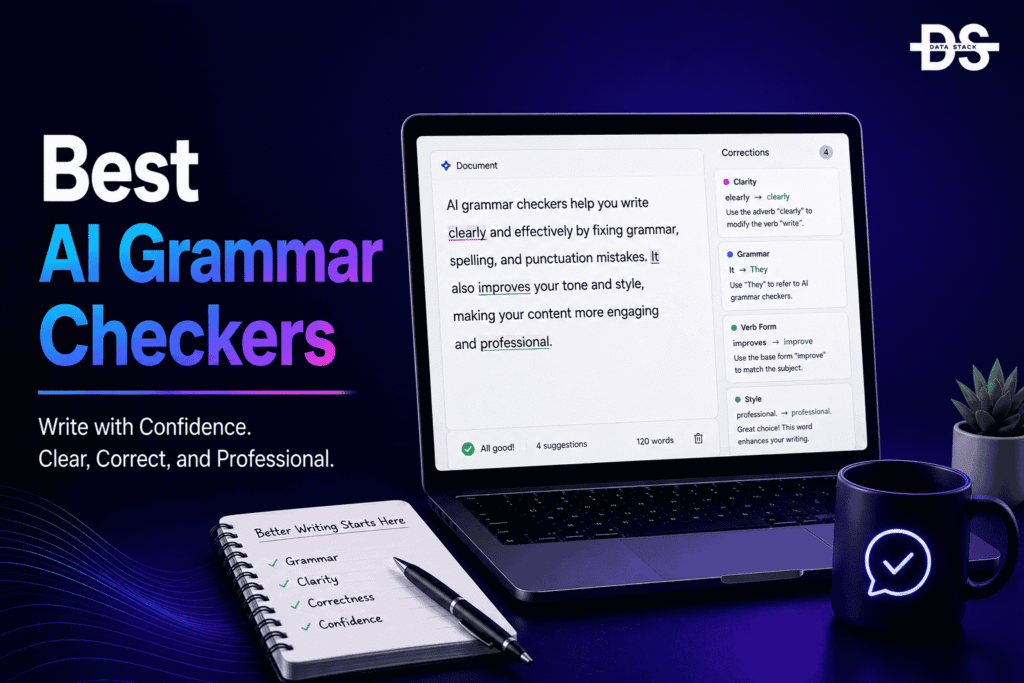
AI grammar checkers have evolved beyond traditional spell-checking software into broader writing assistants that can analyze grammar, sentence structure, clarity, tone, and style. Instead of identifying only obvious spelling mistakes, modern AI writing tools can understand the context of a sentence and suggest ways to make writing clearer, more concise, and appropriate for its intended audience.
The adoption of AI writing assistance is growing rapidly across professional and personal workflows. According to Grammarly’s 2025 State of Business Writing report, 96% of business leaders say strong writing is important for business success, while organizations are increasingly using AI to support everyday written communication. This has increased demand for tools that can improve writing without requiring users to manually identify every grammatical or stylistic issue.
The AI grammar-checking market now includes dedicated grammar platforms, AI writing assistants, browser extensions, document editors, and open-source grammar-checking engines. Some tools focus primarily on correctness, while others combine grammar checking with rewriting, tone analysis, plagiarism detection, translation, and generative AI.
AI grammar checkers are software tools that use artificial intelligence and natural-language processing to identify and correct grammar, spelling, punctuation, sentence structure, and style issues. Advanced tools can also rewrite sentences, improve clarity, adjust tone, summarize text, and provide contextual writing suggestions.
This guide covers 7 AI grammar checkers for professional writing, academic work, content creation, business communication, and everyday writing. We compare them based on grammar accuracy, AI writing features, key capabilities, pricing, free plans or trials, open-source availability, and user ratings to help you choose the right AI grammar checker for your needs.
Table of Contents
ToggleWhy Use AI Grammar Checkers?
Even strong writers can miss grammar, punctuation, spelling, and clarity issues when producing large amounts of content. AI grammar checkers provide real-time feedback while users write, making it easier to identify problems before an email, article, report, assignment, or other document is published or shared.
Modern tools can also go beyond correcting mistakes. They can explain why a sentence may be unclear, suggest alternative wording, adjust tone, and help users make their writing more concise or appropriate for a particular audience.
Key reasons to use AI grammar checkers include:
- Catch grammar mistakes: AI can identify grammatical errors involving sentence structure, agreement, verb usage, articles, prepositions, and other common writing problems.
- Fix spelling and punctuation: Grammar checkers can detect misspelled words, punctuation errors, capitalization issues, and other basic writing mistakes.
- Improve sentence clarity: AI can identify awkward or difficult-to-read sentences and suggest clearer alternatives.
- Adjust writing tone: Many tools can analyze writing tone and suggest changes for professional, friendly, confident, formal, or other communication styles.
- Rewrite sentences: AI can rewrite sentences and paragraphs to improve readability, conciseness, flow, or overall quality.
- Improve consistency: Grammar tools can identify inconsistent terminology, capitalization, punctuation, and writing conventions across longer documents.
- Support professional communication: Users can improve emails, proposals, reports, presentations, business documents, and other professional writing before sending or publishing them.
- Assist content creators: Writers and marketers can use AI grammar tools to review articles, landing pages, social posts, and other content while maintaining a consistent writing style.
- Help academic writing: Students and researchers can use grammar assistance to improve clarity, sentence structure, and readability in academic documents.
- Provide real-time feedback: Browser extensions, desktop applications, and document integrations can provide writing suggestions while users work instead of requiring a separate proofreading process.
AI grammar checkers should be treated as writing assistants rather than infallible proofreaders. They can occasionally recommend changes that alter the intended meaning or style, so users should review suggestions based on context, audience, and the purpose of the writing.
Top 7 AI Grammar Checkers: Comparison
The best AI grammar checkers in 2026 differ in how deeply they analyze writing, the types of corrections they provide, and the additional AI writing features they include. The comparison below covers established grammar assistants as well as an open-source option for users who want greater control over their writing tools.
| Tool | Open Source | Best For | Pricing | Free Plan/Trial | G2 Rating |
|---|---|---|---|---|---|
| Grammarly | No | Overall AI grammar and writing | Free; paid plans from $30/month | Yes | 4.7/5 |
| ProWritingAid | No | Long-form and creative writing | Free; paid plans from $30/month | Yes | 4.5/5 |
| QuillBot | No | Paraphrasing and rewriting | Free; Premium from $9.95/month | Yes | 4.4/5 |
| LanguageTool | Yes | Multilingual grammar checking | Free; Premium from $24.90/month | Yes | 4.5/5 |
| Ginger | No | Grammar and sentence correction | Free; paid plans available | Yes | 4.4/5 |
| Wordtune | No | AI rewriting and clarity | Free; paid plans from $9.99/month | Yes | 4.6/5 |
| Hemingway Editor | No | Readability and concise writing | Free; paid AI features available | Yes | 4.4/5 |
Best 7 AI Grammar Checkers in 2026
The 7 AI grammar checkers below cover different writing workflows, including grammar correction, rewriting, readability, paraphrasing, multilingual proofreading, and long-form editing. Each tool is evaluated based on grammar capabilities, AI writing features, integrations, customization, pricing, and suitability for different types of writers.
#1 Grammarly
Grammarly is an AI-powered writing assistant that checks grammar, spelling, punctuation, clarity, and tone while users write. It works across browsers, desktop applications, and supported productivity tools, making it one of the most accessible options for reviewing everyday and professional writing.
Its AI capabilities extend beyond traditional proofreading. Users can generate text, rewrite sentences, adjust tone, and receive contextual suggestions while composing emails, documents, articles, and other content.
Grammarly is particularly useful for professionals, marketers, students, and content creators who want writing assistance available across multiple applications rather than only inside a dedicated editor.
Key Features
- AI grammar checking: Grammarly identifies grammatical errors and provides contextual suggestions for correcting sentence structure and usage.
- Spelling and punctuation: The platform detects spelling, punctuation, capitalization, and other common writing errors.
- AI rewriting: Users can rewrite sentences and paragraphs to improve clarity, conciseness, or tone.
- Tone detection: Grammarly analyzes writing tone and provides suggestions to make communication more appropriate for the intended audience.
- Generative AI: Users can generate drafts, paragraphs, emails, and other content from natural-language instructions.
- Style suggestions: The platform provides recommendations for improving readability, word choice, and overall writing style.
- Browser and desktop integrations: Grammarly can provide writing assistance across supported websites, applications, and document workflows.
- Team writing support: Business users can establish writing guidelines and style preferences to promote consistency across team communications.
Pricing: Free plan available. Paid plans start at around $30/month, with annual billing generally providing a lower effective monthly cost.
Best For: Overall grammar checking, professional writing, emails, and AI-assisted editing.
G2 Rating: 4.7/5
#2 ProWritingAid
ProWritingAid is an AI-powered writing assistant focused on grammar, style, readability, and long-form editing. It provides detailed reports that help writers identify issues beyond basic grammatical errors, making it particularly useful for authors, content writers, and users working on longer documents.
The platform analyzes writing across multiple dimensions, including sentence structure, repetition, readability, pacing, and word usage. Its reports can provide more detailed feedback than a basic grammar checker, helping writers understand recurring weaknesses in their writing.
ProWritingAid is especially suited to writers who want extensive editing feedback rather than only quick grammar corrections.
Key Features
- Grammar and spelling checking: ProWritingAid identifies grammatical, spelling, punctuation, and usage errors throughout a document.
- Style analysis: The platform analyzes writing style and identifies issues such as passive voice, unnecessary words, vague language, and sentence complexity.
- Readability analysis: Users can evaluate how easy their content is to read and identify sections that may require simplification.
- AI rewriting: ProWritingAid can help rewrite and improve passages while preserving the intended meaning.
- Writing reports: Multiple detailed reports provide insights into sentence structure, word usage, repetition, readability, and other aspects of writing quality.
- Long-form editing: The tool is designed to handle books, articles, reports, essays, and other longer documents where consistency and style matter.
- Word explorer: Writers can explore alternative words and expressions when they want to improve vocabulary or avoid repetitive language.
- Integrations: ProWritingAid integrates with supported writing applications and document workflows, allowing users to edit content within familiar environments.
Pricing: Free plan available. Paid plans start at around $30/month, with annual and lifetime options available depending on the current offering.
Best For: Long-form writing, creative writing, detailed editing, and readability analysis.
G2 Rating: 4.5/5

Showcase your software to buyers actively comparing tools. Submit your product for editorial review and get featured on Data Stack Hub.
#3 QuillBot
QuillBot is an AI writing platform best known for paraphrasing and rewriting, but it also provides grammar checking, summarization, translation, and other writing assistance features. It is designed for users who want to improve or transform existing text rather than simply identify grammatical errors.
The platform can rewrite sentences and paragraphs in different styles while allowing users to control the degree of change. Its grammar checker provides another layer of proofreading, making QuillBot useful for students, writers, marketers, and professionals.
QuillBot is particularly useful when the goal is to rephrase existing content while retaining its core meaning and improving readability.
Key Features
- AI grammar checker: QuillBot identifies grammar, spelling, punctuation, and other writing issues and suggests corrections.
- Paraphrasing: The platform can rewrite text while attempting to preserve the original meaning, making it useful for improving wording and sentence structure.
- Multiple writing modes: Users can choose different paraphrasing approaches depending on whether they want text to be more natural, formal, concise, or creative.
- AI summarizer: QuillBot can condense longer text into shorter summaries that highlight the main points.
- Citation generator: Supported tools can help users create citations in common academic formats.
- Translator: QuillBot provides translation capabilities for supported languages and workflows.
- AI writing assistance: Users can generate or modify text using AI when they need help developing written content.
- Browser and document integrations: Supported extensions and integrations allow users to access QuillBot while working in common writing environments.
Pricing: Free plan available. Premium plans start at around $9.95/month depending on the current billing option.
Best For: Paraphrasing, rewriting, grammar checking, and summarization.
G2 Rating: 4.4/5
#4 LanguageTool
LanguageTool is an AI-assisted grammar, spelling, punctuation, and style checker that supports multiple languages. It is particularly useful for multilingual writers who need proofreading assistance across different languages and writing environments.
The platform can detect grammatical mistakes, spelling problems, punctuation issues, and style inconsistencies. It also provides rewriting and paraphrasing capabilities for supported languages and workflows.
LanguageTool is available as an open-source project, making it a notable option for users and developers who value transparency and extensibility. Its commercial offerings add additional features and higher usage limits on top of the core grammar-checking capabilities.
Key Features
- Multilingual grammar checking: LanguageTool can check grammar and spelling across multiple languages, making it useful for international writers.
- Spelling and punctuation correction: The platform identifies common spelling, punctuation, capitalization, and usage errors.
- Style checking: LanguageTool can detect stylistic issues and suggest improvements for clarity and consistency.
- AI paraphrasing: Supported features can rewrite sentences and passages to improve wording, clarity, or style.
- Writing suggestions: Users receive contextual recommendations while editing content rather than relying only on traditional spell-checking.
- Browser extensions: LanguageTool can provide writing assistance across supported websites and online editors.
- Desktop and application integrations: Supported integrations allow users to access proofreading capabilities across different writing environments.
- Open-source availability: LanguageTool’s core grammar-checking technology is available as open-source software, providing an option for users interested in customization and self-hosted workflows.
Pricing: Free plan available. Premium plans start at around $24.90/month, with lower effective pricing available through longer-term subscriptions.
Best For: Multilingual grammar checking, proofreading, and open-source writing workflows.
G2 Rating: 4.5/5
#5 Ginger
Ginger is an AI-powered writing assistant that provides grammar checking, spelling correction, sentence rewriting, and other writing-improvement capabilities. It is designed to help users identify mistakes and produce clearer, more polished English writing.
The platform combines grammar correction with contextual sentence suggestions, allowing users to improve complete sentences rather than fixing isolated spelling errors. It can be used for everyday writing, emails, business communication, and other content.
Ginger is particularly useful for users who want straightforward grammar and sentence correction without the extensive long-form analysis offered by some more advanced writing platforms.
Key Features
- Grammar checking: Ginger identifies grammatical errors and provides suggestions based on the context of the sentence.
- Spelling correction: The platform detects misspelled words and suggests appropriate corrections.
- Sentence rephrasing: Users can rewrite sentences to make them clearer, more natural, or easier to understand.
- AI-powered suggestions: Ginger provides contextual writing recommendations rather than relying only on traditional grammar rules.
- Translation: Supported translation features allow users to work with content across multiple languages.
- Text-to-speech: Ginger provides text-to-speech functionality for supported workflows, helping users listen to written content.
- Browser integration: Users can access grammar and writing suggestions while composing content in supported online environments.
- Personal dictionary: Users can add words and expressions to a personal dictionary to reduce unnecessary correction suggestions.
Pricing: Free access is available, with premium plans offering additional features and usage.
Best For: Grammar correction, sentence rewriting, spelling, and everyday writing.
G2 Rating: 4.4/5
#6 Wordtune
Wordtune is an AI writing assistant focused on rewriting, paraphrasing, clarity, and tone. It helps users improve existing sentences and paragraphs rather than limiting its functionality to traditional grammar correction.
Users can provide existing text and ask Wordtune to rewrite it in a clearer, more professional, concise, casual, or otherwise appropriate style. This makes it useful for emails, articles, reports, business communication, and other professional writing.
Wordtune is particularly valuable when the grammar of a sentence is technically correct but the wording could be improved. Its focus on rewriting makes it complementary to traditional grammar-checking tools.
Key Features
- AI rewriting: Wordtune can rewrite sentences and paragraphs to improve clarity, flow, and readability.
- Paraphrasing: Users can express the same idea in different words while retaining the original meaning.
- Tone adjustment: Supported features allow users to adapt writing for more formal, casual, professional, or other communication styles.
- Text shortening: AI can condense lengthy sentences and passages to make writing more concise.
- Text expansion: Users can expand short ideas into more detailed written content when additional explanation is needed.
- AI content generation: Wordtune can help generate new text based on prompts or existing content.
- Grammar and spelling assistance: The platform can identify and improve common writing errors alongside its rewriting features.
- Browser and productivity integrations: Wordtune can be used within supported browsers and applications while users compose content.
Pricing: Free plan available. Paid plans start at around $9.99/month depending on the current plan and billing option.
Best For: AI rewriting, paraphrasing, clarity, and professional communication.
G2 Rating: 4.6/5
Increase your product visibility by reaching software buyers researching the best tools. Every submission is reviewed by our editorial team.
Feature My Tool →#7 Hemingway Editor
Hemingway Editor is a writing and readability tool designed to make text clearer, simpler, and easier to read. Its traditional editor highlights issues such as lengthy sentences, passive voice, complex wording, and excessive adverbs, while its newer AI capabilities can assist with rewriting and editing.
Rather than focusing only on grammar correctness, Hemingway emphasizes readability and concise writing. This makes it particularly useful for content marketers, bloggers, business writers, students, and anyone who wants their writing to be easier for a broad audience to understand.
The tool is especially valuable as a final editing layer after grammar checking because technically correct writing can still be unnecessarily complicated or difficult to read.
Key Features
- Readability analysis: Hemingway Editor evaluates writing difficulty and highlights passages that may be challenging for readers.
- Sentence-length analysis: Long and complicated sentences are identified so writers can break them into clearer sections.
- Passive voice detection: The editor highlights passive constructions and helps writers identify opportunities for more direct phrasing.
- Complex word detection: Hemingway identifies complicated words and phrases and can suggest simpler alternatives.
- AI rewriting: Supported AI features can rewrite selected passages to improve clarity and readability.
- Concise writing: The platform encourages users to remove unnecessary words and make sentences more direct.
- Color-coded editing: Different writing issues are visually highlighted, allowing users to identify readability problems quickly.
- Online and desktop editing: Hemingway is available through supported web and desktop workflows for editing longer pieces of content.
Pricing: A free version is available, with paid AI features and desktop functionality offered separately.
Best For: Readability, concise writing, content editing, and simplifying complex text.
G2 Rating: 4.4/5
How to Choose the Best AI Grammar Checkers
Choosing an AI grammar checker depends on the type of writing you produce and whether you need basic proofreading or broader AI editing capabilities. A student may primarily need grammar and spelling corrections, while a content writer or marketing team may also need rewriting, readability analysis, tone suggestions, and style consistency.
Consider these factors when evaluating AI grammar checkers:
- Grammar accuracy: Test how reliably the tool identifies grammatical errors without suggesting unnecessary changes to sentences that are already correct.
- Context understanding: A good AI grammar checker should understand the meaning and context of a sentence instead of applying corrections based only on fixed grammar rules.
- Spelling and punctuation: Check support for spelling, capitalization, punctuation, and common usage errors.
- Clarity and readability: Consider tools that identify complicated sentences, awkward phrasing, unnecessary words, and other readability problems.
- AI rewriting: If you frequently improve existing content, look for rewriting and paraphrasing features that preserve the original meaning while improving the wording.
- Tone detection: Business users should consider whether the tool can identify and adjust tone for professional, formal, friendly, confident, or other communication styles.
- Long-form editing: Writers working on articles, reports, books, and other long documents should evaluate consistency checking, repetition detection, readability reports, and document-level analysis.
- Language support: If you write in multiple languages, verify which languages are supported and whether grammar and style checking are available for each one.
- Integrations: Check browser extensions, desktop applications, word processors, email clients, and other integrations that match your everyday writing workflow.
- Privacy: Review how the provider processes and stores your text, particularly when proofreading confidential business documents, customer information, research, or unpublished content.
- Open-source availability: If customization, transparency, or self-hosting matters, consider open-source options such as LanguageTool and review exactly which components and capabilities are available under its open-source license.
- Customization: Look for personal dictionaries, writing preferences, custom style rules, and other controls if you need the checker to follow specific terminology or editorial standards.
- Pricing and usage limits: Compare free-plan limitations, AI usage, document limits, premium corrections, plagiarism features, and subscription costs.
The best AI grammar checker should improve your writing without changing your intended meaning or making your content sound unnatural. Test shortlisted tools with different types of writing, including formal documents, conversational emails, technical content, and long-form articles, before deciding which one fits your workflow.
Browse expertly curated software recommendations across hundreds of business categories.
Browse Top Tools →Conclusion
AI grammar checkers have evolved from simple spelling and grammar tools into broader writing assistants capable of improving clarity, tone, readability, sentence structure, and overall communication. They can help writers identify mistakes earlier and reduce the amount of manual proofreading required before content is published or shared.
The 7 tools covered in this guide serve different writing needs. Grammarly is a strong general-purpose option for grammar, writing, tone, and AI assistance, while ProWritingAid provides deeper analysis for long-form and creative writing. QuillBot is particularly useful for paraphrasing and rewriting, while LanguageTool stands out for multilingual proofreading and its open-source foundation.
Ginger provides straightforward grammar and sentence correction, while Wordtune focuses heavily on rewriting, paraphrasing, and improving clarity. Hemingway Editor takes a different approach by emphasizing readability and concise writing, making it useful for writers who want to simplify complex content.
The right tool depends on your writing workflow. Professionals may prioritize tone and business communication, content writers may need long-form editing and readability analysis, and multilingual users may prefer broader language support. Users who value customization and greater control can also consider open-source solutions such as LanguageTool.
Before choosing an AI grammar checker, compare grammar accuracy, context awareness, rewriting, readability, language support, integrations, privacy, customization, open-source availability, and pricing. Test the tools with your actual writing rather than relying solely on demonstrations or feature lists.
AI grammar checkers should complement human editing rather than replace it. Automated suggestions can occasionally change the intended meaning or introduce stylistic choices that do not fit the context. A final human review remains important, particularly for professional, academic, technical, and published content.
Frequently Asked Questions (FAQs)
#1. What are AI grammar checkers?
AI grammar checkers are writing tools that use artificial intelligence and language-processing technology to identify and correct grammar, spelling, punctuation, sentence structure, and style problems. Advanced tools can also rewrite and improve text.
#2. What are the best AI grammar checkers in 2026?
Some of the leading AI grammar checkers in 2026 include Grammarly, ProWritingAid, QuillBot, LanguageTool, Ginger, Wordtune, and Hemingway Editor. The best choice depends on whether you prioritize proofreading, rewriting, readability, or long-form editing.
#3. Can AI grammar checkers rewrite sentences?
Yes. Many modern AI grammar checkers can rewrite sentences and paragraphs to improve clarity, conciseness, tone, or readability while attempting to preserve the original meaning.
#4. Are AI grammar checkers accurate?
Modern AI grammar checkers can identify many common writing errors accurately, but they are not perfect. They can occasionally misunderstand context or recommend changes that are unnecessary or alter the intended meaning.
#5. Can AI grammar checkers improve writing style?
Yes. Many tools provide style and readability suggestions in addition to correcting grammar. They can identify wordiness, complex sentences, passive constructions, repetitive wording, and other style issues.
#6. Are AI grammar checkers useful for academic writing?
Yes. AI grammar checkers can help students and researchers identify grammar, spelling, punctuation, and clarity problems. However, users should review AI suggestions carefully and follow their institution’s policies regarding AI-assisted writing.
#7. Which AI grammar checker is best for long-form writing?
ProWritingAid is particularly suited to long-form writing because it provides detailed reports covering readability, repetition, sentence structure, style, and other document-level issues. Hemingway Editor is also useful when readability and concise writing are the main priorities.
#8. Are there open-source AI grammar checkers?
Yes. LanguageTool is an important open-source option for grammar and style checking. Its open-source foundation makes it particularly relevant for users and developers interested in customization and self-hosted workflows.
#9. Can AI grammar checkers work with multiple languages?
Yes. Some AI grammar checkers support multiple languages. LanguageTool is particularly notable for multilingual grammar and spelling checking, although the depth of available features can vary by language.
#10. How do I choose the right AI grammar checker?
Identify your main writing needs first, such as proofreading, rewriting, long-form editing, readability, or multilingual support. Then compare accuracy, AI features, integrations, privacy, customization, open-source availability, and pricing to select the best fit.