
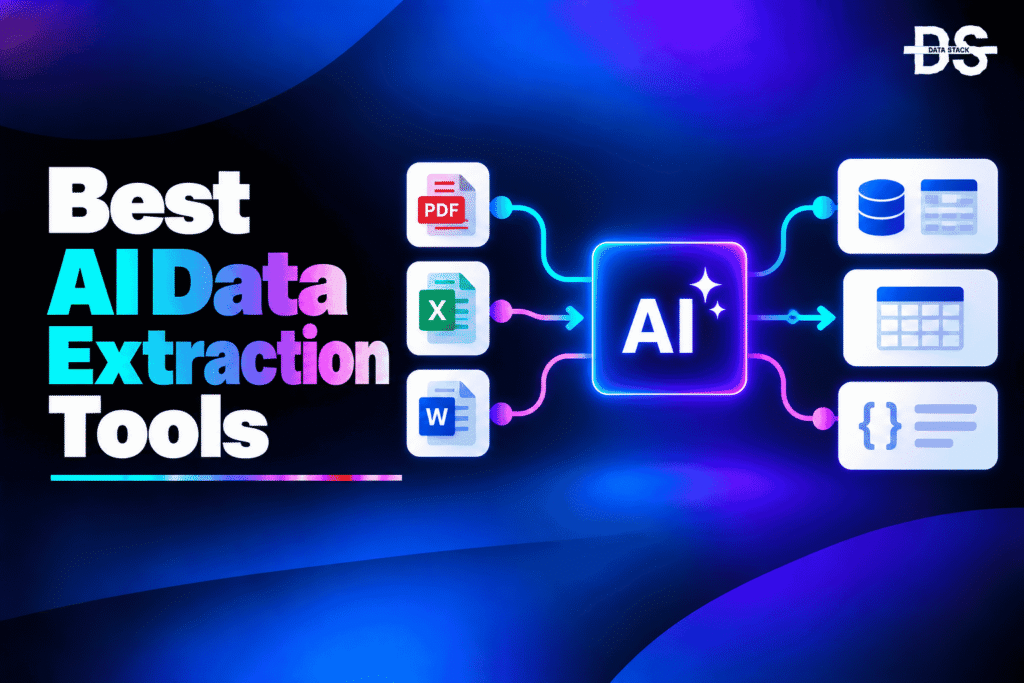
Data exists in many forms, including PDFs, invoices, receipts, scanned documents, images, emails, forms, and other unstructured files. Extracting useful information from these sources manually can take significant time and often introduces data-entry errors. AI data extraction tools use artificial intelligence to identify relevant information and convert it into structured data that can be used in business applications, databases, analytics platforms, and automated workflows.
Traditional OCR can convert text from an image or document into machine-readable text, but modern AI-powered extraction goes further. These tools can understand document layouts, identify specific fields, recognize tables, classify documents, extract entities, and return information in structured formats. Some can also validate extracted information and route uncertain results for human review.
AI data extraction is particularly useful for organizations processing large volumes of documents. Finance teams can extract invoice and payment information, insurance companies can process claims and forms, lenders can analyze financial documents, and data teams can turn unstructured files into datasets for downstream analytics and AI applications.
In this guide, we compare the best AI data extraction tools based on their AI capabilities, extraction features, automation capabilities, and ideal use cases. We also cover their key AI-focused features, compare them side by side, explain how to choose the right tool, and answer common questions about AI-powered data extraction.
What Are AI Data Extraction Tools?
AI data extraction tools are software platforms that use artificial intelligence, machine learning, OCR, and related technologies to identify and extract useful information from structured and unstructured sources and convert it into machine-readable data. They can extract text, fields, entities, tables, and other information from documents, images, PDFs, emails, forms, and similar sources.
Unlike traditional extraction methods that often depend on fixed templates or manually configured rules, AI-powered extraction tools can understand document structure and context. They can recognize different layouts, identify relevant fields, classify documents, and extract information even when the source documents are not identical.
AI data extraction tools are used to automate document processing, data entry, invoice processing, financial analysis, claims processing, compliance workflows, and other tasks where organizations need to turn unstructured information into usable data.
AI Data Extraction Tools vs. Traditional Data Extraction Tools
| Capability | Traditional Data Extraction Tools | AI Data Extraction Tools |
|---|---|---|
| Text extraction | OCR or predefined extraction rules | AI-powered OCR and document understanding |
| Field extraction | Fixed fields or templates | AI identifies relevant fields from context |
| Document layouts | Often requires predefined templates | Can handle varying layouts |
| Table extraction | Basic or template-based | AI can identify and structure complex tables |
| Document classification | Manual rules | AI-powered classification |
| Entity extraction | Rule-based patterns | AI can identify entities based on context |
| Unstructured documents | Limited flexibility | Designed to process unstructured content |
| Data validation | Manual or predefined rules | AI-assisted validation and confidence scoring |
| Processing workflows | Often manually configured | AI can automate multiple extraction steps |
| Human review | Manually identify errors | Low-confidence results can be routed for review |
AI Data Extraction Tools Comparison
The table below compares the leading AI data extraction tools based on their AI capabilities, automation features, best use cases, and G2 ratings.
| Tool | AI Capabilities | What You Can Automate | Best For | G2 Rating |
|---|---|---|---|---|
| Nanonets | AI OCR, document understanding, field extraction, classification | Document processing, data entry, workflow automation | Enterprise document extraction | — |
| Rossum | AI document understanding, intelligent extraction, validation | Invoice and document processing | Accounts payable and operations | 4.5/5 |
| Parseur | AI extraction, OCR, document parsing, field identification | Email and document extraction | Automated document and email parsing | 4.9/5 |
| Docsumo | AI document processing, extraction, validation, classification | Financial document processing | Finance, lending, and insurance | 4.7/5 |
| Google Cloud Document AI | AI document understanding, OCR, classification, extraction | Document processing and structured data extraction | Google Cloud environments | 4.2/5 |
| Amazon Textract | AI-powered OCR, forms and table extraction | Document and form processing | AWS-based extraction workflows | 4.3/5 |
| Veryfi | AI OCR, document understanding, field extraction | Invoice, receipt, and financial data extraction | Financial document processing | 4.7/5 |
| Sensible | LLM-based parsing, AI extraction, document understanding | API-based document extraction | Developer-focused extraction | 4.9/5 |
| Unstructured | AI-assisted document parsing, partitioning, metadata extraction | Unstructured document processing | AI and RAG data pipelines | — |
9 Best AI Data Extraction Tools
From automating data collection to extracting structured information from complex sources, these AI tools can significantly streamline data workflows. Here’s a closer look at 9 leading AI data extraction tools and what each one offers.
#1. Nanonets
Nanonets is an AI-powered document processing platform designed to extract structured information from documents and automate document-heavy workflows. It combines OCR, machine learning, and AI-based document understanding to process invoices, receipts, purchase orders, financial documents, forms, and other business files.
The platform can identify relevant fields and tables without requiring teams to manually enter information from every document. Nanonets can also classify documents and route extracted information into downstream workflows, making it useful when data extraction is only one part of a larger automation process.
Nanonets is particularly useful for organizations that process high volumes of business documents and want to connect extraction with operational workflows. Its AI capabilities make it suitable for finance, accounting, operations, logistics, and other teams that need to convert documents into structured information.
Key Features
- AI-Powered OCR: Nanonets combines OCR with AI-based document understanding to extract information from scanned documents, PDFs, and images rather than simply converting the entire document into plain text.
- Intelligent Field Extraction: AI can identify important fields such as invoice numbers, dates, amounts, vendor details, and other document-specific information without requiring users to manually enter each value.
- AI Document Classification: The platform can classify incoming documents based on their content, helping organizations automatically separate invoices, receipts, purchase orders, and other document types.
- Table and Line-Item Extraction: AI can identify structured information inside tables and line-item sections, which is important for invoices and other documents containing multiple records.
- AI Data Validation: Extracted information can be checked through automated validation workflows to identify potential errors before the data reaches downstream systems.
- Document Workflow Automation: Nanonets connects extraction with broader workflow automation so that extracted information can be transferred, processed, or routed automatically.
- Human-in-the-Loop Review: Organizations can use review workflows to verify uncertain extraction results and maintain human oversight where accuracy is especially important.
- API-Based Extraction: Developers can integrate AI-powered document extraction into their own applications and workflows rather than relying exclusively on a standalone interface.
G2 Rating: —

Showcase your software to buyers actively comparing tools. Submit your product for editorial review and get featured on Data Stack Hub.
Submit Your Tool →#2. Rossum
Rossum is an intelligent document processing platform that uses AI to extract structured information from business documents. It is particularly well known for processing invoices, purchase orders, receipts, and other transactional documents where organizations need to reduce manual data entry.
Its AI-based document understanding is designed to work across different document layouts rather than depending entirely on rigid templates. The platform can identify relevant information, validate extracted fields, and support workflows where users review exceptions instead of manually processing every document.
Rossum is especially suitable for finance and accounts payable teams processing large numbers of transactional documents. Its combination of AI extraction, validation, workflow automation, and integrations makes it more than a basic OCR tool.
Key Features
- AI Document Understanding: Rossum uses AI to understand document structure and context, allowing it to extract relevant information from different document layouts.
- Intelligent Data Extraction: AI identifies fields such as invoice numbers, dates, amounts, supplier information, and other transactional data without requiring every document to follow exactly the same format.
- AI-Powered Validation: Extracted information can be checked for consistency and potential errors before it is sent to downstream systems.
- Document Classification: AI can identify document types and help route them through appropriate processing workflows.
- Table Extraction: The platform can extract structured information from tables and line items, which is important for invoices and purchase orders.
- AI-Assisted Exception Handling: Documents or fields requiring additional attention can be identified so human reviewers can focus on exceptions rather than checking every document manually.
- Workflow Automation: Extracted data can be connected to downstream processes, reducing manual data entry between document processing and business systems.
- Adaptive AI Extraction: Rossum’s AI-based approach can handle document variation without requiring organizations to build a separate rigid template for every layout.
G2 Rating: 4.5/5
#3. Parseur
Parseur is an AI-powered document and email parsing platform that converts information from documents, emails, PDFs, images, and other sources into structured data. It is designed for organizations that want to automate repetitive extraction tasks without building a complete document-processing system from scratch.
Its AI extraction capabilities can identify fields from documents and process information from different layouts. Parseur also supports OCR for scanned documents, making it useful when information arrives through PDFs, images, email attachments, or other document formats.
The platform is particularly suitable for businesses that need straightforward document and email extraction workflows. Its combination of AI extraction, parsing, integrations, and automation makes it useful for invoices, receipts, orders, lead information, and other recurring document-processing tasks.
Key Features
- AI Field Extraction: Parseur can identify relevant fields from documents and extract them into structured data without requiring users to manually copy information.
- AI Document Parsing: AI helps interpret document content and convert information from PDFs, images, and other files into structured fields.
- OCR for Scanned Documents: OCR allows Parseur to process image-based documents where the information is not already available as machine-readable text.
- Email Data Extraction: The platform can extract structured information from emails and their attachments, making it useful for automated workflows that begin with incoming messages.
- AI-Based Layout Handling: AI extraction can help process documents with different layouts instead of requiring every document to follow exactly the same structure.
- Structured Data Output: Extracted information can be organized into structured fields that can be exported or passed to other applications.
- Workflow Integrations: Extracted data can be connected to business applications and automation platforms, allowing document processing to become part of a larger workflow.
- Automated Document Processing: Recurring extraction tasks can run automatically as new documents or emails arrive, reducing repetitive manual data entry.
G2 Rating: 4.9/5
Also Read: Data Extraction Tools
#4. Docsumo
Docsumo is an intelligent document processing platform that uses AI to extract, classify, validate, and structure information from complex business documents. It focuses heavily on document-intensive industries such as lending, insurance, healthcare, financial services, and accounts payable.
The platform can process documents including bank statements, invoices, tax documents, pay stubs, insurance forms, and other financial or operational records. Its AI capabilities are designed to handle documents with different formats and structures while returning information in a form that can be used by downstream applications.
Docsumo is a strong option for organizations that need more than basic OCR. Its combination of extraction, classification, validation, and workflow capabilities makes it particularly useful for high-volume document processing where extracted information needs to be checked before entering operational systems.
Key Features
- AI Document Processing: Docsumo uses AI to understand and process business documents, allowing organizations to automate extraction workflows across multiple document types.
- Intelligent Data Extraction: AI identifies relevant fields and information from complex documents, reducing the need for manual data entry.
- AI Document Classification: Documents can be automatically classified so different document types can be routed through the appropriate extraction and processing workflow.
- Table and Line-Item Extraction: The platform can extract structured information from complex tables and multi-page documents where simple OCR may not be sufficient.
- AI Data Validation: Extracted information can be checked against validation requirements to identify potential errors before it reaches downstream systems.
- AI Cross-Checking: Docsumo can compare information across documents and fields, helping organizations identify inconsistencies and improve data reliability.
- Exception Handling: Low-confidence or problematic documents can be routed for human review instead of requiring every document to be manually checked.
- API-Based Automation: Organizations can integrate extraction capabilities into their existing applications and operational workflows through APIs.
G2 Rating: 4.7/5
#5. Google Cloud Document AI
Google Cloud Document AI is a document processing platform that uses Google’s AI capabilities to extract structured information from documents. It provides pre-trained processors for common document types and tools for creating or customizing processing models for specific requirements.
The platform can extract text, fields, tables, entities, and other information from documents while also supporting document classification and analysis. This makes it useful for organizations that need to convert large volumes of unstructured documents into structured information for downstream applications.
Google Cloud Document AI is particularly relevant for organizations already using Google Cloud. Developers can integrate document extraction into broader cloud applications and data workflows rather than treating document processing as an isolated task.
Key Features
- AI Document Understanding: Document AI analyzes document content and structure to identify information that can be converted into structured data.
- Intelligent OCR: AI-powered OCR extracts text from scanned documents and images while providing additional understanding of the document’s structure.
- Prebuilt Document Processors: Google provides specialized processors for common document types, reducing the need to develop every extraction model from scratch.
- Custom Document Processing: Organizations can build or customize processors for document types that require specialized extraction logic.
- Table Extraction: AI can identify and structure information contained in tables, making the extracted output more useful for downstream analytics and processing.
- Entity Extraction: The platform can identify relevant entities and information within documents, helping convert unstructured content into structured fields.
- Document Classification: AI can classify documents before extraction so different document types can be routed to appropriate processing workflows.
- Google Cloud Integration: Extracted information can be integrated with other Google Cloud services and data workflows for further processing, analytics, and AI applications.
G2 Rating: 4.2/5
Increase your product visibility by reaching software buyers researching the best tools. Every submission is reviewed by our editorial team.
Feature My Tool →#6. Amazon Textract
Amazon Textract is an AWS service that uses machine learning to extract text, forms, tables, and other structured information from documents. It goes beyond basic OCR by identifying relationships between information and recognizing common document structures.
The service can process scanned documents, forms, invoices, receipts, and other files and return extracted information in machine-readable formats. Developers can integrate it into applications and automated workflows using other AWS services.
Amazon Textract is a strong choice for organizations already building applications on AWS. Its ability to process documents programmatically makes it particularly useful for developers creating automated extraction pipelines rather than users looking for a standalone document-processing application.
Key Features
- AI-Powered OCR: Textract extracts text from scanned documents and images while using machine learning to understand more than the raw characters on a page.
- Form Extraction: AI can identify key-value pairs in forms, allowing structured information to be extracted without manually defining every field position.
- Table Extraction: Textract can recognize tables and return their contents in a structured format for downstream processing.
- Document Structure Detection: AI identifies relationships between elements within a document, making the extracted output more useful than plain OCR text.
- Invoice and Receipt Analysis: Specialized analysis capabilities can identify information commonly found in invoices and receipts, helping automate financial document processing.
- Query-Based Extraction: Developers can request specific information from documents, allowing extraction workflows to focus on the fields that matter to an application.
- Human Review Integration: Low-confidence extraction results can be incorporated into workflows where human review is required.
- AWS Workflow Integration: Textract can be combined with other AWS services to build automated document-processing pipelines and applications.
G2 Rating: 4.3/5
#7. Veryfi
Veryfi is a document AI platform focused on extracting structured information from documents such as invoices, receipts, checks, bank statements, and other financial records. It provides APIs and SDKs that allow developers to integrate document extraction directly into applications and business workflows.
The platform uses AI and OCR to identify fields and convert unstructured financial documents into structured data. This makes it useful for applications that need to process documents automatically rather than requiring users to manually enter information.
Veryfi is particularly strong for financial document extraction and use cases where fast API-based processing is important. Developers can integrate its extraction capabilities into accounting, expense management, fintech, and other applications that handle high volumes of financial documents.
Key Features
- AI Document OCR: Veryfi combines OCR and AI to extract information from financial documents and convert it into structured data.
- Intelligent Field Extraction: AI can identify relevant fields such as merchant names, dates, totals, taxes, line items, and other financial information.
- Invoice Extraction: The platform can process invoices and extract structured information needed for accounting and financial workflows.
- Receipt Data Extraction: AI can identify important information from receipts, reducing manual entry for expense and accounting applications.
- Bank Statement Extraction: Veryfi supports financial document extraction workflows that require transaction and account information to be converted into structured data.
- Line-Item Recognition: AI can identify individual items within documents rather than returning only document-level information.
- API and SDK Integration: Developers can embed extraction capabilities into their own applications rather than relying on a standalone document-processing interface.
- Real-Time Data Extraction: The API-oriented architecture supports automated extraction workflows where documents need to be processed quickly after submission.
G2 Rating: 4.7/5
#8. Sensible
Sensible is an API-first document processing platform designed to extract structured information from documents. It combines AI-based parsing with deterministic rules to help developers extract data from different document types and integrate the resulting information into applications.
The platform is designed around programmatic extraction rather than primarily serving as a business-user document management application. Its AI capabilities can handle documents where traditional fixed templates may be difficult to maintain, while deterministic extraction can provide additional control where specific rules are required.
Sensible is particularly useful for developers and product teams building document extraction into their own applications. It can support workflows where documents arrive continuously and extracted information needs to be passed directly into databases, applications, or other automated systems.
Key Features
- LLM-Based Document Parsing: Sensible uses large language model-based parsing to interpret document content and extract relevant information based on the requested schema.
- AI-Powered Extraction: AI can extract structured information from documents without requiring every document to use an identical layout.
- Schema-Based Output: Developers can define the information they want returned, making the extracted output easier to integrate with downstream applications.
- Hybrid AI and Rules: AI extraction can be combined with deterministic rules, giving developers greater control over workflows where certain fields require predictable extraction behavior.
- Complex Document Processing: The platform can handle documents with varying layouts and structures, reducing dependence on rigid templates.
- API-First Architecture: Developers can integrate document extraction directly into applications and automated workflows through APIs.
- Automated Document Workflows: Extraction can be incorporated into application workflows so information moves automatically from documents into downstream systems.
- Developer Control: Teams can combine AI-based extraction with structured schemas and rules rather than relying entirely on an opaque AI workflow.
G2 Rating: 4.9/5
#9. Unstructured
Unstructured is an open-source-focused data processing platform and toolkit designed to prepare unstructured documents for downstream applications, including AI and retrieval-augmented generation workflows. It can partition and process documents such as PDFs, Word files, HTML pages, images, and other unstructured sources.
Rather than focusing only on extracting a few predefined fields from invoices or forms, Unstructured is designed to turn unstructured content into structured elements that can be used by AI applications. Its processing capabilities can identify document elements such as titles, paragraphs, tables, lists, and other content components.
This makes Unstructured a useful option for developers and AI teams that need to extract and prepare information from large collections of documents. It is particularly relevant when the extracted data will feed search, RAG, machine learning, or other AI pipelines rather than a conventional accounting or document-management workflow.
Key Features
- AI-Ready Document Processing: Unstructured processes unstructured files into structured elements that can be consumed by downstream AI and data workflows.
- Document Partitioning: The platform can break documents into meaningful elements such as titles, paragraphs, tables, and lists rather than treating the entire file as a single block of text.
- Multi-Format Extraction: It supports a broad range of document and content formats, allowing teams to build extraction workflows across different source types.
- Table Extraction: Document tables can be identified and processed as structured elements, making them more useful for downstream AI applications.
- Metadata Extraction: Processing can capture metadata associated with documents and extracted elements, providing additional context for downstream search and analysis.
- AI and RAG Pipeline Support: Extracted and structured content can be prepared for retrieval-augmented generation and other AI applications.
- Developer-Oriented Workflows: APIs and programmatic processing allow developers to integrate document extraction into custom data pipelines.
- Open-Source Option: Unstructured provides open-source components that give developers more control over document-processing workflows and deployment.
G2 Rating: —
How to Choose the Right AI Data Extraction Tool
- Document Types: Start by identifying what you need to extract from—PDFs, invoices, receipts, forms, emails, images, contracts, bank statements, or other documents. The best tool for invoices may not be the best option for complex contracts or general documents.
- Extraction Accuracy: Test the tool using your own documents rather than relying only on vendor claims. Accuracy can vary significantly depending on document quality, layout, language, and the type of information being extracted.
- AI Understanding: Look for genuine document-understanding capabilities rather than basic OCR. The tool should understand fields, tables, entities, relationships, and document context where your use case requires them.
- Structured Output: Check whether extracted information can be returned in the format your systems require, such as JSON, CSV, database records, or API responses.
- Table and Line-Item Extraction: If your documents contain complex tables, invoices, or transaction records, verify that the platform can correctly identify rows, columns, and individual line items.
- Automation: Consider how much of the workflow can run automatically. Email ingestion, document classification, extraction, validation, and delivery to downstream systems can eliminate substantial manual work.
- Human Review: For high-stakes workflows, choose a tool that supports confidence scores, exception handling, or human review so uncertain extraction results can be checked before they enter operational systems.
- Integration Support: Check for APIs, SDKs, connectors, webhooks, and integrations with the databases, ERP systems, accounting platforms, cloud services, and applications your team already uses.
- Security and Compliance: Documents may contain financial, personal, medical, or other sensitive information. Evaluate encryption, access controls, data retention, regional hosting, and relevant compliance requirements before deploying the tool.
- Scalability and Cost: Consider document volume, processing speed, API limits, and pricing structure. A tool that works well for a few hundred documents may not be economical or operationally suitable for millions of pages.
Browse expertly curated software recommendations across hundreds of business categories.
Browse Top Tools →Conclusion
AI data extraction tools help organizations convert documents and other unstructured information into structured data without relying entirely on manual data entry. Modern platforms combine OCR with AI-based document understanding, allowing them to identify fields, tables, entities, document types, and other useful information from a wide range of sources.
The tools in this list serve different extraction requirements. Nanonets, Rossum, Docsumo, and Veryfi are strong options for organizations processing business and financial documents, while Parseur is particularly useful for automated email and document parsing. Google Cloud Document AI and Amazon Textract are strong choices for organizations that want to build extraction workflows within major cloud ecosystems.
Sensible is better suited to developers who need API-first document extraction with control over schemas and extraction logic. Unstructured provides an open-source option for teams that need to process and structure unstructured content for AI, search, and RAG workflows rather than only extracting predefined fields from business documents.
The right choice depends heavily on the type of information you need to extract. Before selecting a platform, test it against real documents, especially documents with poor scans, unusual layouts, tables, handwritten information, or multiple languages. Extraction accuracy should be evaluated on the actual data the system will process.
For high-volume or business-critical workflows, extraction should also be treated as part of a larger data pipeline. Validation, exception handling, human review, security, and downstream integration are just as important as the initial AI extraction capability.
Frequently Asked Questions
1. What are AI data extraction tools?
AI data extraction tools use artificial intelligence, machine learning, OCR, and document-understanding technologies to extract useful information from documents, images, emails, PDFs, forms, and other sources and convert it into structured data.
2. How do AI data extraction tools work?
AI extraction tools typically combine OCR, machine learning, document understanding, and sometimes large language models to identify text, fields, tables, entities, and relationships within a document. The extracted information is then returned in a structured format.
3. What is the difference between OCR and AI data extraction?
Traditional OCR primarily converts text from images or scanned documents into machine-readable characters. AI data extraction goes further by understanding the document’s structure and context, allowing it to identify specific fields, tables, entities, and relationships instead of simply returning raw text.
4. Can AI extract data from PDFs?
Yes. AI data extraction tools can process both digital and scanned PDFs. Depending on the platform, they can extract text, tables, fields, entities, images, and other structured information from PDF documents.
5. Can AI data extraction tools extract tables?
Yes. Many modern AI extraction platforms can identify tables and convert their rows and columns into structured data. This is particularly useful for invoices, financial statements, reports, and other documents containing tabular information.
6. Can AI data extraction tools process scanned documents?
Yes. Most leading AI document extraction platforms include OCR capabilities that allow them to process scanned PDFs and image-based documents. Extraction quality depends on factors such as scan quality, document layout, language, and handwriting.
7. Can AI extract data from invoices automatically?
Yes. Invoice extraction is one of the most common AI document-processing use cases. AI can identify information such as vendor names, invoice numbers, dates, taxes, totals, payment terms, and line items and return them as structured data.
8. Can AI data extraction tools extract information from emails?
Yes. Tools such as Parseur can extract structured information from email bodies and attachments. This can be useful for automating workflows where invoices, orders, leads, or other business information arrive through email.
9. Can AI data extraction tools extract data from images?
Yes. AI-powered OCR and document understanding can extract information from images, including scanned documents, receipts, forms, invoices, and other image-based content.
10. What are the best AI data extraction tools in 2026?
The leading tools covered in this article are Nanonets, Rossum, Parseur, Docsumo, Google Cloud Document AI, Amazon Textract, Veryfi, Sensible, and Unstructured. The best choice depends on the document types, extraction requirements, integrations, and technical environment involved.
11. What are the best AI tools for document data extraction?
Rossum, Nanonets, Docsumo, Parseur, Google Cloud Document AI, and Amazon Textract are strong options for document data extraction. They differ in their focus, with some targeting business documents and financial workflows while others are designed primarily for developer-built extraction pipelines.
12. Are there open-source AI data extraction tools?
Yes. Unstructured is an important open-source option for processing and structuring unstructured content. Other open-source document-processing projects can also be useful depending on whether the requirement is OCR, document parsing, table extraction, or preparing content for AI applications.
13. Can AI data extraction tools extract unstructured data?
Yes. AI extraction is particularly useful for unstructured data because it can interpret content and context rather than depending entirely on fixed positions or predefined templates. It can extract useful information from documents with different layouts and structures.
14. Can AI data extraction tools validate extracted information?
Yes. Many platforms provide validation, confidence scoring, cross-checking, or human-review workflows. These capabilities are important when extracted information will be used for financial, compliance, healthcare, lending, or other high-impact processes.
15. Can AI data extraction tools integrate with APIs?
Yes. Many enterprise and developer-focused extraction platforms provide APIs and SDKs. APIs allow extracted information to flow directly into applications, databases, data pipelines, ERP systems, accounting platforms, and other downstream systems.