
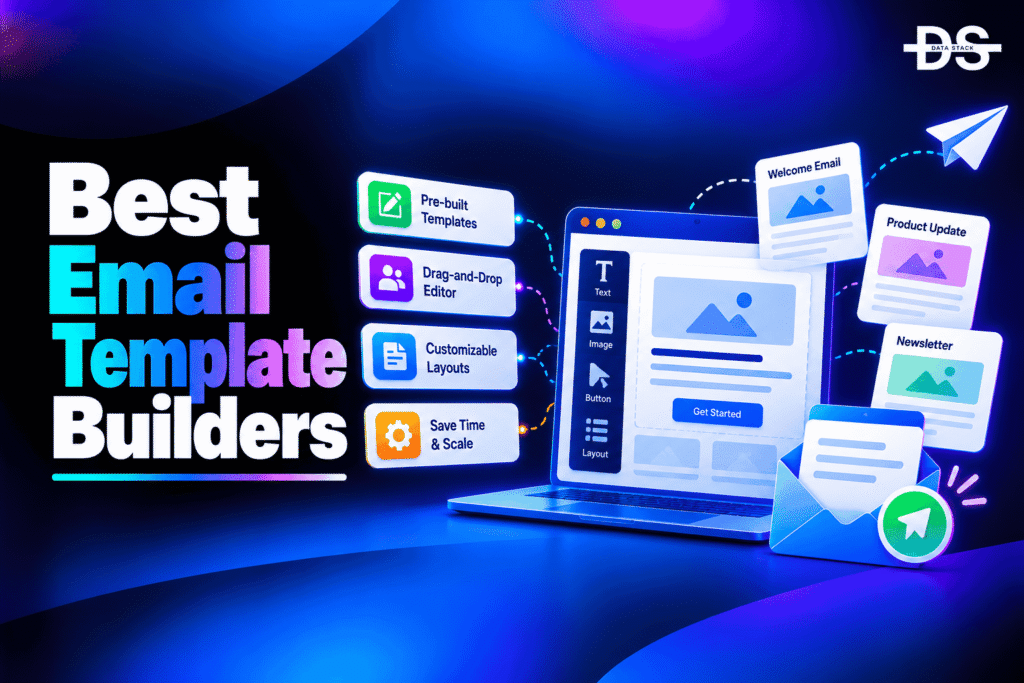
Email design plays an important role in how businesses communicate with subscribers, customers, and prospects. A well-structured email makes information easier to read, presents calls to action clearly, and helps maintain consistent branding across campaigns. However, creating responsive email layouts from scratch can take considerable time, especially for marketing teams that regularly send newsletters, promotional offers, product announcements, and customer updates.
Email template builders help businesses create professional email layouts using visual editors, reusable components, and pre-designed templates. Most tools provide drag-and-drop functionality, allowing marketers to add text, images, buttons, columns, and other elements without writing HTML. Some platforms also support custom HTML editing, reusable design systems, team collaboration, and integrations with email marketing services.
AI is also becoming part of the email design workflow. Depending on the platform, AI features can help generate copy, assist with layout creation, or speed up content production. However, an AI-generated design still needs to be checked for brand consistency, accessibility, mobile responsiveness, and compatibility across email clients. The right builder should make it easier to create attractive emails without compromising the recipient experience.
In this guide, we compare the 9 best email template builders in 2026, covering drag-and-drop design, reusable templates, responsive layouts, HTML export, integrations, and collaboration features. We examine their key features, pricing options, free access, and ideal use cases to help you choose the right tool for your email design workflow.
Why Do You Need Email Template Builders?
Email template builders help businesses create consistent, professional email designs without developing every layout from scratch. They are useful for marketing teams, designers, agencies, and businesses that regularly send branded email communications.
- Create emails faster: Use pre-designed templates, reusable blocks, and visual editors instead of coding every email manually.
- Maintain brand consistency: Reuse brand colors, fonts, logos, headers, footers, and other design elements across campaigns.
- Build responsive layouts: Create emails that adapt to different screen sizes and provide a better reading experience on mobile devices.
- Reduce coding requirements: Use drag-and-drop components to design emails without extensive HTML or CSS knowledge.
- Improve team collaboration: Share templates, coordinate design reviews, and maintain consistent layouts across marketing teams.
- Use AI-assisted design: Where supported, use AI features to help generate content or accelerate parts of the email creation process.
- Test email compatibility: Preview designs and check how they render across supported email clients and devices before sending.
- Reuse templates across campaigns: Save layouts and components for newsletters, product announcements, promotional emails, and customer communications.
Email Template Builders Comparison
Email template builders vary in their design flexibility, template libraries, collaboration features, and integration options. The following table compares nine options by their primary use cases, key features, free access, and G2 ratings.
| Tool | Key Features | Best For | Free Access | G2 Rating |
|---|---|---|---|---|
| Beefree | Drag-and-drop editor, responsive templates, reusable blocks, HTML export | Marketing teams and agencies | Free plan available | 4.7/5 |
| Stripo | Email templates, drag-and-drop editing, HTML export, interactive elements | Professional email design | Free plan available | 4.8/5 |
| Unlayer | Embeddable email editor, drag-and-drop design, developer integrations | SaaS platforms and developers | Free access; paid options | 4.7/5 |
| Chamaileon | Visual email editor, reusable components, collaboration tools | Marketing teams and agencies | Demo or trial availability varies | 4.5/5 |
| TOPOL.io | Visual email builder, responsive templates, HTML export | Small businesses and email designers | Free access with limitations | 4.6/5 |
| Postcards by Designmodo | Modular email design, reusable content blocks, responsive layouts | Newsletter and marketing email design | Free plan available | 4.7/5 |
| Mailchimp | Email builder, pre-designed layouts, campaign integration | Small businesses and email marketing teams | Free plan with limits | 4.3/5 |
| Campaign Monitor | Email templates, visual editor, campaign integration | Branded newsletters and promotional emails | Paid plans; trial availability varies | 4.1/5 |
| Tabular | Email design editor, reusable modules, collaboration and export options | Enterprise email production teams | Free access or trial availability varies | 4.7/5 |
Top 9 Email Template Builders in 2026
Let’s explore the nine best email template builders in detail, including their key features, design capabilities, free options, and paid plans.
#1. Beefree
Beefree is a visual email design platform that helps marketers, designers, and agencies create responsive email templates without building every layout from scratch. Its drag-and-drop editor allows users to arrange content blocks, add images and buttons, and customize layouts through a visual interface. This makes it useful for teams that want greater control over email design without relying entirely on developers.
The platform provides pre-designed templates and reusable content blocks that help teams maintain consistency across email campaigns. Users can customize layouts to match brand requirements and export their designs for use in compatible email marketing platforms. Beefree also offers developer-focused solutions for embedding its editing experience into other applications, making it relevant to businesses building email creation into their own software products.
Beefree is worth considering for marketing teams that need a dedicated email design environment and the flexibility to work with different sending platforms. Its free and paid offerings differ in available features, collaboration options, and export capabilities, so businesses should evaluate the current plan details before choosing a subscription. Teams that need advanced workflow controls or enterprise-level collaboration should pay particular attention to the features included in their preferred tier.
Key Features
- Drag-and-drop email editor: Build layouts by adding and arranging text, images, buttons, dividers, and other supported content blocks.
- Responsive email templates: Start with pre-designed layouts that can be customized for different campaigns and screen sizes.
- Reusable content blocks: Save commonly used design elements to help maintain consistency and reduce repetitive work.
- HTML export: Export email designs for use with supported email service providers and marketing platforms.
- Brand customization: Adapt layouts to match company colors, typography, logos, and other visual guidelines.
- Team collaboration: Use supported sharing and collaboration capabilities to coordinate email production and review.
- Embeddable editor: Explore developer solutions for integrating email editing functionality into compatible applications.
- Free and paid plans: Compare available plans based on template access, export options, collaboration needs, and advanced features.
#2. Stripo
Stripo is an email design platform that helps marketers create responsive email templates using a visual editor and a library of pre-built layouts. It is suitable for businesses that want to produce professional newsletters, promotional campaigns, onboarding emails, and other customer communications without coding every design manually. The platform also supports users who need more control over the structure and HTML of their emails.
Stripo combines drag-and-drop editing with HTML and CSS editing options, allowing users to choose between visual design and more technical customization. Its template library and reusable modules can help teams create consistent email layouts while speeding up campaign production. The platform also provides export and integration options for transferring designs into supported email marketing services and other systems.
Stripo is a strong option for marketing teams and agencies that create emails for multiple brands or campaigns. Its combination of visual editing and code-level flexibility can accommodate both nontechnical marketers and experienced email developers. Before selecting a plan, businesses should check template limits, export availability, collaboration features, and supported integrations against their actual production workflow.
Key Features
- Visual email editor: Create email layouts by arranging content blocks through a drag-and-drop interface.
- Template library: Start with pre-built email designs for newsletters, promotional campaigns, announcements, and other communication needs.
- HTML and CSS editing: Customize email code when visual editing alone does not provide the required flexibility.
- Reusable modules: Save and reuse recurring email elements, such as headers, footers, product sections, and calls to action.
- Responsive layouts: Design emails intended to adapt to different screen sizes and supported email clients.
- Email export and integrations: Transfer completed designs to supported email service providers and marketing platforms.
- Interactive email elements: Use supported interactive components where compatible with the target email clients.
- Collaboration features: Coordinate template creation and review through the collaboration capabilities available in the selected plan.

Showcase your software to buyers actively comparing tools. Submit your product for editorial review and get featured on Data Stack Hub.
Submit Your Tool →#3. Unlayer
Unlayer is an email design platform known for its embeddable drag-and-drop editor. It helps businesses create email templates visually and is particularly relevant to SaaS companies and developers that want to provide email editing capabilities inside their own applications. Instead of building an email editor from scratch, developers can integrate an existing editing experience into a product or workflow.
The editor allows users to assemble emails using content blocks, customize layouts, and work with reusable design elements. Depending on the implementation, completed designs can be exported as HTML and JSON, making it possible for applications to store editable designs and generate email output. These capabilities are useful for software platforms that let customers create newsletters, automated messages, or transactional email templates within their existing product.
Unlayer is best suited to organizations that need either a visual email design workflow or an embedded editor for their software. Developers should evaluate its integration requirements, customization options, licensing, and plan limits before implementation. Marketing teams looking only for a standalone email design tool should also compare its workflow with dedicated email builders to determine which approach is the most practical.
Key Features
- Embeddable email editor: Integrate visual email editing functionality into supported web applications and software products.
- Drag-and-drop design: Create email layouts using text, image, button, column, and other supported content blocks.
- HTML and JSON export: Generate email HTML and retain editable design structures for compatible application workflows.
- Reusable design elements: Build consistent templates and content blocks for recurring email use cases.
- Editor customization: Adapt supported editor settings and capabilities to match the requirements of an application.
- Developer integration: Use the platform’s supported integration options to add email creation functionality to a product.
- Responsive email design: Create layouts intended to work across supported email clients and device sizes.
- Plan-based capabilities: Compare available features, customization options, and usage limits before choosing a commercial plan.
#4. Chamaileon
Chamaileon is an email design platform focused on helping marketing teams create and manage email templates through a visual editing workflow. It is relevant to organizations that need to produce branded email campaigns consistently and coordinate design work across marketers, designers, and other stakeholders. Its approach helps reduce dependence on manual HTML coding for routine email production.
The platform provides visual editing and reusable design components that can help teams create layouts for newsletters, promotional campaigns, and customer communications. Collaboration and template management capabilities can support a more structured production process, especially when multiple people review or update email designs. Businesses should confirm the available export methods and integrations to ensure that finished templates fit their existing email sending workflow.
Chamaileon is worth evaluating for teams that prioritize design consistency and collaboration. Its value depends on the complexity of the email production process, the number of people involved, and the integrations required. Organizations should request a current product demonstration and verify subscription details before committing, particularly if they need specific collaboration, export, or enterprise workflow features.
Key Features
- Visual email editing: Build and customize email layouts through a visual editor instead of manually coding each design.
- Reusable design components: Maintain recurring elements across templates to support consistent branding.
- Template management: Organize email designs for repeated use across campaigns and marketing initiatives.
- Team collaboration: Coordinate design review and editing through supported collaboration workflows.
- Brand consistency: Apply visual guidelines to layouts, typography, colors, and other supported design elements.
- Responsive design support: Create email layouts intended to adapt to common device sizes and supported email clients.
- Export and integration options: Check available methods for transferring completed designs into existing email platforms.
- Team-oriented workflow: Evaluate whether the platform’s collaboration and management features fit the needs of your email production team.
#5. TOPOL.io
TOPOL.io is an email template builder that helps businesses create responsive email designs using a visual editor. It is suitable for marketers, small businesses, and email designers who want to create newsletters, promotional campaigns, and customer communications without writing HTML from scratch. Its drag-and-drop approach makes it easier to arrange content and customize layouts for different campaign requirements.
The platform provides pre-designed templates and editing tools for working with text, images, buttons, and other email elements. Users can customize their designs and export email HTML for use with compatible email marketing platforms. TOPOL.io also offers an embeddable editor solution for businesses that want to add email design capabilities to their own software products. Available functionality depends on the product and subscription selected.
TOPOL.io is worth considering for teams that want a straightforward design workflow without the complexity of a large marketing automation platform. Businesses should evaluate its export options, reusable content features, integrations, and plan restrictions before choosing it. If you need advanced team collaboration or enterprise-level email production controls, compare the available capabilities with other dedicated builders.
Key Features
- Drag-and-drop email editor: Build email layouts by arranging text, images, buttons, and other supported content elements.
- Pre-designed templates: Start with existing layouts and customize them for newsletters, promotional campaigns, and announcements.
- HTML export: Transfer completed email designs into compatible email marketing platforms.
- Responsive layouts: Create emails intended to display effectively across supported devices and email clients.
- Embeddable editor: Explore integration options for adding email editing functionality to your own application.
- Reusable content: Use supported template and content management features to reduce repetitive design work.
- Visual customization: Adjust supported layout, typography, colors, and content elements to match brand guidelines.
- Plan-based access: Review current free and paid plan limits before relying on specific export or editing features.
#6. Postcards by Designmodo
Postcards by Designmodo is an email template builder that uses a modular approach to email design. Instead of constructing every email from a blank page, users can combine pre-designed content blocks to create layouts for newsletters, product updates, announcements, and promotional campaigns. This approach can help marketing teams produce consistent designs while reducing the time spent on routine email creation.
The platform provides a visual editor and reusable modules that allow users to arrange common email components, including headers, text sections, images, and calls to action. Its modular workflow is particularly useful for teams that need to create multiple email variations while maintaining a consistent visual identity. Depending on the available plan and workflow, users can export finished designs for use in compatible email sending platforms.
Postcards is worth evaluating for businesses that prioritize email design and want a dedicated builder separate from their email marketing software. Its suitability depends on the template library, export capabilities, and collaboration features required by the team. Before choosing a plan, confirm that the current product supports your preferred email platform and the HTML export workflow you need.
Key Features
- Modular email design: Combine pre-designed content blocks to create structured email layouts.
- Visual editing: Customize text, images, buttons, and other supported components without manually coding the entire email.
- Reusable modules: Reuse common elements across campaigns to support consistent branding and reduce repetitive work.
- Template creation: Build layouts for newsletters, product announcements, promotional emails, and other communication types.
- Responsive email layouts: Create designs intended to adapt to supported screen sizes and email clients.
- HTML export: Move completed email designs into compatible sending platforms using available export options.
- Brand customization: Apply consistent colors, typography, and visual elements across email templates.
- Free and paid options: Compare the current plan limits and export features against your design requirements.
Increase your product visibility by reaching software buyers researching the best tools. Every submission is reviewed by our editorial team.
Feature My Tool →#7. Mailchimp
Mailchimp is an email marketing platform that includes an email builder for creating campaigns and managing subscriber communications. It is a convenient option for small businesses and marketing teams that want to design emails, personalize content, manage audiences, and send campaigns from a single platform. Rather than using a separate design tool, users can build and manage many routine email campaigns within Mailchimp.
Its email builder supports visual editing, pre-designed layouts, and content blocks for elements such as text, images, buttons, and product content. Depending on the available editor and subscription, marketers can customize the design, reuse templates, and create campaigns that match their brand. Mailchimp also connects email creation with audience management, automation, and campaign reporting, helping teams manage more of the email marketing workflow in one place.
Mailchimp is particularly suitable for businesses that value convenience and integrated campaign management. However, teams that need advanced HTML control, extensive template production workflows, or a dedicated embeddable editor may prefer a specialized email builder. Check the current subscription limits, template options, and automation features before deciding whether Mailchimp can replace a separate design tool.
Key Features
- Visual email builder: Create campaigns using supported text, image, button, layout, and other content blocks.
- Pre-designed templates: Start with available email layouts and customize them for your campaign objectives.
- Brand customization: Adapt email designs to match your company’s visual identity and communication style.
- Audience integration: Design emails using the subscriber and audience management features available within the platform.
- Personalization support: Use supported merge tags and content features to tailor messages to recipients.
- Marketing automation: Connect email creation with supported automated campaigns and customer journeys.
- Campaign reporting: Review available engagement metrics after sending campaigns.
- Free and paid plans: Check current limits on sending, templates, automation, and other features before selecting a subscription.
Also Read: 8 Best Mailchimp Alternatives in 2026
#8. Campaign Monitor
Campaign Monitor is an email marketing platform with an email builder designed to help businesses create branded newsletters and promotional campaigns. It is suitable for marketing teams that want to design emails through a visual interface and manage campaign delivery without building every layout manually. Its template-based workflow can help businesses maintain a consistent appearance across recurring communications.
The platform provides email design tools, customizable templates, and campaign management features. Users can adapt layouts to their brand, add content and calls to action, and manage email campaigns within the same environment. Campaign Monitor also provides campaign reporting, allowing teams to review engagement after sending. This integrated approach can be convenient for businesses that prefer to handle email creation, delivery, and performance measurement in one platform.
Campaign Monitor is worth considering for businesses that prioritize branded email campaigns and a straightforward marketing workflow. However, organizations that need a standalone design tool with extensive HTML export flexibility or advanced embedded editing capabilities should compare the platform with specialist builders. Review current pricing, available templates, and integration options before making a decision.
Key Features
- Visual email builder: Create and customize email layouts using the platform’s supported editing tools.
- Email template library: Start with existing designs for newsletters, promotions, and other marketing communications.
- Brand customization: Adapt supported colors, fonts, images, and layout elements to match brand guidelines.
- Campaign management: Design and manage emails within the broader email marketing workflow.
- Responsive design support: Use supported layouts intended to work across different devices and email clients.
- Audience integration: Connect email creation with available subscriber management and segmentation features.
- Campaign analytics: Review supported engagement metrics to assess email performance.
- Plan-based functionality: Check current template, automation, integration, and sending limits when comparing subscriptions.
Also Read: Best Campaign Monitor Alternatives in 2026
#9. Tabular
Tabular is an email design platform focused on helping teams create responsive emails through a visual editing workflow. It is relevant to businesses that need to produce consistent email layouts across campaigns, especially when design quality and reusable components are important. A dedicated email builder can help teams manage design work separately from the email service used to send campaigns.
The platform provides email editing and template creation capabilities intended to support structured email production. Teams can use visual editing tools to develop layouts, customize content, and maintain consistent design elements across communications. Depending on the available plan and workflow, collaboration and export capabilities can help move designs from creation into testing and delivery processes.
Tabular is worth evaluating for teams that want a specialized email design environment. Before choosing it, confirm the current feature set, supported integrations, export formats, and collaboration capabilities. Businesses with complex production requirements should also assess whether the platform fits their existing approval, testing, and campaign delivery processes.
Key Features
- Visual email editing: Create email layouts through supported design tools rather than coding every template from scratch.
- Template management: Develop and maintain reusable email designs for recurring campaigns.
- Reusable content modules: Standardize common elements across templates to reduce repetitive design work.
- Brand consistency: Apply consistent design elements across emails produced by different team members.
- Responsive design workflow: Create layouts intended to work across supported screen sizes and email clients.
- Collaboration support: Evaluate available team workflows for reviewing and managing email designs.
- Export and integration options: Confirm supported methods for transferring designs into your email delivery system.
- Production workflow fit: Assess whether the available features meet your team’s design, approval, and testing requirements.
How to Choose the Best Email Template Builders
Choosing an email template builder depends on your design requirements, technical skills, existing email platform, and team workflow. Consider these factors before selecting a tool.
- Identify your design requirements: Decide whether you need basic newsletter templates, complex layouts, reusable modules, interactive elements, or custom HTML editing.
- Check the template library: Look for designs that suit your use cases, such as newsletters, promotional campaigns, transactional messages, and product announcements.
- Evaluate responsive design: Choose a builder that supports mobile-friendly layouts and provides ways to preview emails across supported email clients and devices.
- Review HTML export and integrations: Confirm that the tool can export designs or connect directly to your email marketing platform. Developers may also need an embeddable editor or API.
- Consider AI-assisted capabilities: If AI matters to your workflow, check whether the platform supports content generation or other useful design assistance. Treat AI as an optional productivity feature rather than a replacement for quality assurance.
- Assess collaboration features: Teams may benefit from reusable modules, shared templates, approval workflows, and consistent brand controls.
- Compare pricing and free plans: Check template limits, export restrictions, team seats, and premium features before selecting a subscription.
- Test email compatibility: Use previews and testing tools where available, and verify important layouts in the email clients your audience uses most often.
Browse expertly curated software recommendations across hundreds of business categories.
Browse Top Tools →Conclusion
Email template builders help businesses create professional, consistent email designs without coding every campaign from scratch. They can save time through visual editors, pre-designed templates, and reusable content blocks while helping marketing teams maintain brand consistency.
The right choice depends on whether you need a standalone design tool, an integrated email marketing platform, or an editor that can be embedded into your own software. Compare the available templates, responsive design support, export options, integrations, and collaboration features before choosing a platform.
The following table summarizes the nine email template builders covered in this guide.
| Tool | Best Use Case |
|---|---|
| Beefree | Visual email design and reusable templates for marketing teams |
| Stripo | Flexible email design with visual and HTML editing |
| Unlayer | Embeddable email editing for SaaS platforms and developers |
| Chamaileon | Collaborative email design and template management |
| TOPOL.io | Straightforward visual email creation and HTML export |
| Postcards by Designmodo | Modular email layouts and reusable design blocks |
| Mailchimp | Email design integrated with campaign management |
| Campaign Monitor | Branded newsletters and promotional campaigns |
| Tabular | Structured email design workflows and reusable templates |
Frequently Asked Questions
1. What is an email template builder?
An email template builder is a tool that helps users create email layouts using visual editors, pre-designed templates, and reusable content blocks. Many tools let users build emails without manually writing HTML.
2. What is the best email template builder?
The best option depends on your requirements. Beefree and Stripo are worth evaluating for dedicated email design, Unlayer for embedded editing, and Mailchimp for businesses that want design and campaign management in one platform.
3. Are email template builders free?
Some email template builders offer free plans or limited free access. Features such as HTML export, collaboration, advanced templates, and higher usage limits may require a paid subscription. Check current plan details before choosing a tool.
4. Can I build email templates without coding?
Yes. Many builders provide drag-and-drop editors that let you add text, images, buttons, columns, and other elements visually. Some also offer HTML editing for users who need more control over the design.
5. Do email template builders create responsive emails?
Many support responsive email layouts, but the final result can vary across email clients. Preview and test important designs before sending, especially when they contain complex layouts or interactive elements.
6. What is the difference between an email template builder and an email marketing platform?
An email template builder focuses on creating email designs. An email marketing platform typically adds subscriber management, campaign delivery, automation, and reporting. Some products combine both types of functionality.
7. Can I export HTML from an email template builder?
Many dedicated email builders support HTML export, although availability may depend on the product and plan. Check the export format and compatibility with your email service provider before selecting a tool.
8. Do email template builders support AI?
Some email platforms provide AI-assisted content generation or related productivity features. Capabilities vary by product, so check whether the specific builder offers AI functionality that directly supports your design workflow.
9. Which email template builder is best for developers?
Unlayer is worth evaluating when you need an embeddable email editor inside a software product. Beefree also offers developer-focused editor solutions. Compare customization, integration requirements, licensing, and export options before implementation.
10. Can I use an email template builder with Mailchimp or another email service provider?
Many dedicated builders support export or integrations with email marketing platforms, but compatibility varies. Confirm whether your chosen builder supports your specific sending platform and the workflow you intend to use.
11. How do I maintain brand consistency across email templates?
Use reusable modules, saved templates, approved colors and fonts, standardized headers and footers, and shared brand guidelines. Collaboration and template management features can help teams maintain consistency across campaigns.
12. Should I use a separate email template builder?
A separate builder can be useful when your existing email platform lacks the design flexibility, reusable modules, or export capabilities you need. If your current platform already meets your requirements, a separate subscription may not provide enough additional value.
13. What are the top email template builders in 2026?
The top email template builders in 2026 covered in this guide are Beefree, Stripo, Unlayer, Chamaileon, TOPOL.io, Postcards by Designmodo, Mailchimp, Campaign Monitor, and Tabular. These tools offer different capabilities for drag-and-drop email design, responsive templates, reusable content blocks, HTML export, and campaign integration. The best option depends on your design requirements, budget, technical needs, and existing email marketing platform.