
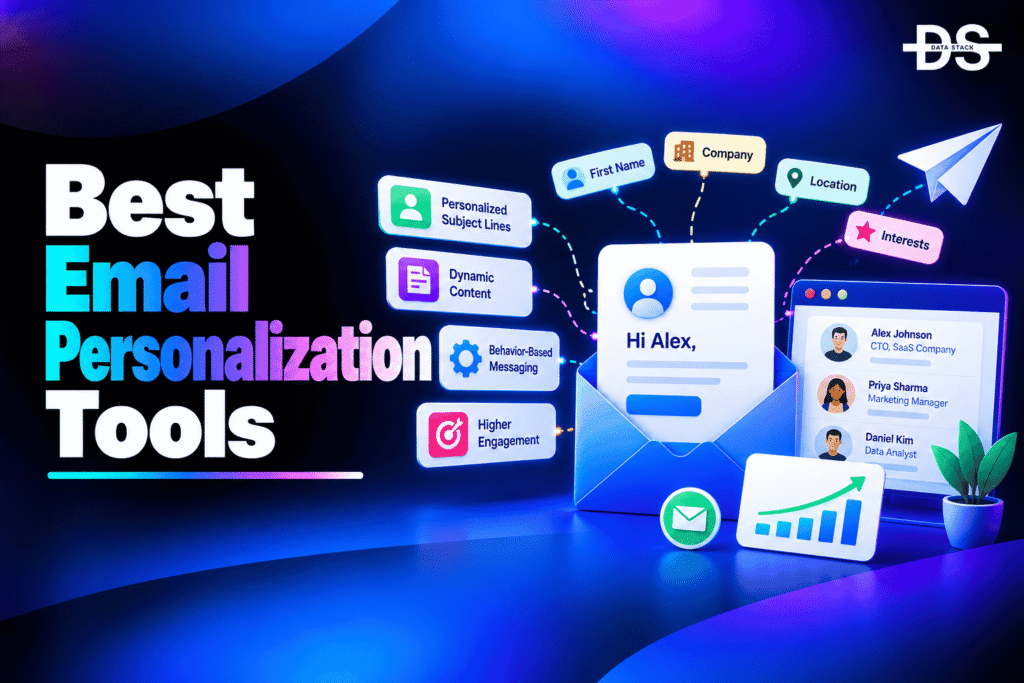
Email marketing is more effective when messages reflect the interests, needs, and behavior of the people receiving them. Sending the same promotion to every subscriber can make campaigns less relevant, particularly when audiences have different preferences, purchase histories, and stages in the customer journey. Email personalization helps businesses create more relevant communications instead of relying entirely on generic messages.
Email personalization tools help marketers tailor email content using information such as a recipient’s name, location, preferences, past purchases, browsing activity, and engagement history. Depending on the platform, these tools support dynamic content, audience segmentation, personalized product recommendations, behavioral triggers, and automated customer journeys. Some focus on straightforward email customization, while others use customer data and predictive analytics to personalize messages at scale.
AI is also becoming an important part of email personalization. Depending on the platform, AI capabilities can help predict customer behavior, recommend products, optimize send times, generate email content, or identify audiences that are more likely to engage. However, effective personalization still depends on accurate customer data, appropriate segmentation, and relevant messaging. Adding a first name to an email is only one part of a broader personalization strategy.
In this guide, we compare the 9 best email personalization tools in 2026, covering customer data, dynamic email content, behavioral targeting, AI-powered personalization, and marketing automation. We examine their key features, pricing options, free access, and ideal use cases to help you choose a solution for your email marketing workflow.
Why Do You Need Email Personalization Tools?
Email personalization tools help businesses make email communication more relevant to individual subscribers and customer segments. Instead of manually creating separate campaigns for every audience, marketers can use customer data and automation to tailor messages at scale.
- Deliver more relevant emails: Customize messages using subscriber details, preferences, purchase history, and other available customer information.
- Improve audience segmentation: Group subscribers based on behavior, interests, engagement, and lifecycle stage to send more targeted campaigns.
- Create dynamic email content: Display different text, offers, images, and product recommendations within the same email template, depending on the recipient.
- Automate customer journeys: Trigger personalized messages after actions such as signing up, making a purchase, abandoning a cart, or becoming inactive.
- Use AI to improve personalization: Where supported, use predictive insights, product recommendations, and send-time optimization to make campaigns more relevant.
- Support customer retention: Send relevant follow-ups, replenishment reminders, loyalty messages, and win-back campaigns based on customer activity.
- Measure campaign performance: Track engagement and conversions to understand whether personalized campaigns are delivering meaningful results.
- Reduce manual campaign work: Reuse templates, customer data, dynamic content, and automated workflows instead of building every email separately.
Email Personalization Tools Comparison
Email personalization tools differ in how they use customer data, customize email content, and automate communications. The following table compares nine options by their primary use cases, personalization capabilities, free access, and G2 ratings.
| Tool | Personalization Capabilities | Best For | Free Access | G2 Rating |
|---|---|---|---|---|
| Klaviyo | Customer profiles, behavioral targeting, dynamic content, predictive personalization | Ecommerce and customer lifecycle marketing | Free plan with limits | 4.6/5 |
| ActiveCampaign | Personalization tags, conditional content, automation, predictive content | Automated customer journeys | Free trial | 4.4/5 |
| HubSpot Marketing Hub | Contact-based personalization, segmentation, CRM data, AI-assisted marketing | B2B marketing and CRM-connected campaigns | Free tools; advanced features are paid | 4.4/5 |
| Mailchimp | Merge tags, dynamic content, audience segmentation | Small businesses and general email marketing | Free plan with limits | 4.4/5 |
| Omnisend | Ecommerce customer data, product recommendations, behavioral automation | Ecommerce email and SMS personalization | Free plan with limits | 4.6/5 |
| Customer.io | Event-based messaging, customer attributes, behavioral segmentation | Product-led and SaaS businesses | Trial or plan availability varies | 4.4/5 |
| Braze | Real-time customer data, personalized messaging, cross-channel journeys | Enterprise customer engagement | Demo-based evaluation | 4.5/5 |
| Salesforce Marketing Cloud | CRM data, audience segmentation, dynamic content, journey personalization | Enterprise marketing teams | Demo-based evaluation | 4.0/5 |
| Ortto | Customer data, segmentation, journey automation, personalized campaigns | Growing businesses and lifecycle marketing | Trial or plan availability varies | 4.4/5 |
Best Email Personalization Tools in 2026
Let’s explore the nine best email personalization tools in detail, including their key features, personalization capabilities, and available plans.
#1. Klaviyo
Klaviyo is a customer engagement platform built around customer data, email marketing, SMS, and automated marketing journeys. It is particularly useful for ecommerce businesses that want to tailor communications using purchase history, product interests, website activity, and customer lifecycle information. Rather than relying only on basic merge tags, marketers can use customer profiles and behavioral data to build more relevant campaigns.
Klaviyo supports profile-based, custom, and event-based personalization in messages. Marketers can insert customer attributes into email content, customize messages using event data, and configure default text when information is unavailable. These capabilities are useful for product-related follow-ups, purchase confirmations, replenishment reminders, and behavior-triggered campaigns. More advanced personalization can combine customer segmentation with automated flows and available product recommendation capabilities.
Klaviyo also offers AI-driven personalization capabilities, including predictive customer insights and optimization features designed to help marketers determine whom to reach, what content to deliver, and when to send messages. These capabilities make it worth considering for brands with substantial customer and transaction data. However, businesses should assess its pricing against their active profile count, messaging volume, and required features before committing to a paid plan.
Key Features
- Customer profile personalization: Customize emails using profile properties such as names, locations, preferences, and other available customer attributes.
- Event-based personalization: Use event information, such as order details or other recorded customer actions, to tailor messages to specific interactions.
- Dynamic email content: Show relevant information based on customer properties, segments, and supported personalization rules.
- Behavioral segmentation: Build audiences using customer activity, purchase history, and engagement data to support more targeted campaigns.
- Automated email flows: Trigger personalized messages after qualifying customer events, such as purchases or other tracked actions.
- AI-powered personalization: Use supported predictive insights and optimization features to inform audience selection, timing, and message relevance.
- Cross-channel marketing: Coordinate personalization across supported email, SMS, and other customer engagement channels.
- Personalization previews and defaults: Preview messages with customer or event data and configure fallback text to avoid empty personalization fields.
Also Read: Best Klaviyo Alternatives and Competitors in 2026
#2. ActiveCampaign
ActiveCampaign combines email marketing, marketing automation, and customer engagement capabilities. Its personalization features help businesses tailor messages using contact information, account details, deal fields, custom fields, and other supported data. This makes it suitable for companies that need more than basic name insertion, particularly when email communication is part of a longer lead-nurturing or customer lifecycle process.
The platform uses personalization tags to insert relevant values into email campaigns and supported messaging experiences. Marketers can also use conditional and dynamic content to show different information to different contacts based on their attributes, tags, or segment membership. These capabilities help businesses adapt messages to customer interests without manually creating a separate email for every audience. Feature availability depends on the plan and the messaging workflow being used.
ActiveCampaign is particularly relevant for teams that want personalization connected to automated journeys. Its AI Campaign Builder and predictive content capabilities can support campaign creation and content selection, while automation workflows help deliver messages based on contact behavior and other triggers. Businesses should consider whether they need this level of automation, as a simpler newsletter platform may be sufficient for campaigns that require only basic personalization.
Key Features
- Personalization tags: Insert values from supported contact, deal, account, and custom object fields into messages.
- Conditional content: Display or hide content based on supported tags, merge fields, and segmentation conditions.
- Dynamic email personalization: Tailor parts of a campaign for different contacts without creating an entirely separate email for each group.
- Behavior-based automation: Trigger email workflows based on supported contact actions, attributes, and campaign conditions.
- Predictive content: Use supported predictive capabilities to help select content that is more relevant to individual contacts.
- AI Campaign Builder: Generate campaign components, including subject lines and email content, with AI assistance.
- Multi-channel messaging: Coordinate supported email and other communication channels within customer engagement workflows.
- Custom data support: Use available fields and supported integrations to personalize communication around business-specific customer information.
Also Read: Best ActiveCampaign Alternatives and Competitors in 2026

Showcase your software to buyers actively comparing tools. Submit your product for editorial review and get featured on Data Stack Hub.
Submit Your Tool →#3. HubSpot Marketing Hub
HubSpot Marketing Hub is a marketing platform that connects email campaigns with CRM data, audience segmentation, automation, and reporting. It is useful for B2B businesses and other organizations that want to personalize communication using information about leads, contacts, customers, and their interactions with the company. By connecting marketing activity with CRM records, teams can create messages that reflect a contact’s relationship with the business.
HubSpot supports personalization tokens that insert values from contact properties into supported marketing emails and other content. Marketers can use these fields to customize messages and combine them with segmentation and automation workflows. For example, a business can tailor communication according to a contact’s role, lifecycle stage, or other information stored in its CRM. More advanced personalization options may require specific subscriptions, so teams should check the requirements for their intended use case.
HubSpot also offers AI-assisted marketing capabilities and personalization features designed to help teams create and manage tailored experiences. Its broader CRM ecosystem is valuable when personalization depends on lead information, campaign history, and customer lifecycle data. However, businesses should distinguish between standard email personalization tokens and more advanced personalization products, since their availability and capabilities can differ by subscription.
Key Features
- CRM-based personalization: Use available contact properties to tailor email content to leads, prospects, and customers.
- Personalization tokens: Insert supported contact-specific values into email subject lines and message content.
- Audience segmentation: Organize contacts using CRM properties and supported engagement criteria to deliver more relevant campaigns.
- Marketing automation: Use workflows to support personalized follow-ups and lifecycle communication, subject to the selected plan.
- AI-assisted content creation: Use available AI tools to support email drafting and other marketing content tasks.
- Campaign measurement: Connect supported reporting capabilities with marketing activities to evaluate campaign performance.
- Integrated marketing tools: Coordinate email personalization with landing pages, forms, and other supported marketing assets.
- Scalable CRM workflows: Keep contact data and marketing activities connected as lead and customer relationships develop.
#4. Mailchimp
Mailchimp is an email marketing platform that helps businesses create campaigns, manage audiences, and personalize messages using subscriber data. It is a practical option for small businesses, publishers, and marketing teams that want to tailor email content without building a complex personalization system. Its features support common use cases such as addressing subscribers by name, customizing messages for audience groups, and adapting campaign content to different recipients.
Mailchimp supports merge tags and dynamic content that allow marketers to personalize parts of an email based on audience information and saved groups. With dynamic content, teams can create one email campaign containing different content blocks for different audiences rather than managing several separate versions. This approach can reduce manual work while helping marketers deliver more relevant messages. Dynamic content availability depends on the subscription plan.
Mailchimp also provides broader email marketing features that can support segmentation, campaign management, and automated communication. Businesses can use these capabilities to build personalized campaigns around subscriber attributes and engagement, while evaluating available AI-assisted tools for content creation where appropriate. Mailchimp is worth considering for teams that want personalization within a familiar email marketing workflow, although businesses with sophisticated real-time behavioral or predictive personalization needs may prefer a more specialized platform.
Key Features
- Merge tags: Insert subscriber-specific information, such as names and other supported audience fields, into email content.
- Dynamic content blocks: Display different content to different contacts within one campaign, based on supported audience criteria.
- Audience segmentation: Organize subscribers into groups to support more relevant email targeting.
- Email campaign management: Create, send, and manage personalized campaigns within the same platform.
- Marketing automation: Use supported automated journeys to deliver follow-up messages based on audience activity and campaign rules.
- Campaign performance reporting: Review available engagement metrics to understand how recipients respond to personalized campaigns.
- AI-assisted marketing tools: Use available AI features to help with selected content and campaign tasks.
- Plan-based personalization: Check subscription requirements before relying on advanced dynamic content or other premium features.
Also Read: Best Mailchimp Alternatives in 2026
#5. Omnisend
Omnisend is an email and SMS marketing platform designed primarily for ecommerce businesses. It helps online stores personalize communications using customer profiles, shopping behavior, order information, and campaign engagement. Businesses can use these capabilities to send relevant promotions, welcome messages, cart recovery emails, and post-purchase communications rather than relying entirely on generic campaigns.
The platform combines audience segmentation with automated workflows and ecommerce integrations. Marketers can build campaigns around customer actions and use available personalization features to tailor messages to different audiences. Product recommendations and customer-specific information can make campaigns more relevant, while email and SMS automation help businesses coordinate communication across supported channels. The available features depend on the integration and plan.
Omnisend is a practical choice for ecommerce teams that want personalization, email marketing, and SMS automation in one platform. Its focus on online retail makes it particularly relevant for businesses that need to respond to browsing, shopping, and purchasing activity. However, companies with complex enterprise data requirements or highly customized customer journeys should evaluate its integrations and reporting capabilities before committing to a plan.
Key Features
- Ecommerce personalization: Use available customer and order data to tailor messages to shoppers.
- Audience segmentation: Create groups based on customer attributes, engagement, and supported shopping behavior.
- Automated email workflows: Trigger messages for supported events, such as cart abandonment and post-purchase follow-ups.
- Product recommendations: Use available product recommendation capabilities to make campaigns more relevant to individual shoppers.
- Email and SMS coordination: Manage supported email and SMS communications within a connected marketing workflow.
- Campaign performance reporting: Review engagement metrics to understand how personalized campaigns perform.
- Ecommerce integrations: Connect supported online stores to use customer and order information in marketing workflows.
- Free and paid plans: Explore the free offering and compare its limits with the requirements of your store.
Also Read: Top 10 Omnisend Alternatives and Competitors in 2026
#6. Customer.io
Customer.io is a customer engagement platform designed for businesses that want to send messages based on customer attributes, product activity, and behavioral events. It is particularly relevant to SaaS companies, digital products, and subscription businesses where personalization depends on how users interact with an application or service. Instead of relying only on static contact lists, teams can use event data to create more context-aware communications.
Customer.io supports event-triggered messaging, customer segmentation, and automated workflows. Businesses can use customer attributes and tracked events to tailor email content and determine when messages should be sent. For example, a software company could send onboarding guidance after account creation, offer feature education based on product usage, or follow up when a user reaches a specific milestone. The quality of these experiences depends on how well customer events and attributes are implemented.
The platform is worth considering for product-led businesses that need to coordinate personalized messaging across customer lifecycle stages. Its event-based approach can support more flexible workflows than basic newsletter personalization, although implementation may require technical resources. Before selecting it, evaluate the data integrations, reporting, message volumes, and plan requirements that apply to your use case.
Key Features
- Event-based messaging: Trigger communications when tracked customer actions or product events meet specified conditions.
- Customer attributes: Personalize supported message content using profile information and custom customer data.
- Behavioral segmentation: Group users based on events, properties, and engagement to create more relevant campaigns.
- Automated customer journeys: Build workflows for onboarding, activation, retention, and other lifecycle communication.
- Dynamic email content: Use supported personalization logic to adapt messages to different customers.
- Multi-channel engagement: Coordinate supported email and other messaging channels within customer journeys.
- Data integrations: Connect product and customer data sources to support more useful personalization.
- Lifecycle measurement: Use available reporting to evaluate engagement across automated messaging workflows.
Also Read: Best Customer.io Alternatives and Competitors in 2026
Increase your product visibility by reaching software buyers researching the best tools. Every submission is reviewed by our editorial team.
Feature My Tool →#7. Braze
Braze is a customer engagement platform designed for businesses that need to personalize communication across multiple channels. It helps marketing teams coordinate customer messaging using behavioral data, customer attributes, and real-time interactions. Its capabilities are particularly relevant to larger organizations that manage complex customer journeys across email, mobile push notifications, in-app messages, and other supported channels.
Braze supports audience segmentation, personalized messaging, and automated customer journeys. Marketing teams can use customer data and behavioral signals to tailor content and determine when to engage users. Depending on the implementation, these capabilities can support use cases such as onboarding, retention campaigns, personalized offers, and re-engagement messaging. Its cross-channel approach helps businesses coordinate communication instead of treating email as an isolated channel.
Braze is best suited to organizations with advanced customer engagement needs, multiple communication channels, and the resources to manage a more sophisticated platform. Its capabilities may be excessive for small businesses that only need personalized newsletters. Buyers should assess implementation requirements, data integrations, and commercial terms during evaluation, as enterprise pricing and feature availability depend on the agreement.
Key Features
- Real-time customer engagement: Use supported customer data and behavioral signals to deliver timely messages.
- Personalized messaging: Adapt supported email and other channel content using customer attributes and targeting rules.
- Cross-channel journeys: Coordinate communication across supported email, push, in-app, and other engagement channels.
- Behavioral segmentation: Build audiences using available user attributes, interactions, and behavioral information.
- Automated campaign orchestration: Configure customer journeys that respond to qualifying actions and conditions.
- AI-assisted decisioning: Evaluate available AI and optimization capabilities for audience selection and message personalization.
- Customer data integrations: Connect relevant data sources to support consistent personalization across campaigns.
- Enterprise campaign management: Manage complex engagement workflows across audiences, channels, and customer lifecycle stages.
#8. Salesforce Marketing Cloud
Salesforce Marketing Cloud is an enterprise marketing platform that helps organizations manage customer data, email campaigns, audience segmentation, and personalized customer journeys. It is useful for businesses that need to tailor communication using information from CRM records and other connected systems. Its capabilities are particularly relevant to large marketing teams managing multiple brands, audiences, and customer lifecycle programs.
The platform supports personalized email content using customer attributes, data extensions, segmentation, and journey-based marketing workflows. Depending on the products and configuration, marketers can tailor messages using customer information, apply conditional content rules, and coordinate communication across different stages of the customer journey. Integrations with Salesforce data can help teams align marketing messages with broader customer relationships, although implementation complexity varies by organization.
Salesforce Marketing Cloud is best suited to enterprises with sophisticated personalization needs and established data operations. Its flexibility can support complex campaigns, but configuration, integration, and administration may require specialist resources. Because Salesforce offers different marketing products and packaging options, businesses should verify which features are included in the specific product being evaluated and compare the total cost with their requirements.
Key Features
- CRM-connected personalization: Use supported customer and CRM data to tailor marketing messages.
- Dynamic email content: Display different content based on audience information and configured personalization rules.
- Audience segmentation: Organize customers using supported data sources and attributes for more relevant targeting.
- Journey-based marketing: Coordinate personalized communications across defined customer lifecycle stages.
- Multi-channel engagement: Manage supported communication channels through the relevant Salesforce marketing products.
- Customer data integration: Connect compatible systems and data sources to support personalized campaigns.
- Enterprise campaign management: Support complex marketing programs involving multiple audiences and workflows.
- Advanced configuration options: Adapt personalization rules and data structures to organizational requirements, with appropriate implementation support.
#9. Ortto
Ortto is a customer data and marketing automation platform that combines audience management, campaign creation, and customer journey automation. It helps businesses use customer information and engagement activity to tailor communications across the lifecycle. Its combination of data and messaging capabilities makes it worth considering for growing businesses that want to connect personalization with broader marketing operations.
Ortto supports customer segmentation, personalized email campaigns, and automated journeys. Teams can use available customer attributes and activity data to group audiences, tailor messages, and trigger communication based on configured conditions. These capabilities can support lead nurturing, onboarding, customer retention, and other lifecycle programs. The extent of personalization depends on the available data, integrations, and features included in the selected plan.
Ortto is a useful option for businesses seeking a combined customer data and marketing automation workflow without adopting a larger enterprise marketing platform. However, organizations with highly specialized data requirements should assess integration support, segmentation flexibility, and reporting capabilities before choosing it. Comparing the platform’s actual functionality with existing tools can also help avoid paying for overlapping features.
Key Features
- Customer data management: Organize supported customer attributes and activity data to support more relevant communication.
- Audience segmentation: Create customer groups based on available properties and engagement criteria.
- Personalized email campaigns: Tailor supported email content using customer information and segmentation rules.
- Automated customer journeys: Trigger communication based on configured conditions and customer lifecycle activity.
- Cross-channel marketing: Coordinate supported email and other messaging channels within a marketing workflow.
- Marketing automation: Manage repetitive communication tasks and deliver messages according to defined rules.
- Customer journey reporting: Use available reporting to assess engagement across marketing activities.
- Integration support: Connect compatible data and marketing systems to support personalization workflows.
Also Read: Best Ortto Alternatives and Competitors in 2026
How to Choose the Best Email Personalization Tools
Choosing the right email personalization tool depends on your customer data, marketing goals, existing software, and budget. Consider the following factors before selecting a platform.
- Identify your personalization needs: Decide whether you need basic personalization tags, dynamic content, product recommendations, behavioral targeting, or complete customer journey automation. Choose a platform that supports your actual requirements rather than paying for features you may not use.
- Evaluate customer data integration: Check whether the tool can access the customer attributes, purchase history, CRM records, and product events needed to personalize messages. Reliable data integration is essential for delivering relevant content consistently.
- Check segmentation capabilities: Look for flexible audience segmentation based on customer attributes, engagement, purchases, and lifecycle stages. More advanced segmentation can help you deliver targeted messages without managing numerous separate campaigns.
- Consider AI-powered personalization: If AI is important to your workflow, examine whether the platform supports predictive customer insights, product recommendations, send-time optimization, or content optimization. Verify which capabilities are included in your plan and assess their practical value.
- Review automation features: Consider whether you need welcome emails, onboarding sequences, abandoned-cart messages, post-purchase follow-ups, or re-engagement campaigns. Ensure the platform supports the triggers and conditions required for these workflows.
- Assess integrations and scalability: Confirm compatibility with your ecommerce platform, CRM, website, customer data sources, and reporting tools. Choose a solution that can accommodate your expected growth in subscribers, customer events, and campaign volume.
- Compare pricing and free plans: Review subscriber limits, contact-based charges, messaging volume, automation restrictions, and premium feature costs. For enterprise platforms, request a demonstration and clarify implementation expenses before making a decision.
- Check privacy and data protection: Review consent management, access controls, data retention, and relevant privacy requirements. Use customer information appropriately and avoid collecting or using data beyond what your business is authorized to process.
Browse expertly curated software recommendations across hundreds of business categories.
Browse Top Tools →Conclusion
Email personalization tools help businesses deliver more relevant messages using customer information, behavioral data, segmentation, and automation. The right platform can reduce manual campaign work while helping marketing teams create more meaningful customer experiences.
Before choosing a tool, assess its personalization capabilities, data integrations, automation features, and total cost. Businesses with straightforward newsletter requirements may need only basic personalization features, while ecommerce brands, SaaS companies, and enterprises may benefit from more advanced customer data and journey management.
The following table summarizes the nine email personalization tools covered in this guide.
| Tool | Best Use Case |
|---|---|
| Klaviyo | Ecommerce personalization using customer and purchase data |
| ActiveCampaign | Personalized automated customer journeys |
| HubSpot Marketing Hub | CRM-connected B2B email personalization |
| Mailchimp | Accessible personalization for small businesses |
| Omnisend | Ecommerce email and SMS personalization |
| Customer.io | Event-based messaging for SaaS and product-led businesses |
| Braze | Enterprise cross-channel customer engagement |
| Salesforce Marketing Cloud | Complex enterprise marketing personalization |
| Ortto | Customer data and lifecycle marketing automation |
Frequently Asked Questions
1. What are email personalization tools?
Email personalization tools help marketers customize email content using information such as subscriber details, preferences, purchase history, and engagement behavior. Depending on the platform, they can support dynamic content, audience segmentation, automated messages, and personalized product recommendations.
2. What is the best email personalization tool?
The best tool depends on your requirements. Klaviyo and Omnisend are worth considering for ecommerce, ActiveCampaign for automated customer journeys, HubSpot Marketing Hub for CRM-connected marketing, and Customer.io for event-based messaging.
3. How does email personalization work?
Email personalization uses customer data and predefined rules to adapt email content or delivery. A message might include a recipient’s name, recommend relevant products, or change its content based on purchase history, preferences, or recent activity.
4. Can email personalization tools use AI?
Yes. Some platforms offer AI-powered features for predictive customer insights, content generation, product recommendations, and send-time optimization. Available capabilities vary, so businesses should verify which AI features are supported by their chosen platform and subscription.
5. What is dynamic email content?
Dynamic email content changes according to recipient attributes or targeting rules. For example, an ecommerce business could display different product recommendations to different customer segments within the same email campaign.
6. Are there free email personalization tools?
Yes. Platforms such as Mailchimp, Klaviyo, and Omnisend offer free plans with limitations that may include contact, sending, or feature restrictions. Check current plan details to determine whether a free option meets your requirements.
7. How do email personalization tools use customer data?
These tools can use supported information such as names, preferences, purchase history, website activity, CRM attributes, and engagement events. The available data depends on integrations, tracking configuration, customer consent, and the platform’s capabilities.
8. Can email personalization improve conversions?
Personalization can help make messages more relevant to recipients, which may improve engagement and conversions. Results depend on the quality of the data, audience targeting, message relevance, offer, and overall campaign execution. Testing is important to establish its actual impact.
9. What is the difference between email personalization and email segmentation?
Email segmentation divides an audience into groups based on shared attributes or behavior. Email personalization tailors content or messaging to a recipient or group. The two approaches often work together to deliver more relevant campaigns.
10. Which email personalization tool is best for ecommerce?
Klaviyo and Omnisend are strong options to evaluate for ecommerce personalization because they support customer data, segmentation, and automated marketing workflows. The right choice depends on your ecommerce platform, catalog, integrations, and budget.
11. Are email personalization tools suitable for B2B businesses?
Yes. Platforms such as HubSpot Marketing Hub and ActiveCampaign can support B2B personalization through CRM data, lead segmentation, automated follow-ups, and customer lifecycle workflows.
12. What should I consider before using customer data for email personalization?
Check that your data collection and usage comply with applicable privacy laws and consent requirements. Maintain accurate customer records, use data for appropriate purposes, restrict access where necessary, and provide required unsubscribe and preference-management options.